Tagged 'bitmap'

Relink Bitmaps

501 votes

Relink Bitmaps is a script to easily relink all missing files (Bitmaps, VRayMeshes, Mental Ray Proxies, VRayHDRI, IES, etc) when they change directories or when you move computers, check out the short video tutorial below for more detailed information.

Unlike some other scripts of its kind, this is free!  There is a small donation link within the script if you choose to donate, I will remove the nag.  It is a simple licensing system, that does not force you to transfer network cards or be connected to the internet and will work with all versions of Max that are supported by the script.  If you choose to donate I'll be more than happy to license multiple computers as well.

Features:

[*] All 3dsmax supported Bitmap Texture types
[*] (new) Relinks Mental Ray Proxy files
[*] (new) Relinks VRay Proxies (.vrmesh)
[*] (new) Relinks VRayHDRI files
[*] (new) Relinks IES files (including VRayIES files)
[*] (new) Automatically checks for script updates and new versions
[*] 250% speed increase from previous versions
[*] Command-line mode available for automating repetative tasks (see documentation on the website)
[*] Configurable default user options saving button clicks and wasted time

Relink Bitmaps webpage:

https://colinsenner.com/relink-bitmaps/

Supported Max versions: Max 2018+
(Older versions should work, but are not supported moving forward)

FilePathFinder Pro & Light versions

410 votes

Using the FilePathFinder you can be sure that you have complete control over external links into your scenes.

Asset tracking features include support for XREF files and easy linking with external files.

Using the FilePathFinder (and Batch Render&Relink), you can search for missing assets and relink external files.

In addition, files that are linked to selected objects are displayed in Interactive Mode, and bitmap textures can be toggled and placed within the Material Editor.

Also with this tool, you can easily make an archive a 3ds Max scene.

Note that FilePathFinder supports the highest number of asset types of any plug-in.
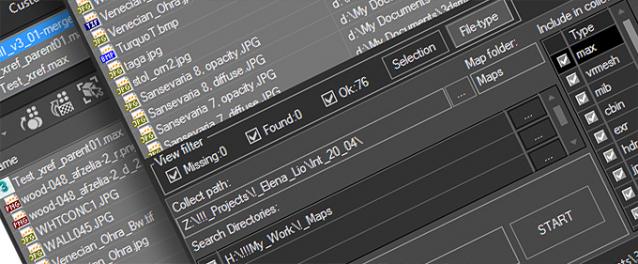
 

The Batch Render&Relink tool helps manage your asset files into the 3D model and material libraries in Batch Mode.

BR&R is capable of rendering thumbnails for 3D models, materials, and IES photometric files.

Batch Mode makes for an easy way to gather and compile many assets at once.


The new version of FilePathFinder is released with support to 3ds Max 2026

and many new features that improve managing scene assets

FilePathFinder Pro version 4.17.01

  • Adds support to 3Ds Max 2026
  • Play IFL, and animated GIFs directly in the list view
  • Play IFL and animated GIFs in the external Asset Viewer
  • Ability to change selected assets directly from the Asset Viewer using keyboard shortcuts
  • Adds an ability to include/exclude search directories by filename
  • More accurate material/texture placement in SME
  • Drops support to light theme
  • Fixes an issue with including/excluding search directories by filename
  • Fixes an issue with searching, relinking, collecting, and archiving the content of IFL files
  • Fixes an issue with relink assets in batch mode for Demo version [Batch Render&Relink]
  • Fixes an issue with renaming external scene links with status #Found
  • Fixes some issues with relink assets using exclude directories
  • Fixes a bug with relinking assets in huge scenes
  • Fixes a bug when using the tool together with Materials Manager and Models Manager
  • Some other optimizations, fixes and speed improvements

Search Materials And Maps

12 votes


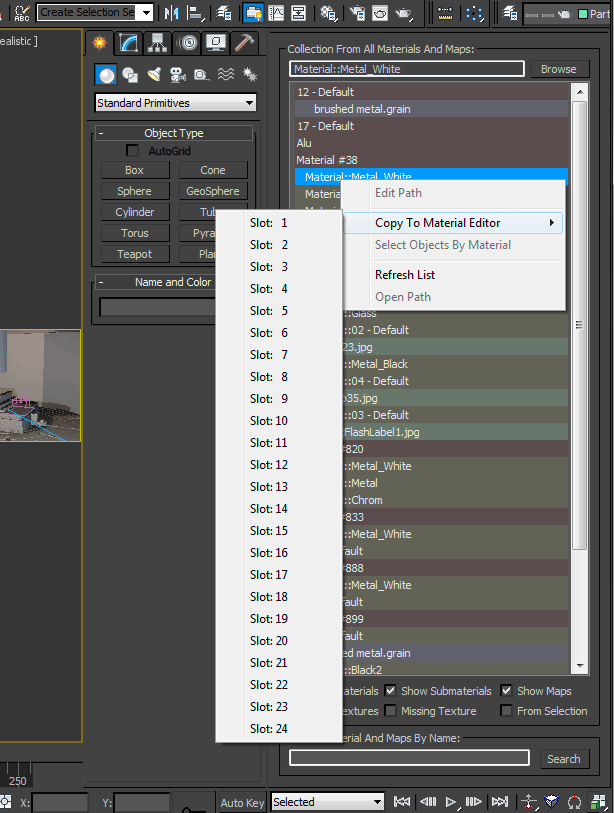
The script is also dockable and it has now a right click menu:


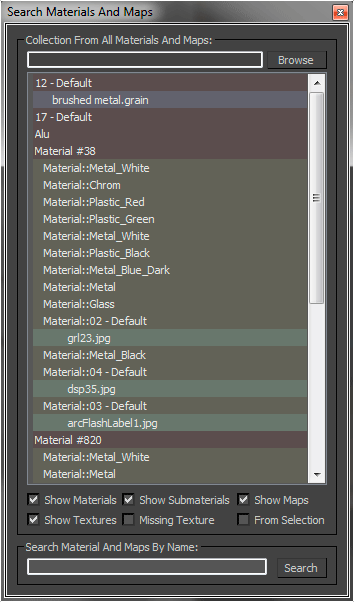
This MaxScript collecting all materials, maps and texture, it also allow to search materials, maps or textures by name. You can modify the texture path, also for multiple selections, and you can copy the selection to the material editor.

Vray ToolBox

6 votes

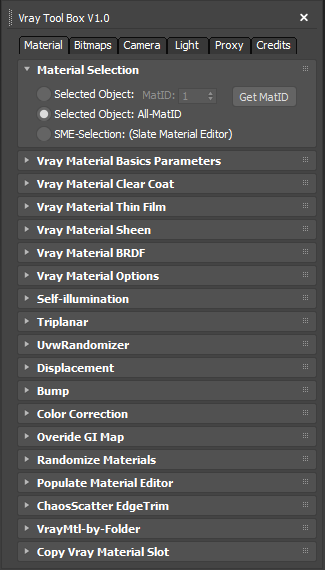
It is a Vray version of my script "Corona Automator" It has a lot of features for materials, bitmaps ,cameras, lights and proxies.

Its main goal is to automate property tweaking, and save time on repetitive tasks.

for now the material part is focused on Vray Materials , it won't work on other kind of materials like fastSSS or other materials.

Bitmap Collector

4 votes

This script was created in order to help artists with collecting and re-pathing bitmaps (textures) that are coming into the scene files from all over the places.

This tool will let you automatically re-name the bitmaps based on dynamic names as well as your defined static names. It will then copy all the bitmaps to a single directory of your choosing and automatically re-path the bitmaps in your scene, so that you don't have to manually do a thing.

Here's a quick video demonstrating how it works

HexGrid

17 votes

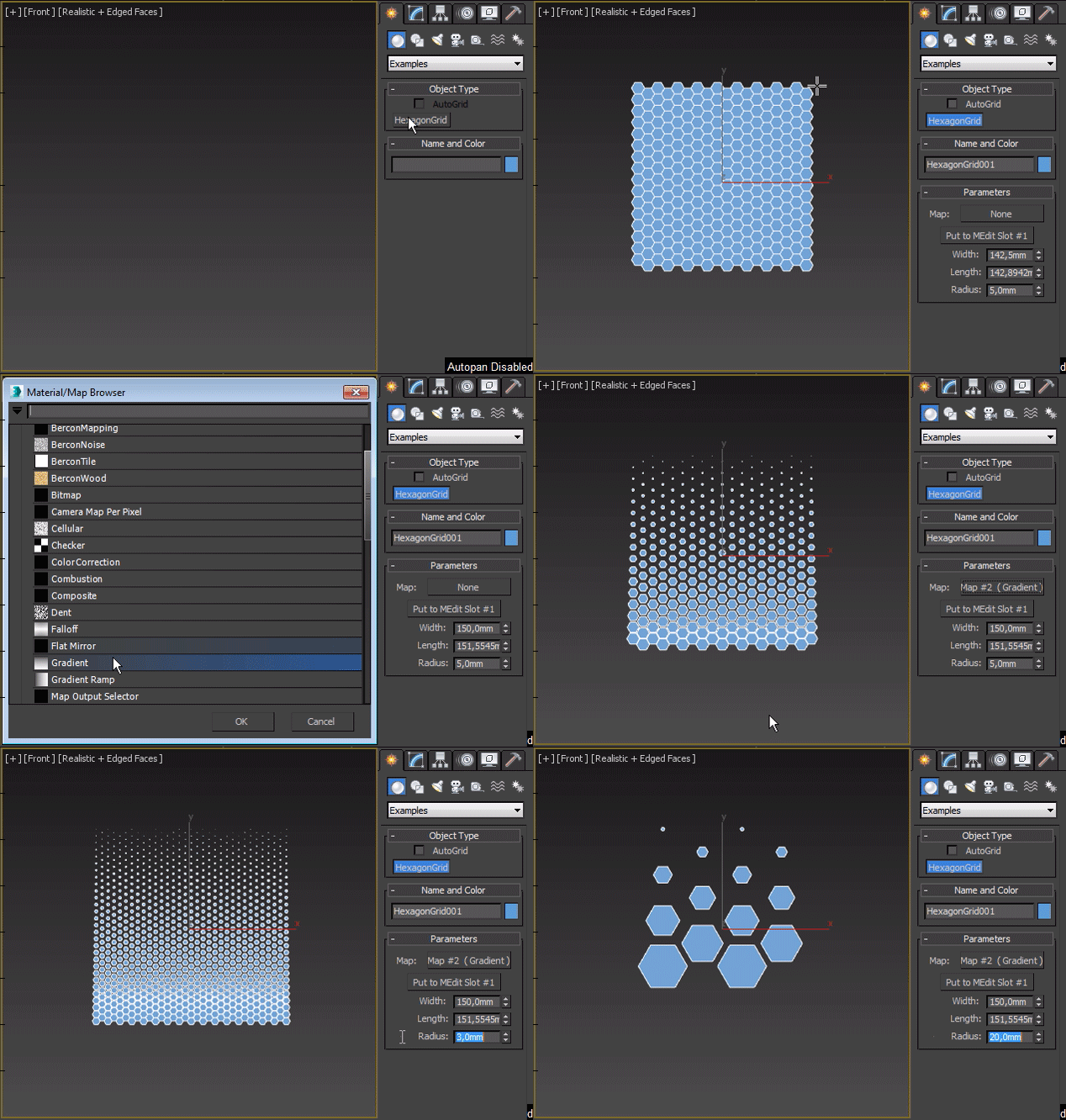
Hexagon pattern primitive. The size of individual hexagons is driven by a texture map. Map colors can also be saved to vertex color channel.

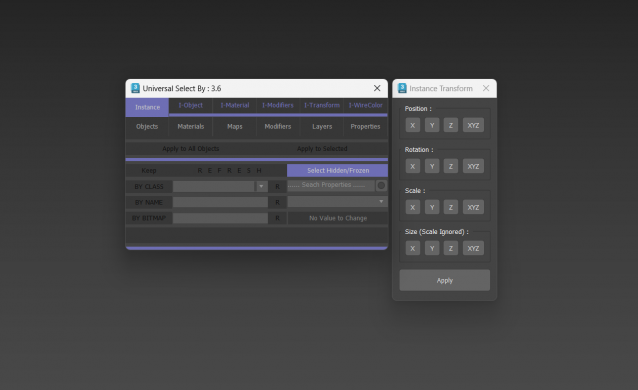
Universal Select By

9 votes

Photoshop tool. Open image maps in photoshop

30 votes

Hello,

This is an update for an oldie but a goodie,


This is an oldie but a goody. Put simply, it is a script that will open 3ds Max material maps in photoshop. I use it in my quad menu. If photoshop isn’t open, then it will open it for you. The previous version used a hard old school search for image maps used
in your materials, before opening them in photoshop. This version uses
the max class dependencies to get all bitmaps used in a material.

Bitmap List [ .NET ]

7 votes

The script "Bitmap List [ .NET ] - Version : Beta 1.0 " use dotNetClass ListView and Maxform.
The script for use change location bitmap and stuff in 3ds Max.
The script support 3ds Max 2009 - Higher.


Environment Lighting HDR Studio (MR)

3 votes

 NEW VERSION 0.9

This Script allows to insert a Environment map HDR in the scene and simluate a virtual set for rendering "white". Also useful in the preparation of illuminated images in HDRi.

New features (work in progress):

Change Log v.0.9