Tagged 'Animation'

Add Inbetween

16 votes

Adds an inbetween key at the time-slider time. The value of the new key is a mix of the previous and next keys' values. The mix percentage can be controlled with the "Change In-Between Percentage" tool.


This tool is a macroscript (see this article on macroscripts and how to install them). After you run the script file, the 2 macroscripts will be available in max's customize window under "Os Tools" category.


Face Pose Saver

1 vote

A 3ds Max script to save key positons of the face witch is controlled with sliders

Video link

GitHub link

ABOUT THE SCRIPT:
It's a tool for animators to save key face poses and speed up work. It's gets the position of the selected sliders and do a snapsot on the viewport and save as a button. First you have to set the "CHR" as the charachter name and set the path where the picurates begin saved.

Streincorp Pistons

19 votes

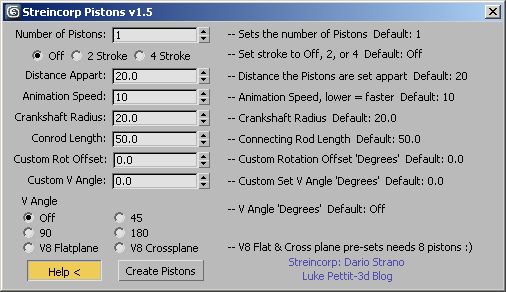
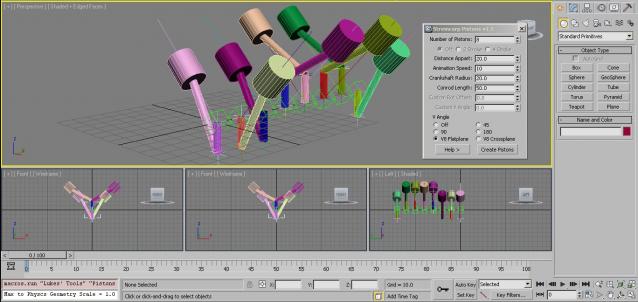
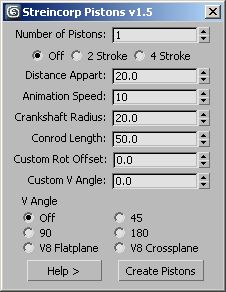
A script that recreates the tutorial from Dario Strano.


Griffin - Character Generation tool for 3ds Max

2 votes

Griffin is a animation ready cartoon character creator tool for 3DS Max. It offers you dozens of parameters to create your own unique character fast and easly. And also you can buy extra clothes and items from Griffin Shop and use them on your character. So knowing nothing about modeling and rigging , you can create your rigged character with industry standard tools in a few minutes!
And also you can use it in your commercial or personal projects…

Load Multiple Bips

0 votes

I created this script to speed up my daily work with crowd animation. If you have a lot of character studios rigged bipeds and need to load the same animation (walk loops, conversation...) on all of then, so this script might help you.

It's a .mzp file that you can just drag and drop into 3ds Max or run through the MAXscript menu. After that you will find the script at: Customize > Customize User Interface > Toolbars tab > Category: MMScripts > Load Multiples Bips".

To use the script you just need to:

Collapse Transform

18 votes

Collapse/bake PRS per frame to keyframes for the current time range.
(reserve addition to the built-in Collapse tool)

EchOoo PRO

3 votes

This tool is inspired from tools you can find in 2D animation softwares, like the Onion Layers in Flash or the Echo effect in After Effects. It's a new max object where you can pick different sources and offset their time animation, but alsodivide this time offset by the number of source copies you want. Creating nice animated duplication effects, for motion graphics or simply to check your animation without using trajectories.


Stick Locator

23 votes

Stick Locator
=============
version 1.2

written by Mayec Rancel

(macroScript)

Description:
Creates a point dummy, and parents it to the reference object's vertex/center,
using controller expressions.

This is useful to parent other objects to a specific part of a deforming
mesh, or an object whose transforms have been 'baked' (e.g. point cache).

I have found it specially useful, in FX work, for particle/fluid emitters.

Notes:
- Only the 'center' method can be used with splines.
- When using 'vertex' method, the dummy's rotation will align to the

speedometer

12 votes

So simple!
It tells you the speed of the selected object in [km/h] if your scene in meter unit.
You can easily modify to [mph] or [m/s].

If you would like, upgrade it and share for all of us! ;)
GiaNT

Little Fish

2 votes


Little Fish is a free plug-in base on maxscript to develop Particle Flow - By Arash Daemi.
The video tutorial of Little Fish in Youtube
My Facebook's page: Park of Pictures
My website: Filmakes

Syndicate content