Tagged 'map'

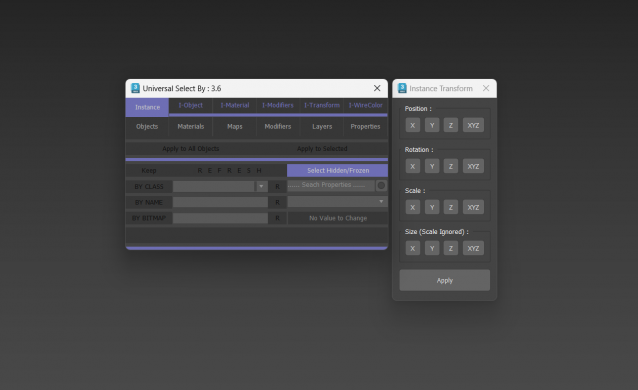
Universal Select By

9 votes

VertexMapDisplayer

7 votes

Toggles or turns on or off the vertex map viewport display for all scene or selected objects.

Tutorial:
Select a bunch of objects that already have vertex maps. Run the UI version of the script. Choose "Selected". Hit Do. It will toggle the vertex map display in the viewport on or off.

Dirtizer 2

5 votes

A very helpful plugin which can make your materials dirty in one click!
- You can control the level of dirtiness.
- You can make it dry or wet.
- Dirtizer supports Multi-materials (you can set random dirt to all materials at once)
- You can add your own textures of dirt. (Organize your textures in "Dirtizer" folder as you want)

Most render systems are supported now! Tested with V-Ray, Mental Ray, Scanline, Corona, Redshift.

Multi Texture Tiler

4 votes

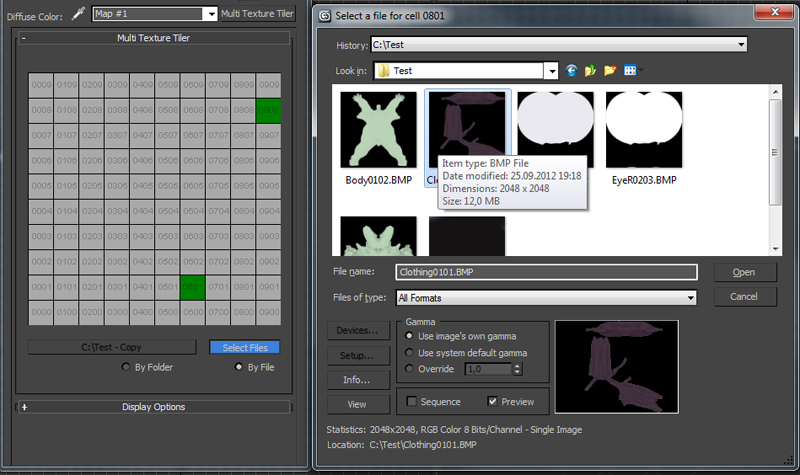
New version update: Possibility to use files without any prefix choosing them manually (thanks to Branko Živković for pushing me in that direction).


The Multi Texture Tiler (MTT) is a plugin for 3DS Max 2008 - 2013 to apply multiple textures to multiple UV-Tiles immediately.

Textures2materials

3 votes

poster

Textures2materials is a very handy plugin which can turn multiple textures into materials at once (into multi-material or into multiple material slots). It also checks if your textures have a bump versions and load them as bump. "Must have" plugin for any 3D designer.

SIGERTEXMAPS NCS Color Solid

2 votes

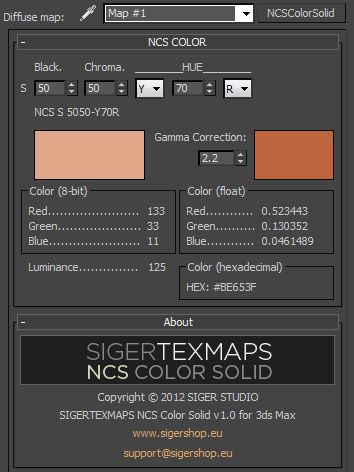
The SIGERTEXMAPS NCS Color Solid is a scripted 2D Texture map plug-in for 3ds MAX.

KEY FEATURES

  • Convenient input of the NCS color code
  • Compatible with V-Ray, finalRender, Brazil, default Scanline render
  • Compatible with mental ray (3ds Max 2010 and above)
  • Gamma correction possibility
  • Color info (8-bit: 0… 255, float: 0… 1 and Hexadecimal)
  • Friendly and simple interface

SIGERTEXMAPS SIKKENS Color Solid

2 votes

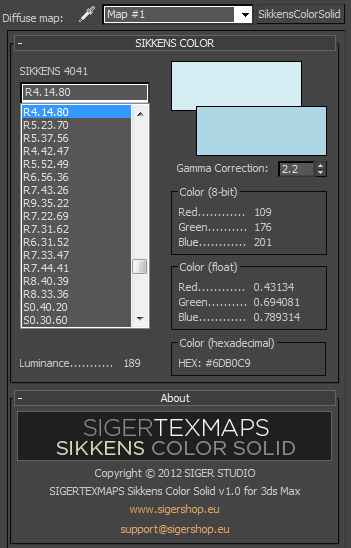
The SIGERTEXMAPS SIKKENS Color Solid is a scripted 2D Texture map plug-in for 3ds MAX.

KEY FEATURES

  • All 1624 SIKKENS 4041 colors
  • Compatible with V-Ray, finalRender, Brazil, default Scanline render
  • Compatible with mental ray (3ds Max 2010 and above)
  • Gamma correction possibility
  • Color info (8-bit: 0… 255, float: 0… 1 and Hexadecimal)
  • Friendly and simple interface

Dirtizer 2

2 votes

A very helpful plugin which can make your materials dirty in one click!
- You can control the level of dirtiness.
- You can make it dry or wet.
- Dirtizer supports Multi-materials (you can set random dirt to all materials at once)
- You can add your own textures of dirt. (Organize your textures in "Dirtizer" folder as you want)

Content Browser

2 votes

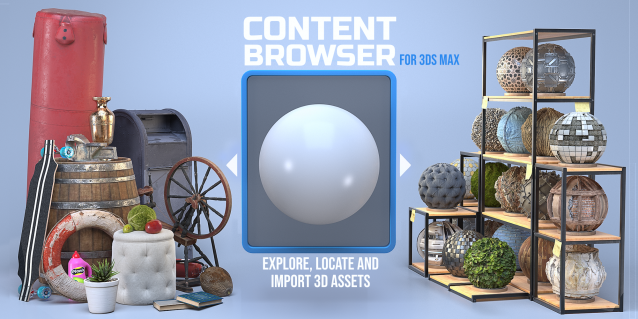
The Content Browser helps you quickly browse and import 3D assets on your computer.

Load any folder accessible on your machine and the Content Browser will find any materials, hdri’s, models, and max files. It will group, organize and display these files as assets, recognizing previews, LODs, mapping channels, resolutions and other important information automatically. 

It simplifies the importing and merging process for 3d models, max files, material creation and hdri environment maps by allowing you to directly browse, filter and drag all of your 3D assets from sources like MegaScans, PolyHaven, gameTextures, Poliigon, Arroway into 3ds max viewport or material editor. 

Main Features

  • Load any folder and find 3D models, max files, materials and hdri’s.
  • Show grouped files as assets, group matching assets and find preview images.
  • Drag and Drop asset into the 3ds max viewport or the Slate Material Editor
  • Import assets to Slate and Compact Material Editors
  • Default Merge and Import 3d files and max scenes, with automatic relinking filepaths
  • Choose LODs/resolution/variations and Import multiple assets at once
  • Folder hierarchy, File list and Preview Gallery

Quick Z-Depth (mental ray)

1 vote

With this useful and simple script, you can create a non-destructive quick map Z-Depth in mental ray.

rollout Quick Z-depth

Enjoy!!


Syndicate content