Tagged 'manager'

Controller Manager

1 vote

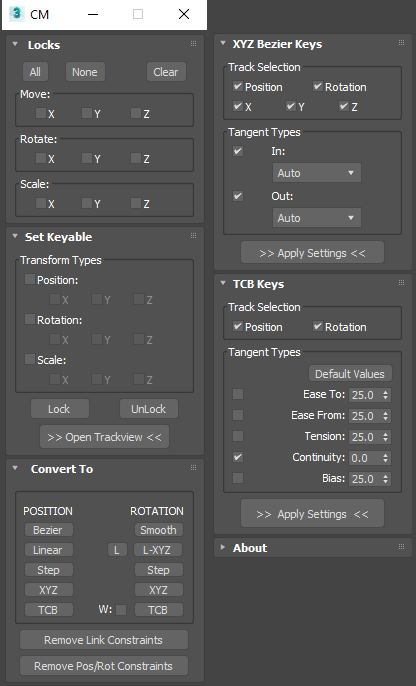
A composite floater containing tools for adjusting controller or key settings.


Features include...

  • Set object axis locks (same as the Hierarchy panel)
  • Set keyable PRS tracks
  • Convert controller types or remove constraints
  • Adjust XYZ Bezier tangent types and TCB tangent types
  • Settings can apply to multiple selected objects at once


111_xrefSceneManager

2 votes

this is a replacement for the standard xref scene manager with the main goal - allowing you to switch on/off xref scenes quickly. just leftclick and rightclick on an item in the list.

Noise Manager

2 votes

A tool used for setting noise controller values on a selection of objects containing position and/or rotation noise animation tracks.


General Notes:

- Noise controllers must be added either directly to the main Position or Rotation tracks or setup as a list controller with a single noise in any available list track.

- Does not support multiple noise controllers on a single object. Does not support nested list controllers. Does not support noise float tracks on XYZ controllers.

ZOA Path Editor

39 votes

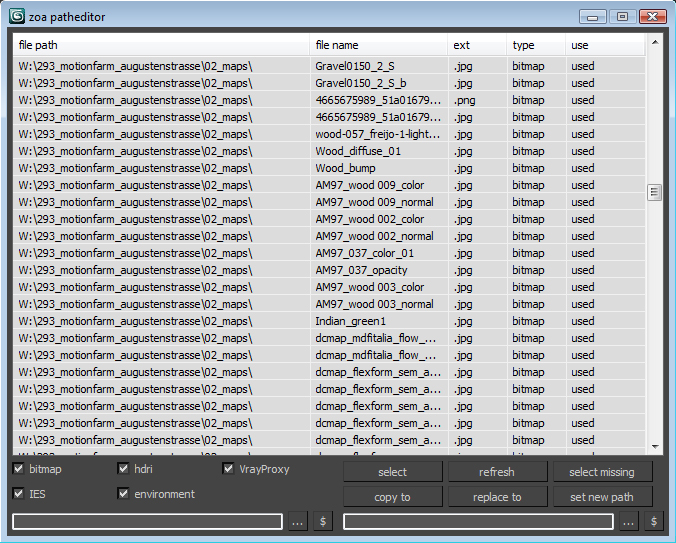
Simple Path relinker application for maps, ies, hdri corona proxy and vrayproxy objects. Features are: path text replacing and copy functions. The two text fields below each section are for "original" and for "future" paths. $ stand for string. Use it to copy a map path of a selected map to the desired text field.

User interface for the maps section. Others look the same.

Teamwork

13 votes

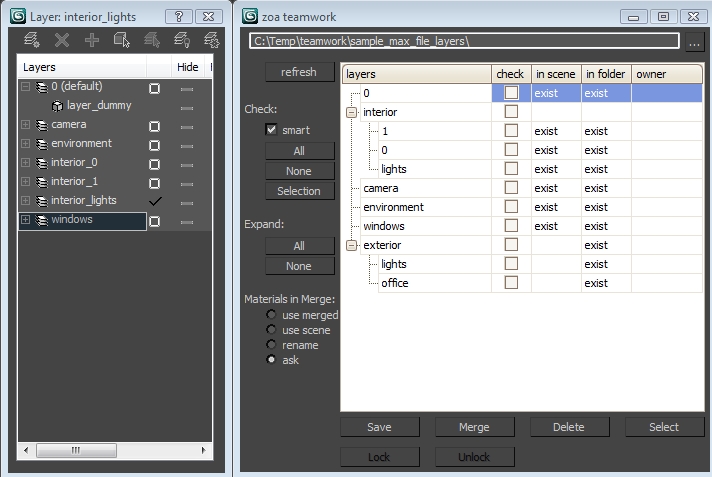
Teamwork Script User Interface

Vray Mat Lister

4 votes

Hi everyone,

I'd like to share a script I have made.
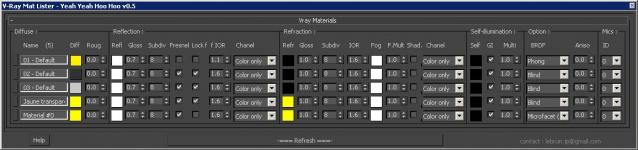
It's for Vray and it makes a list of all your VrayMtl (and of the main parameters) you have in your scene.

UPDATE Version 0.5 for vray 3.xx

This tool allow you to modify all your vray materials parameters quickly. Globally it works like the Vray Lightlister

Quick Manager

0 votes

This is simple script for renaming and managing objects on the go.

To install script Just
1. Unzip "Quick Manager v1.0.rar"
2. Keep "MyLibrary.mat" to that folder if you are going to keep that folder.
If you are going to delete that folder, then put "MyLibrary.mat" to following location - "C:\Program Files\Autodesk\3ds Max 2017\materiallibraries"
1. run "Quick_Manager_1.0.ms" from MAXScipt-Run Script.
2. Then go to Customize-Customize User Interface.
3. Find "Quick_Manager" Under "Sharad Tools"
4. Assign Shortcut for it.

Script will Renames objects

VRay Camera Manager

5 votes

FumeFX ModernUI

0 votes

FumeFX ModernUI is a tool for 3ds Max that helps reducing repetitive tasks when simulating with FumeFX. It has a clear interface (therefore the name) and comes with an easy to use installer.

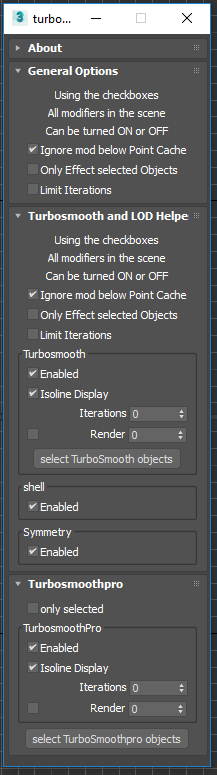
Toggle Turbosmooth , shell , and Symmetry

2 votes

Turbosmooth helper dialog

This is a simple script allows you to quickly toggle ( on or off ) all: turbosmooth , shell , and Symmetry modifers in the scene. I use it to control detail levels while I'm building up a scene. To use:

Syndicate content