Tagged 'VRay'

waRp TexToMtl

0 votes

This script is meant to be used only in a specific workflow, when importing textures from Mari.

Usage: Choose the directory where the textures are stored. If the texture names contain the keywords of the mapping slots name like "Diffuse, bump, opacity.." then the script automatically suggest those textures to be assigned to the according slots.
By rightclicking the Assign button all the textures from all the mapping slots will be cleared.

VRay Camera Manager

5 votes

VRay Camera SLR Setup

4 votes

With this tool you can easily set up the basic parameters of VRayPhysicalCamera
(Aperture [f-stop], shutter speed and film speed [iso]) to mimic real SLR cameras.

InstancesToVRayProxy

6 votes

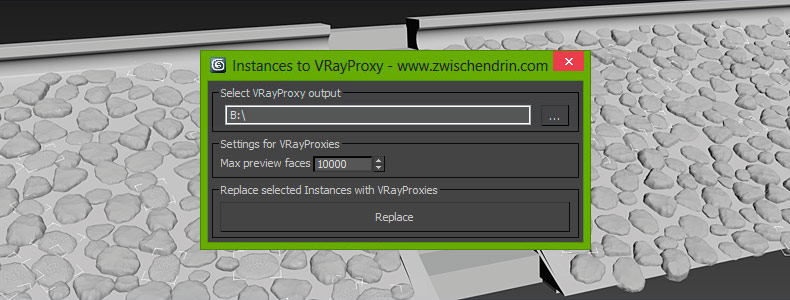
Select as many objects as you like and let InstancesToVRayProxy find any instanced objects and convert those instances to VRayProxies. InstancesToVRayProxy automatically outputs VRayProxy meshs (*.vrmesh files) to a given folder, creates VRayProxy objects and replaces the selected instances with instances of those VRayProxies. This may sound difficult but InstancesToVRayProxy will optimize your scene to do faster renderings and all you have to do is pick an output path and hit a button! Instanced VRayProxies only need to be loaded once per proxy mesh. This will cut down the setup time of your renderings.

Vray Focal Controller

1 vote

Control Vray's global Focal Distance parameter with a helper node that can be freely re-positioned and animated. Animate the helper node to easily perform rack focus pulls or maintain focus on a given object while the shot camera moves elsewhere.

Feature List:

mental ray Proxy Manipulator

3 votes


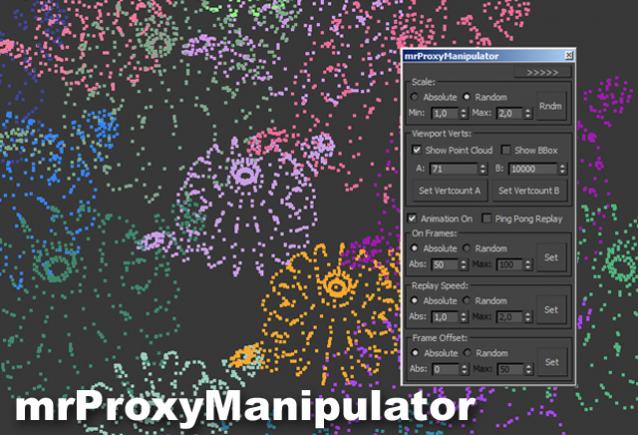
Working with mental ray proxies can be very tedious. As they are used for vegetation alot, the need for variation is there, to make it look believable. This script gives you options to vary scale and all animations aspects of all selected mr proxies. It also has a minimized version where you can quickly change the viewport resolution of your proxies, helping to speed up the viewport alot.

Tutorial video:

Vray Light Select Elements

2 votes

—-Description:
—- With One Simple Button Create One VrayLightSelect Element for each Instances Light
—- Rename RenderElement with name of light
-- Ignore Targets

Inspired by the script of "ecXimer" "Auto Render Element VRayLightSelect" I created a new function more simple, with one unique button create one render element VrayLightSelect for each Instances Lights.

FumeFX Gi Maker

0 votes


Hi,

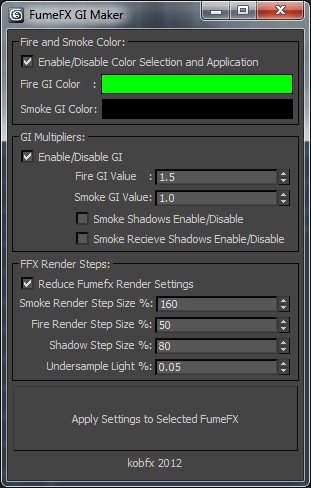
This script will Prepare FumeFX containers for creating GI masks to be used later in Comp. Also has controls to optimize the render settings of your shader and shadow creation.


Things this script does:

Sets fire and smoke color to be a flat color of your selection.

Sets the Strength of Gi multiplier in your grid.

Turns shadows on and off.

Scene Light Multiplier By POPA_3D

2 votes

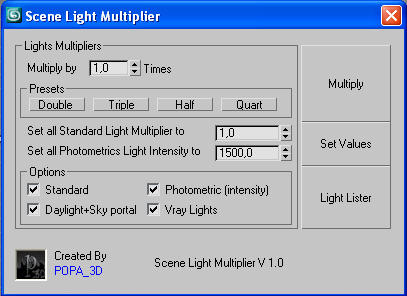
Scene Light multiplier let you manage all your scene lights by multiplying their multiplier by a defined value or set all light multiplier to a defined value...

you can chose which lights will be taken in consideration

#Standard will affect:

 target Spot 

free Spot 

Target Directional ight 

free Directional light

Omni light 

Skylight 

mr area omni

CamLister

4 votes

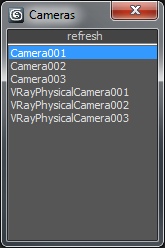
A very simple Camera Lister which allows to select and assign cameras by clicking it in the list.

Leftclick: Select the camera
Rightclick: Assign to current active Viewport

Very simple one but still my most used Script for daily work ;)