Tagged 'VRay'

Random Wire Color Tools

37 votes

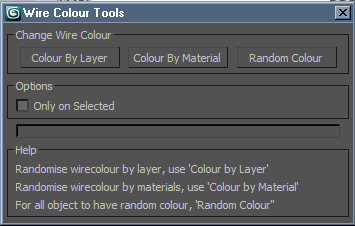
Wire Colour Tools is a simple script for setting random wire colours to all of the objects in the scene. Anyone who does allot of post work either in PS or a compositing package should find this script useful. Being able to adjust any element or of your project in post by the object enables you to get the most of your image, rendering Wire Colour passes is very simple and inexpensive from render time point of view.

VRayProxy Animation Control

36 votes

For the new support for animated deforming meshes to VRayProxy object in VRay 1.50.SP2

How to control large numbers of proxy animated objects, randomly altering their values speed, frame offset and scale. Besides controlling all the parameters of VRay Proxy (display, playback, meshfile and selections)

Use with copies of proxies and work on selected objects.

VrayProxy Switcher

35 votes

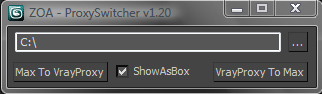
Select a bunch of objects and put unique nodes to a specified directory as separate max files with the related vrayproxy data saved next to it.
Istance copies will be replaced with the new vrayproxy object.
Get previously saved objects back to max whenever you wish.

User Interface

SIGERSHADERS VFloor

34 votes

Interface

Change Renderer

34 votes

This is the updated version of my First Script which u can use to change Render Engines. Am planning to add more render engines if i get their RenderClass.names. I would like to add other renderers too but i need their rendererclass names. You can see how to get that at the end of the video. Hope you enjoy this simple script.

UPDATE:

Version 4 Available HERE

OLD VERSIONS:

v3.00b screenshot:

V-Ray Material Shortcuts

34 votes

These short cuts are really collection of very simple Macro scripts. Like my Turn Viewport Maps On/Off this one has had some serious staying power with artists to date it has to be one of my most used scripts. All of the macros are designed to manipulate V-Ray materials globally throughout the scene, very quickly and efficiently. Each macro effects every V-Ray material in the scene. They are very handy in a number of situations, for example when you get a file from a junior that has the glossy sub divs on every material sky high.

Little Batch Render

33 votes

Vray - LittleBatchRender
Version 0.84

Description:
with the "LittleBatchRender"-script you can easily render multiple cameras in your scene with one Click
Features:


• correct autonaming for Render Elements
• NetRenderSupport
• Spawning can be disabled when rednering with NetRender
• consistent Naming for local and NetRender - no relinking in Compositing necessary
• Turning of and on individual Xrefs for individual Cameras

max2nuke

32 votes

max2nuke exchanges animation data between 3ds max and nuke using chanfile data. cameras, axis or transform-geo supported.

worked for free cameras (with or without transform reset) and target cameras.

exports obj sequences to bring mesh animation to nuke 4.8 and higher

nodes can be copied from max and pasted to nuke (which is more comfortable and lots of additional data can be copied)

vray cam focal length is now correctly calculated in relation to focus distance

VrayLightLister

32 votes

Lister for Vray Lights. I use this script permanently. Extremely comfortable for controlling VrayLights present in the scene. You can find the script in "IllusionBoxStudio" category (Customize/Customize User Interface/IllusionBoxStudio)

VrayCamLister

32 votes

Simple script for VRay & PhysicalCameras management in your scene.

Syndicate content