Tagged 'vertex'

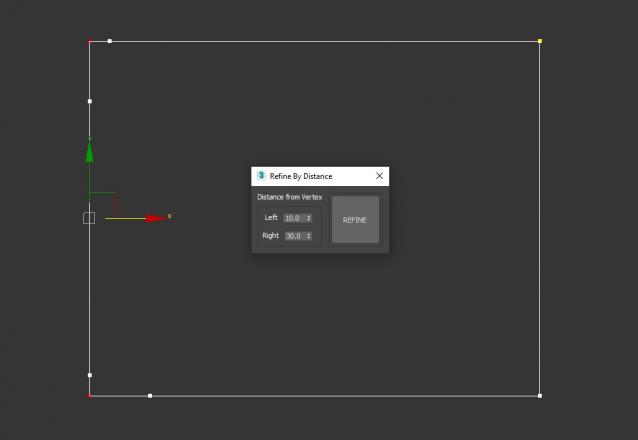
Refine By Distance

1 vote


3DS Max Script to Add 2 Vertices on each Selected Vertex by Specific Distance or to All Vertices if no Vertex Selected . Left of the Vertex will be Towered the Previous Vertex . Work on Multi Selected Shapes .

Box From Vertices

1 vote

Simple Script to Create Box from Selected Vertices (You can use it as snap reference)
The Box Rotation Depends on the Current Coordinate System :
- local , Parent , Node.Transform .
- other than that it'll use the view system .
- it works with (Poly,Mesh) Objects or Modifiers , and shapes (will be Converted to editable Spline) .
The Created Box Name will be "Box_Helper" placed in Layer Called "Snap_Helpers" .

LiveMeasure

14 votes

Measure and show edges length, segments length and faces area in real time. Work with Splines, Editable_Poly and  Editable_mesh objects and Edit_Poly modifier.
--        In Polygon/Element sub-object level will show the selected faces area in generic units only.
--        In Edge/Border sub-object level will show the length of selected edges in user defined units.

SubSpline

1 vote

SubSpline 3dsmax script - banner

Total Control of Spline Subobjects


Description

SubSpline is an Advanced Subobject Selector & Material IDs Editor for spline shapes in Autodesk 3dsMax.

Easily expose on screen the vertex numbers and material IDs for all your selected shapes, with a simple toggle button.

Resize Splines From First

27 votes

Tools that resize spline sub-objects in regard to their first vertex, one with a scaling factor, the other using a fixed size.

Snap Verts

8 votes

Snaps selected vertices to the closest vertices of the target object.
Works on Editable_Poly and Edit_Poly, at any level in any modifier stack.
Also works inside the same mesh (if you pick the same object as target object)

This is based on this script: http://visionlore.com/lab/snapverttovert.php

DeformByProjecting Utility

7 votes

DeformByProjecting is a scripted utility for 3dsmax that allows deform one or more objects by projecting mesh verticies on the surface of another object (preform). The basic idea is similar to Conform (Compound Object), but functionality DeformByProjecting utility has differences and features:

Average / Copy Border vertex Normals

2 votes

By Marc Robert / Trebor777 ([email protected])

Tool to fix seams between 2 objects by averaging or copying the normals from one another's borders.

The user needs to select the same number of vertices on both mesh with an EditPoly modifier named "VertSelect". It's created automatically when the meshes are picked if they don't already have them.

The tool will compute the closest vertices from each other and uses those normals.

Vertices to Splines

0 votes

Generate splines from the normals of mesh vertices.

This script is useful to create quick hair/fur splines or special effects.
It’s an incredibly powerful tool when used in conjunction with TurboSplines script to create things like tentacles, spikes, spines, appendices, etc.

You can set the number of splines, length, number of knots, variation and chaos.

SplineTools

2 votes

Simple tools for working with splines in 3dsMax.

These tools includes:

  • -Selection filtering *Select only closed *Select only open 
  • -Clean up *Convert to spline and perform overlapping points weld.
  • -Close all *Close all splines
  • -Set points to corner/smooth/bezier/bezierCorner *Sub-object level sensitive
  • -Select by length *Select and sort splines by input length
  • -Sort *Detach open splines
  • -Explode *Explode shape object to splines (not segments)
  • -VArranger *Arrange selected splines by input z values and optionaly create a surface. Used to create terrain from drawing.

SplineTools_ScriptSpot_V.2.0

Syndicate content