Tagged 'modeling'

Resize

6 votes

"Scales an object in the x y and z to exact lengths. can be used to uniformly scale based on one axis - or to non uniformly scale all axis at the same time. simply type in the length you desire in units and hit the button. added support for reset xform and collapse stack to script ui. can be used on multiple selected objects.
New features in 2.0 include workflow improvements - the ability to resize on local world and all other coordinate systems and a dimensions tool ( the dimensions tool only works on single objects).

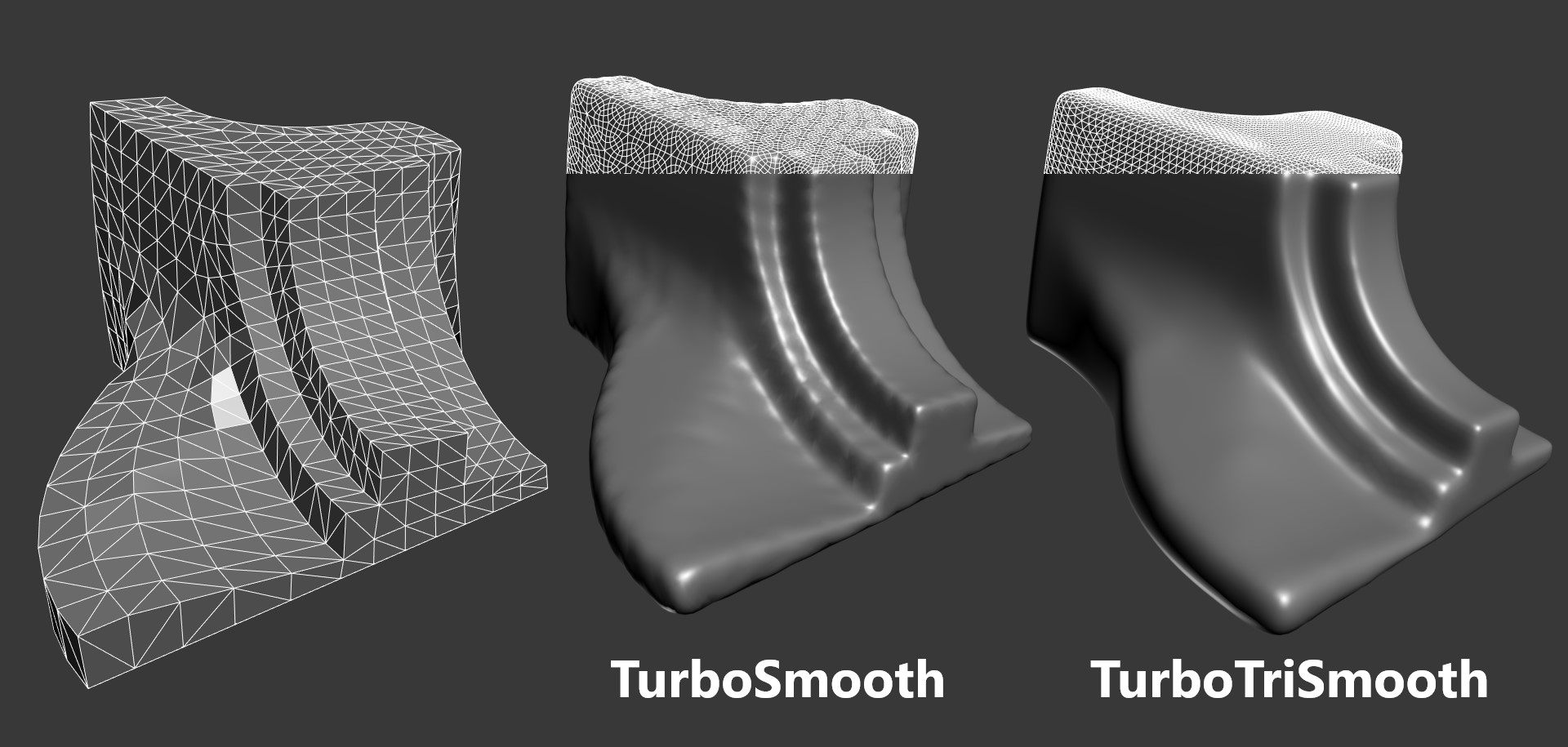
TurboTriSmooth

4 votes

TurboTriSmooth is a modifier for 3ds Max that subdivides triangle meshes while producing smoother results and nicer topology than the standard TurboSmooth. It can be used on triangulated models, cloth, scans, decimated meshes, fluid simulations, terrain or on any triangle mesh. Get it from https://mariussilaghi.com/products/turbotrismooth

Edge Loop Straighten with Constraints

4 votes

Edge Loop Straighten with Constraints works like this:
Selected one or more partial loop(s) of edges, run the script, and it will straighten all the verts between the end verts of the loop(s). What makes this script different from others of its kind is that it fully supports all three geometry constraint modes; edge, face, and normal constraints.

Pixel Wall

12 votes

This little script builds an array of instanced spheres - where each sphere position and colour relates to its corresponding pixel in the chosen bitmap.The sphere wall can then be manipulated in various ways (for eg. collapsing it using dynamics software) This can create an interesting effect if rendered and played backwards.

AutoEdge Selected

6 votes

"Another one to make CAD cleanup less painful - specifically .3ds objects exported from AutoCAD. Select a bunch of imported 'Mesh' objects and hit the toolbar button to:

  • Convert them all to Editable Meshes
  • Select all edges
  • Perform Auto Edge at the current threshold
  • "

    Self Intersection Selection

    7 votes

    The macroscript performs a selfintersection test on editable mesh
    objects and selects all faces that have intersection and all edges that
    are the cause of it. tested in max5 but should work on higher too.

    Sculpt Fixing

    3 votes

    Sculpt fixing is a tool for 3ds Max that lets you sculpt any object that uses a Point Cache modifier. The Point Cache modifier allows you to store modifier and sub-object animation to a disk file that records changes in vertex positions. If you are using an imported Point Cache modifier on a model to play back the animation and you need to sculpt it, Sculpt Fixing is an intuitive and easy-to-use tool that will save you time.

    csWorkPlane

    3 votes

    This is a collection of macro script relate to construction plane. It started as an implementation of Modo’s work plane. It includes the following four scripts.

    autoAutogrid
    It allow you create a grid object. After the grid is made, the grid will be automatically activated, and all transform coordinates will be set to Grid.
    The core functionality of this script has been in 3ds Max for long time. AutoGrid, Grid object, Grid coordinate. I just make more streamlined workflow.
    If you want to go back to the default coordinate, Run this script again while pressing SHIFT.

    DeleteDoubleFaces

    7 votes

    "Find and Delete redundant faces in meshes. Has option to extract Double Faces to a separate mesh object.
    4.0 Update: This version includes a fix for MAX 4. No other changes - should work in R3 and earlier - too. "

    Architectural Selection Tools

    10 votes

    AST was written to help in working with editable poly objects on architectural models. It replaces 'poly size selector'. It allows selection of polygons by their size - and edges by their length and orientation.

    Syndicate content