Tagged 'modeling'

2 Point Coordinate System

10 votes

Lets you create new Coordinate System based on two points clicked in Top view.

Hair Planter

10 votes

"Simple to use - but powerful script that is able to plant Hair on your objects! It generates lots of simple renderable shape objects to simulate hair. It is highly customizable and interactive."

Random Select

10 votes

Randomly select objects in your scene.

Architectural Selection Tools

10 votes

AST was written to help in working with editable poly objects on architectural models. It replaces 'poly size selector'. It allows selection of polygons by their size - and edges by their length and orientation.

Normal Thief

10 votes

"This will copy the normals from a master object and apply to various target objects - based on vertex distance between them.

Meshtools

10 votes

Excellent poly modelling toolset built around the concept of using edgeloops as a modelling aid. Includes the following selection tools:
- Convert selection to vert/edge/poly
- Select shared verts/edges/polys
- Sub object selection grow/shrink
- Edge selection tools - edgeloop - edgering - outline

buEdgeSketch

9 votes

buEdgeSketch is a tool that draws the polygon edge.

fr Material2

9 votes

" full replacement for the cumbersome and irritating interface of the shipping finalRender material. Cebas used part of this design (the locals rollout) in their patch releases without credit - which I guess is a backhanded compliment.
It has the following features:

selectionHighlighter

9 votes

This script simulates the Selection Highlighting mode from Silo in max. The idea is if you hover over an object, the object is selected, if you hover over a vertex, it selects the vertex, if you hover over an edge, the edge is selected, etc. No need for extra mouseclicks. Autodesk has half added this feature, this script goes all the way to adding full silo style selection highlighting. Note: This only works in max 2008.

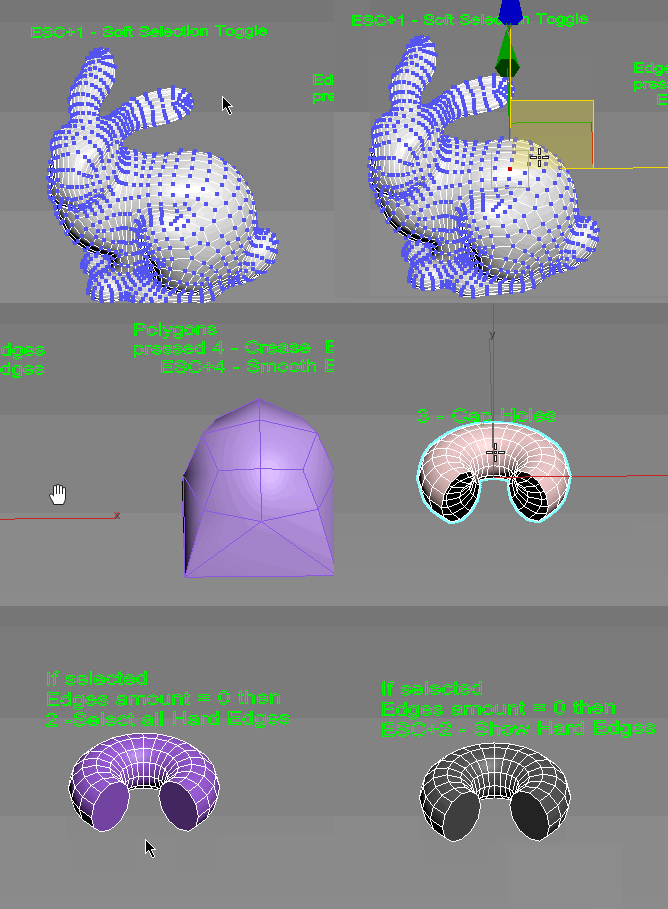
Subobjects Converter

9 votes


v3.07
Fixed Shift+1 Shift+2

v3.01
If Esc+Key of script keyboard pressed and current subobjectlevel is 4 or 5 (Face or Element) and selected all faces then will run Smoothing Groups floater (a separate special window)
Если нажата Esc+кнопка скрипта и текущий подобъект 4 или 5 (Грани или Элементы) и все грани выделены, то будет запущен Smoothing Groups floater (отдельным специальным окошком)

Fixed bug of switch from subobject 5 to 4
Added Extended Subobjects:

Syndicate content