Tagged 'Material'

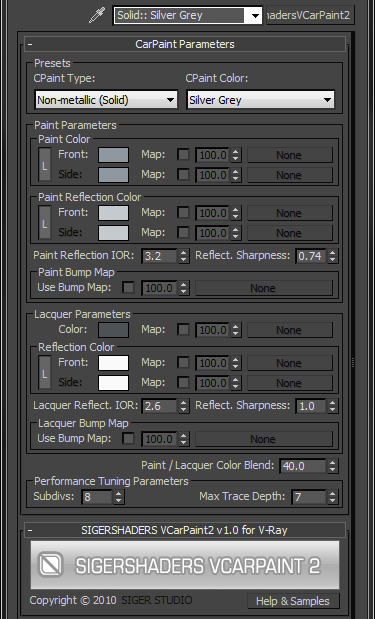
SIGERSHADERS VCarpaint2

67 votes

The SShadersVCarpaint2 is integrated right into 3ds Max and becomes one of the Material options available within the Material Editor. It is expertly programmed Shader that control many components of the V-Ray Material based on specific Material criteria. You can customize everyone Preset flexibly and, the main thing, quickly, to adapt for the needs. This Shader exposes only the settings that are important to creating a highly realistic and optimized material.


Materials to Scene

3 votes

Straight forward script to load a directory of your choice or by recursively going through a single directory (be careful it doesn't go through too many as this will be slow to load) and loading up .mat files.

From here the script will apply Materials only (no maps) to teapots.

I use this to quickly populate the scene with all materials inside a .mat file to tweak and update it quicker.

See screenshot.

Can be found under the category: 3dwannab

Open script and change:
local intialMLPath = "F:\SS_3diT\Textures & Materials\Corona"

to your own user library of your choice.

SIGERSHADERS VWall

24 votes

Milyan's object cleaner

1 vote

Content Browser

2 votes

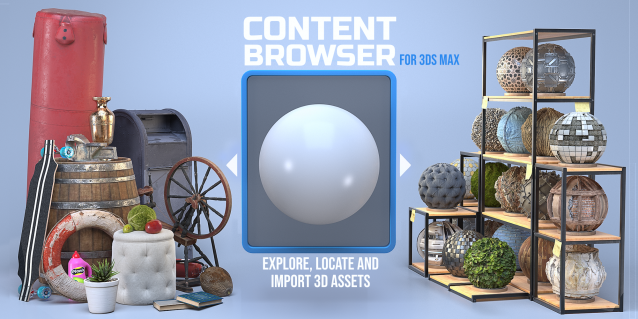
The Content Browser helps you quickly browse and import 3D assets on your computer.

Load any folder accessible on your machine and the Content Browser will find any materials, hdri’s, models, and max files. It will group, organize and display these files as assets, recognizing previews, LODs, mapping channels, resolutions and other important information automatically. 

It simplifies the importing and merging process for 3d models, max files, material creation and hdri environment maps by allowing you to directly browse, filter and drag all of your 3D assets from sources like MegaScans, PolyHaven, gameTextures, Poliigon, Arroway into 3ds max viewport or material editor. 

Main Features

  • Load any folder and find 3D models, max files, materials and hdri’s.
  • Show grouped files as assets, group matching assets and find preview images.
  • Drag and Drop asset into the 3ds max viewport or the Slate Material Editor
  • Import assets to Slate and Compact Material Editors
  • Default Merge and Import 3d files and max scenes, with automatic relinking filepaths
  • Choose LODs/resolution/variations and Import multiple assets at once
  • Folder hierarchy, File list and Preview Gallery

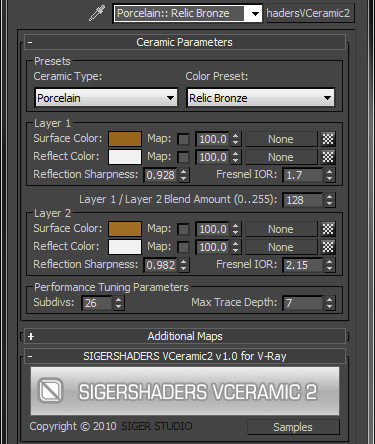
SIGERSHADERS VCeramic2

67 votes

The SShadersVCeramic2 is integrated right into 3ds Max and becomes one of the Material options available within the Material Editor. It is expertly programmed Shader that control many components of the V-Ray Material based on specific Material criteria. You can customize everyone Preset flexibly and, the main thing, quickly, to adapt for the needs. This Shader exposes only the settings that are important to creating a highly realistic and optimized material.

IOR - Index Refraction

0 votes

Simple, harmless and silly script which allows you to view data of index refraction or IOR in the listbox

ior - reflection index

Color Clipboard Toolbar

9 votes

A dockable color clipboard toolbar. Can also be a very compact floating color clipboard.

Reset Material Editor (for pre-max8)

7 votes

Resets all material Editor slots to a default standard material.

Note that this functionality is built into 3ds max 8 and higher. However - the built-in utility can reset the sources of environment maps instanced into the material editor - while this script will leave them unharmed. In exchange - you lose the restore slots functionality of the built-in script.

material replacer

5 votes

"material replacer lists all standard materials in the scene (including nested ones) - and allows following things:

  • merge two or more materials
  • replace a material with any other one (including non-standard materials)
  • rename materials
  • create automation presets - to change multiple materials at a time.
  • "

    Syndicate content