Tagged 'Material'

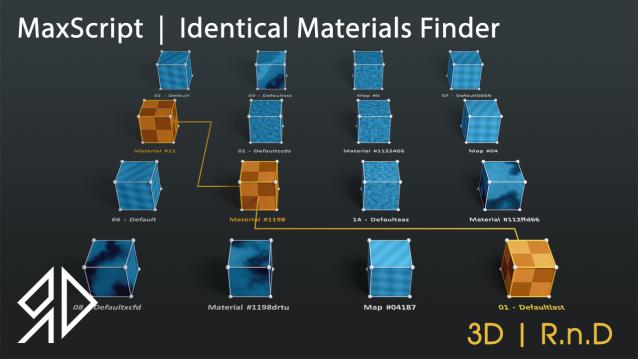
3D R.n.D | MaxScript | Identical Materials Finder

5 votes

Update Notes Version 3.18:

included slate material compatibility

automatically opens material editor when pressing "Put similar to the material editor" button


Update Notes Version 3.21:

included option to instance all scene material

included option to search within selected objects

 Update Notes Version 3.31:

Bug Fixes For Newer Versions of 3dsmax


Update Notes Version 3.36:

Improved code and much faster resaults

fixed unmatched materials issue

Bug Fixes For Newer Versions of 3dsmax

Update Notes Version 3.37:

added abilty to cancel search

clear the ram of arrays after closing the script dialog


Installation : Run script or drag and drop to 3ds max, then go to customize user interface and assign "Identical Material Finder" as keyboard short-cut or quad menu under  "3D_RnD"  Category

PBR Material Generator

3 votes

The PBR Materials Generator is a powerful add-on for Project Manager and Materials Manager designed to expedite the creation of high-quality PBR materials.
It empowers users to batch generate materials using custom settings and presets, all within the familiar Project/Materials Manager interface.

Smart Material Select

0 votes

This script streamlines the process of selecting similar objects based on material in your 3dsmax scene. It automatically opens the group, eliminating the need for manual opening. Additionally, it can handle the selection of multiple samples. For instance, you can select a window frame and then add glass to select both window frames and similar glass objects.

Multimaterial from Files

0 votes

The script lets you pick multiple image files from your drive and creates one material per file, with the image assigned as diffuse texture, and builds a multimaterial with all of them. Then assigns the multimaterial to the selected objects.

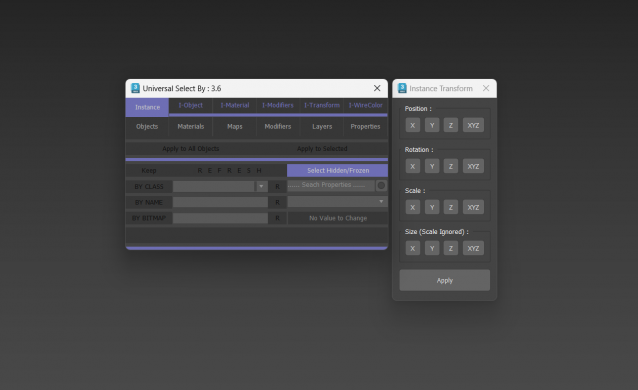
Universal Select By

9 votes

VrayMtl Color Correction

2 votes

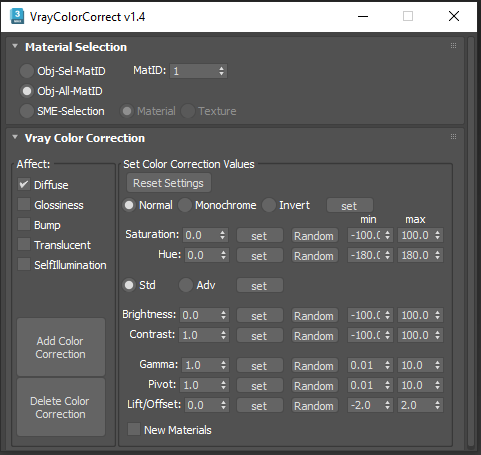
This script is intended to add and tweak settings of Color correction nodes for VrayMtl.

You can add some Color correction with any specified values on any selected material slot (Diffuse, Bump, Glossiness, Translucent, Self Illumination), the existing bitmaps will be kept inside the color correct.

You can change any parameter afterward.

i've added some randomization to each parameter.

Material Texture Loader

7 votes

Description
  The Material Texture Loader loads in textures and instantly creates advanced materials.
  Use pre-defined or customized map and material settings to build re-usable material setups.
  Fully supports Vray, Corona, Redshift, Arnold, FStorm, Physical, Octane, and Standard map and materials.
 
Main Features

  • Automatic texture channel recognition 
  • Parameter linking for all texture mappings
  • Predefined Color-spaces: ACEScg - sRGB - linear-sRGB - Raw - Gamma - Auto
  • Mapping: Tiling - Real-world - Tri-Planar -  Random Rotation - Spherical
  • Live edit settings and disable channels
  • 2-Sided materials
  • MaxScript commands
  • UDIM map loading
  • Drag and Drop
  • Presets

Get it on Gumroad
Latest version: 1.830

ProColor

4 votes

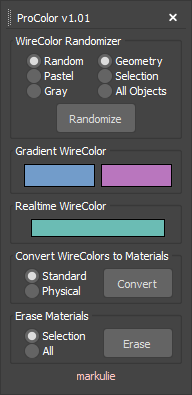
Advanced Wirecolor Tool

Features

-Randomize Wirecolor
-Gradient Wirecolor
-Realtime Wirecolor
-Batch Wirecolor to Material Converter
-Batch Material Eraser

This script is now deprecated.

Use the latest optimized version: WireColor Pro

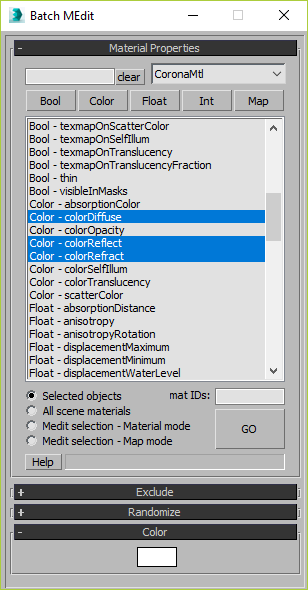
Batch Material Editor

14 votes

This script allows you batch edit multiple materials and bitmaps.

Content Browser

2 votes

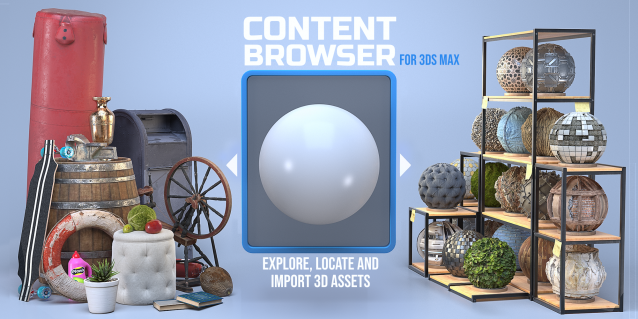
The Content Browser helps you quickly browse and import 3D assets on your computer.

Load any folder accessible on your machine and the Content Browser will find any materials, hdri’s, models, and max files. It will group, organize and display these files as assets, recognizing previews, LODs, mapping channels, resolutions and other important information automatically. 

It simplifies the importing and merging process for 3d models, max files, material creation and hdri environment maps by allowing you to directly browse, filter and drag all of your 3D assets from sources like MegaScans, PolyHaven, gameTextures, Poliigon, Arroway into 3ds max viewport or material editor. 

Main Features

  • Load any folder and find 3D models, max files, materials and hdri’s.
  • Show grouped files as assets, group matching assets and find preview images.
  • Drag and Drop asset into the 3ds max viewport or the Slate Material Editor
  • Import assets to Slate and Compact Material Editors
  • Default Merge and Import 3d files and max scenes, with automatic relinking filepaths
  • Choose LODs/resolution/variations and Import multiple assets at once
  • Folder hierarchy, File list and Preview Gallery
Syndicate content