Tagged 'Objects'

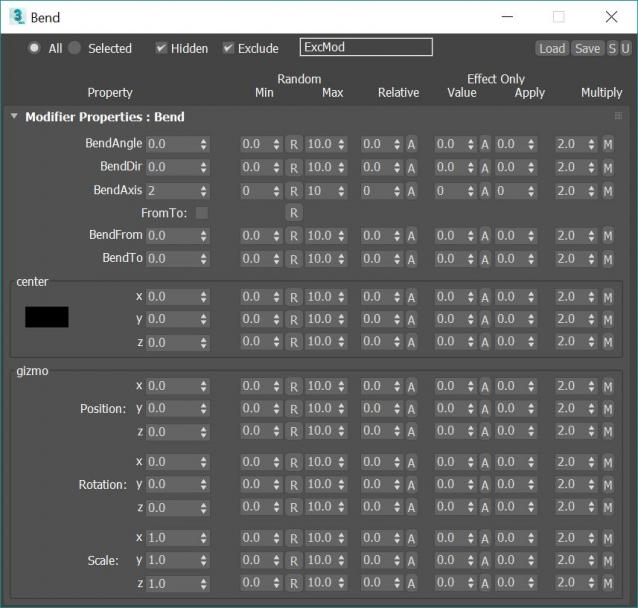
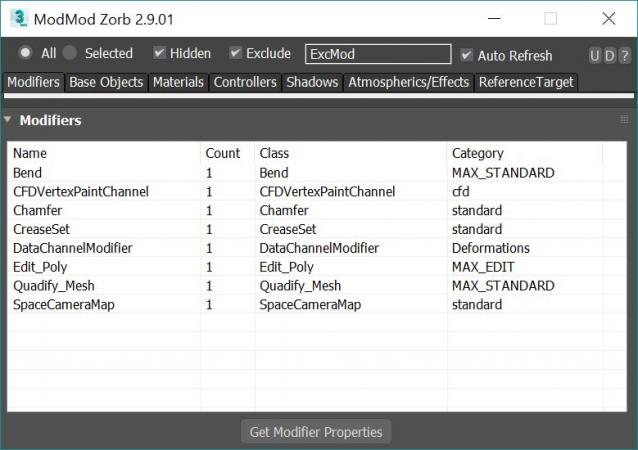
Modifier Modifier Zorb

283 votes

v 2.9.03, Added property dialog filters. Save Property window position and size, Changed "coorinates" prop to "coords" to fixes Vray HDRI map

v 2.9.02: Added Octane and extra Final Render Lights to On/Off and Multiply Right click Menu

v 2.9.01: Added Multiply option to ALL modify properties window. Can now multiply existing values by a chosen value

v 2.8.03 Fixed Save preset bug (for plugins like ky_trails)

v 2.8.02 Fixed ini file bug stopping wondow for opening a 2nd time

v 2.8.00 Added Exclude text field for filtering by name. Editing Refrence targets Tab now working!!! This means you can mass edit FumeFX object settings such as speed multipliers and other FumeFX and TP properties that were previously impossible to edit!

Edit ALL modifiers, ALL objects, ALL Materials, All Controllers, ALL Shadow types and ALL atmospherics/Render Effects. Work in max from a "Class-centric" way rather than a per object way. Edit thousands of object's parameters, randomize thousands of seeds, enable thousands of modifiers and more with a few clicks!

General Features (applies to all modifiers, controllers, materails, shadows, atmos and render effects):

MASS EDIT: Mass edit one property on all nodes at once, You can specify an absolute value, a relative value, apply an absolute value to modify, or multiply a value

MASS RANDOMIZE: Randomize one property on all nodes at once

SELECT/DELETE BY CLASS: Select all objects with a meshsmooth, or all spheres or all objects with a path constraint etc

FULL INSTANCE/REFRENCE TOOLS: Make all objects/modifiers of a class or selection instances. Make Base object refrences. replace base objects with another obj (eg make all selected boxes an instance of a vrax proxie.) Available for Modifiers and Base objects only ATM.

LOAD/SAVE PRESETS: Load and save presets in xml format for modifiers, objects, etc.

Specific Features (Can be done to All or selected):

Modifiers: Enable, Disable, Enable in viewport, Disable in viewport.

PointCache Modifiers: Set ranges, Set path, Flush path, Reload, Record.

FumeFX: Simulate, Load settings

Lights: Turn all, selected, selected classes on or off. Multiply all light vlaues.

Xref Object: Merge object

Materials: Show/Hide In Viewport:  Shows the material in the viewport. Doesnt work with texture maps yet.

Bitmap Gamma: Mass edit the bitmap load gamma settings. Choose auto or an overide value. Max 2014+

Spring Controller: Modifyspring controller settings (Needs its own section as springs are controlled differently with maxscript).

Merge Xref Controller:  Merges All/Selected controllers
RappaTools3

36 votes

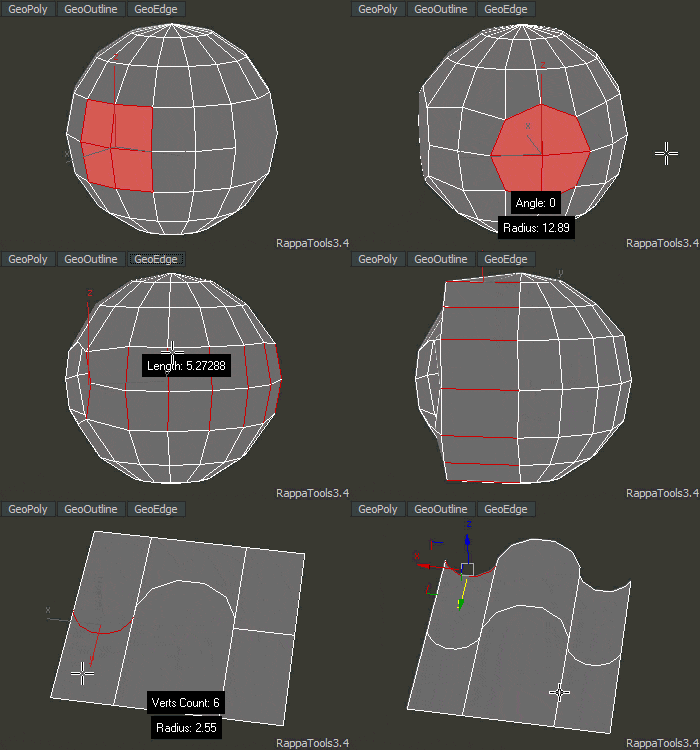
RappaTools3 is an advanced toolbox that comes with a great variety of tools for the artist working in 3ds Max. The main focus is to speed up the workflow and to reduce the click count. It offers a wide variety of tools, everything from selection tools to rendering tools. It can help you through the entire process of creating a 3D art piece.
rappatools3 bridge

Bake Objects

5 votes

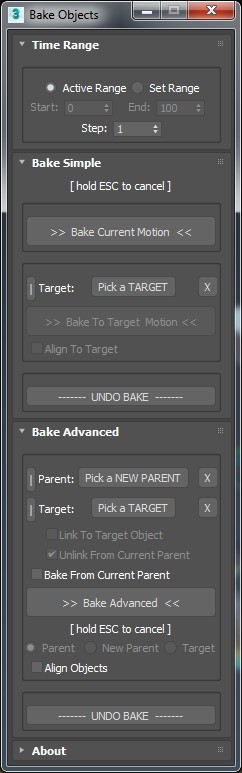
Allows baking of animation keys on the transform tracks for any selected objects.

Options include:

- Active time range or range limiting with adjustable step size.

Spread Objects

1 vote

This script provides a way to spread the positions of a selection of objects using either applied values, or interactively using sliders. The selection of objects can also be offset quickly to complement the spreading functionality.


Features:

- Allows both spreading of a selection or offsetting in any axis. Both spread and offset have a sensitivity setting to control the amount of effect the sliders have.

- Each axis is treated separately and can be set using either spinner values or sliders.

Select Hidden, Visible or Occluded Objects

5 votes

Select only visible objects! Delete all objects hidden inside other objects!

If you are working with object heavy CAD models you probably know that often 90% of the objects are hidden internal components of the rig. Stuff you usually don't need or want. Object count that make 3dsMax crawl.

This script lets you either select what is visible or hidden from the current view - or let you scan the whole scene. 
It's a very efficient way to clean up your scenes with a high accuracy!

IE Tool

0 votes

This tool allow the user to import/merge and export/save a lot of objects and files at once!
This is a comercial tool.
Get this tool here:
https://gum.co/rmJuE

Zippy Painter

-13 votes

Zippy Painter is a scripted plugin for 3ds Max which allows users to paint dynamically simulated objects onto the surfaces or in 3D space. This tool makes it fun for artists to add detail to their 3D environments. Check out the videos of Zippy to see it in action.

zippy_painter

IDTool

14 votes

For people who work often with Objects ID, this script may make it easier. It allows you to see which objects have ID, to select objects by ID, assign a ID and all this without entering in properties of the objects.

Version: 2.34

  • Add "Assign ID by Layers" button
  • Add Option to Assign Wirecolor by ID

SimpleWindow object

4 votes


Script makes fixed window with horiz-vert dividers grid, board and sill. Any part of window can switch on/off, so you can easily change it.

RhombicPrism primitive

2 votes


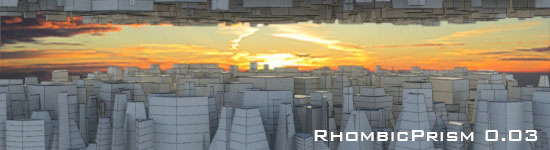
Script make simple rhombic prism. There's ability to change width, length, height, taper scale, number of height segments. Also provided "Generate Mapping Coords" checkbox.

Syndicate content