Tagged 'map'

FilePathFinder Pro & Light versions

408 votes

Using the FilePathFinder you can be sure that you have complete control over external links into your scenes.

Asset tracking features include support for XREF files and easy linking with external files.

Using the FilePathFinder (and Batch Render&Relink), you can search for missing assets and relink external files.

In addition, files that are linked to selected objects are displayed in Interactive Mode, and bitmap textures can be toggled and placed within the Material Editor.

Also with this tool, you can easily make an archive a 3ds Max scene.

Note that FilePathFinder supports the highest number of asset types of any plug-in.
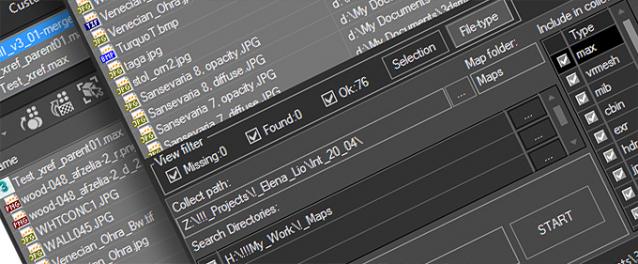
 

The Batch Render&Relink tool helps manage your asset files into the 3D model and material libraries in Batch Mode.

BR&R is capable of rendering thumbnails for 3D models, materials, and IES photometric files.

Batch Mode makes for an easy way to gather and compile many assets at once.


The new version of FilePathFinder is released with support to 3ds Max 2026

and many new features that improve managing scene assets

FilePathFinder Pro version 4.17.01

  • Adds support to 3Ds Max 2026
  • Play IFL, and animated GIFs directly in the list view
  • Play IFL and animated GIFs in the external Asset Viewer
  • Ability to change selected assets directly from the Asset Viewer using keyboard shortcuts
  • Adds an ability to include/exclude search directories by filename
  • More accurate material/texture placement in SME
  • Drops support to light theme
  • Fixes an issue with including/excluding search directories by filename
  • Fixes an issue with searching, relinking, collecting, and archiving the content of IFL files
  • Fixes an issue with relink assets in batch mode for Demo version [Batch Render&Relink]
  • Fixes an issue with renaming external scene links with status #Found
  • Fixes some issues with relink assets using exclude directories
  • Fixes a bug with relinking assets in huge scenes
  • Fixes a bug when using the tool together with Materials Manager and Models Manager
  • Some other optimizations, fixes and speed improvements

Mass Image Populate

17 votes

A Max Script to populate selected objects with a series of sequential images.


TexTools: Toolbox for the texture artist

237 votes

Documentation: http://www.renderhjs.net/textools/

Relink Assets

38 votes

Hi this is my version of a tool for relinking (missing) bitmaps which can not be found for whatever reasons (changed paths, moved files etc.). It is pretty straightforward and works with almost any type of asset (maps, HDRIs, IES files) as long as it can be referenced and seen in the asset browser. Due to copyright restrictions I can not publish the code right now but I hope that it can help you anyways until max itself has a better management for assets.

Instructions

Check_Bitmap_N-th_power_2

12 votes

Created by: feilang

This can check all of the bitmaps in your scene if their sizes can be divided end by 2.

Usually, game developers may like this.

V-Ray Irradiance Map Pre Calc

27 votes

This is a script I created to automatically setup your Irradiance Map for V-Ray. Basically you select what camera you want to render from, select what frame range, the path where you want your Irradience Maps to Generate to and the information automatically goes into your Irradiance settings. It will even create the file for you.

This is useful for companies that send many animations via network rendering by saving time in setting up your irradiances.

If you have any questions please contact me at [email protected]

Updated -
Version 1.1

Map Loader

26 votes

1. Run script

2. In Max goto "Customize->Customize User Interface...->Toolbars
tab->Category: ColinScripts->Map Loader
" and drag "Map Loader" to a toolbar, click to run.


Loads maps into the material editor that exist in the scene.  Very straightforward. Support for special Mental Ray Maps and VRay Maps included.


VertexMapDisplayer

7 votes

Toggles or turns on or off the vertex map viewport display for all scene or selected objects.

Tutorial:
Select a bunch of objects that already have vertex maps. Run the UI version of the script. Choose "Selected". Hit Do. It will toggle the vertex map display in the viewport on or off.

Raytrace Map Remover

12 votes

A simple script to remove the raytrace maps (Actually - replace them with empty bitmaps) from the scene's material library. This is for people using Vray/Mental ray as raytrace maps may (and will) slow down rendering times considerably

VrayColorTool

13 votes

The vrayColorTool will insert vraycolormaps into every available textureslot in the diffusechannel of a material. The new vraycolormap will hold the appropriate colorvalue. This wil enable artists to convert materials to a gamma-oriented workflow. The script will also remove the vraycolormaps if needed.