Tagged '3ds max'

Animation Trajectory Volume

3 votes

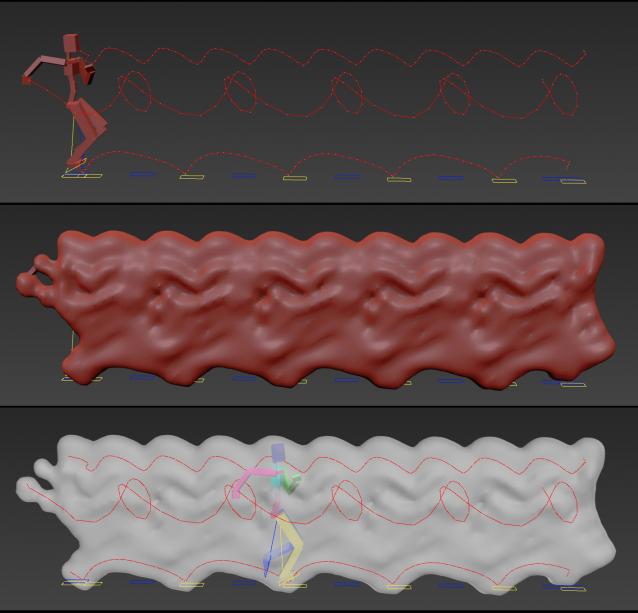
This script helps you create an aproximate mesh that covers the animated object (transforming or deforming) through the animation range.

It can come in handy:

-When trying to build an environment around your animatedcharacter for example.

-or to see how your animation flows instead of using the normal line trajectory.

-also to know the dimention that our charachter are moving in to build FumeFX container or other fx stuff.

It's based on Blob mesh so:

MZP Maker

0 votes


MZP Maker it's the perfect tool when you're in a hurry and just need to package your script.

Description:

Proxif - Vray proxy "fixer"

1 vote

This is very simple script I did for "fixing" proxies in 3ds max 2014 and up.
When working with a lot of proxies in 3ds Max 2014, viewport gets very very buggy. The problem is when "preview from file" in VRayProxys display option is checked. So this script finds all the proxies in the scene and changes then to "preview from file (faces)" which seems to fix this viewport problem!
Script will not make any changes if some proxies are grouped.

Viewport Snap

2 votes

Viewport snap scripts snaps to the orthographic viewport that's closest to the current orthographic, perspective or camera view. It also frames current selection to fit into new view. If viewport that is snaps to is closest to the bottom or top orthographic views script will also try to detect the orientation of the current view and orient new view correctly.

This script is meant to replace repetitive task of switching to the top, side, bottom etc. views while modeling.

Content Browser

2 votes

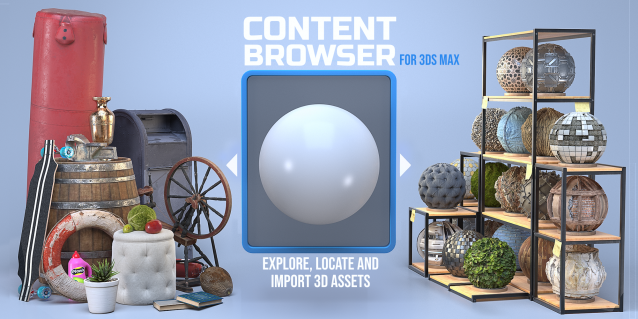
The Content Browser helps you quickly browse and import 3D assets on your computer.

Load any folder accessible on your machine and the Content Browser will find any materials, hdri’s, models, and max files. It will group, organize and display these files as assets, recognizing previews, LODs, mapping channels, resolutions and other important information automatically. 

It simplifies the importing and merging process for 3d models, max files, material creation and hdri environment maps by allowing you to directly browse, filter and drag all of your 3D assets from sources like MegaScans, PolyHaven, gameTextures, Poliigon, Arroway into 3ds max viewport or material editor. 

Main Features

  • Load any folder and find 3D models, max files, materials and hdri’s.
  • Show grouped files as assets, group matching assets and find preview images.
  • Drag and Drop asset into the 3ds max viewport or the Slate Material Editor
  • Import assets to Slate and Compact Material Editors
  • Default Merge and Import 3d files and max scenes, with automatic relinking filepaths
  • Choose LODs/resolution/variations and Import multiple assets at once
  • Folder hierarchy, File list and Preview Gallery

CamMapMod - Camera Map replacer and updater

38 votes

This is my first script ever, so improvements are to be made.

Doing Camera Mapping ?

Ever wished to replace and update all the Camera Map modifiers you want in one single click ?

Bored of selecting your meshes one by one and then choose your camera again and again ?

The wait is over. Because this tool may save you some great time, which you can then spend to refine you Matte Painting skills !

Scripts Central

3 votes

Scripts Central

Scripts Central v1.0

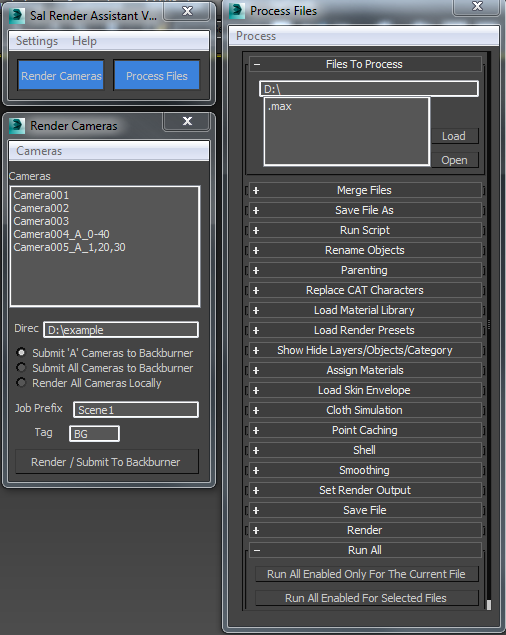
Sal Render Assistant

3 votes

SalRenderAssistant

drop the mcr file to 3ds Max then put the mse file in the script startup then restart 3ds max

for more help

Sal Render Assistant Docs

Align to Faces

0 votes

A 3ds Max Script for Aligning Selected Objects to Picked Object's Faces .
for more details check the download link .

Harry's Proxy Creator

1 vote

This script is very similar to a script Jason Schleifer wrote from Maya, it allows you to split a predefined object into several segments based on the transforms of special cutter objects, these segments can then be linked back into a skeleton hierarchy. The advantage of displaying segmented geometry in the viewport rather than the skinned mesh is that you get faster playback speeds.

When you evaluate this script it create a new "Category" in the "Customize User Interface" window called "Harry's Proxy Creator" where you'll find the tool

Syndicate content