Tagged 'script'

OutFiler file browser

8 votes

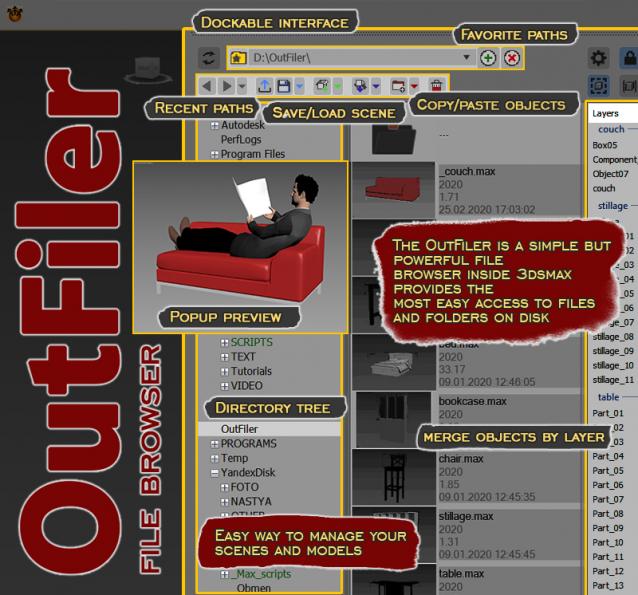
The OutFiler is a simple but powerful file browser inside 3dsmax that completely replaces standard save/load/save selected/merge/import/export dialogs. I believe folder tree much more comfortable and transparent.

The OutFilers provides the ability to quickly find the necessary folders, save the history of movements along them with back/next buttons and recent list and the favorite paths for quick access to working scenes.

3ds max 9 Ambient/Reflective Occlusion Assigner

8 votes

This script will only work when the scene renderer is set to Mentalray.The script assigns mentalray Ambient/Reflective occlusion map to ambient channel of the selected objets material. The selected object's material can be multimaterial or standart material other material types are not supported yet.

Parent Remember Relinker

8 votes

Record the Parents of your objects for easy relinking later.

ParentRemember ScreenCap

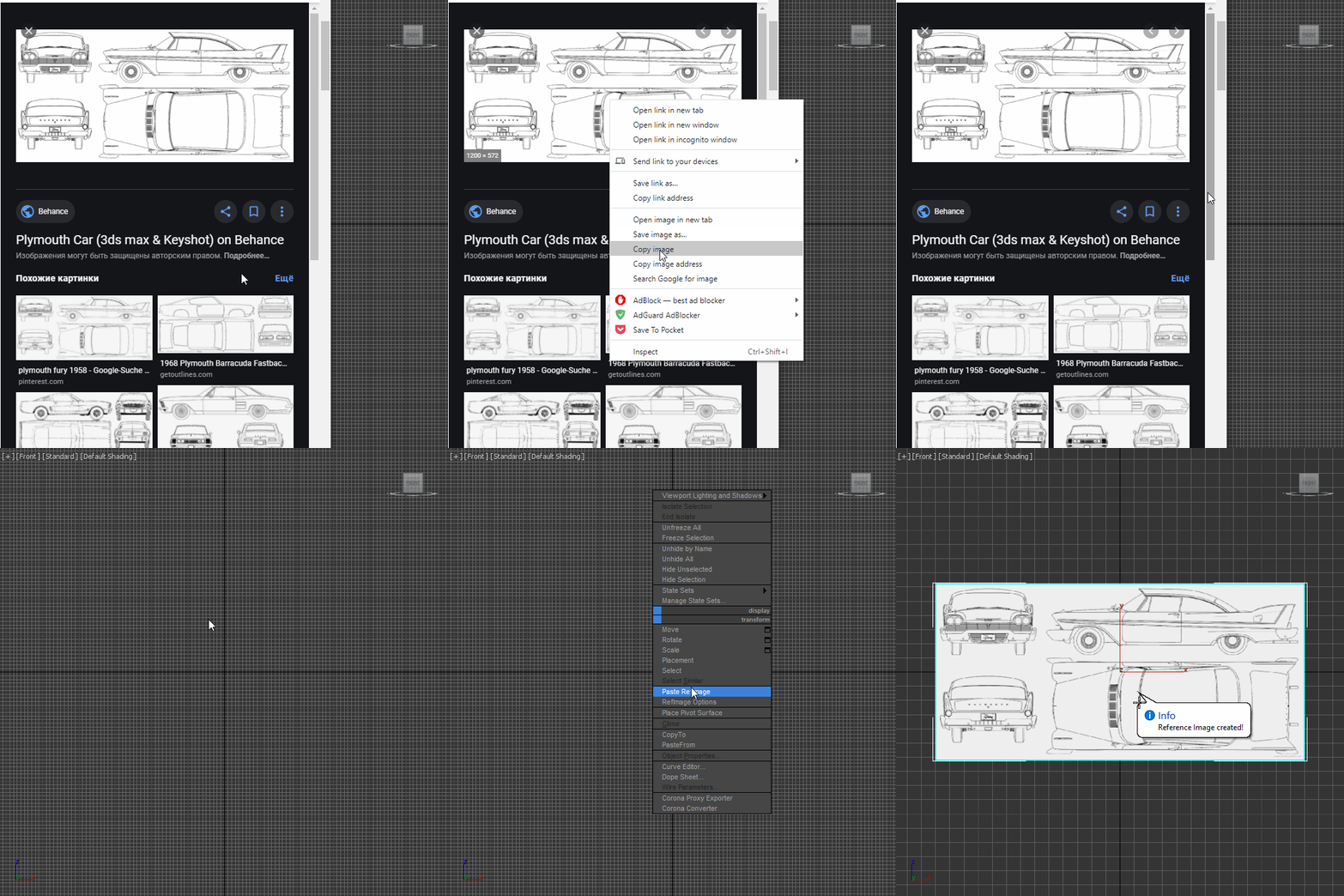
Paste RefImage

8 votes

Lattice

7 votes

Uses selected object to creates lattice/blob like objects.

Updated!

--V2.0--

Create Quick Wall

7 votes

This script allows us to quickly create a wall using the shape (linee, text, circle ecc..)


----- Features

Open Float Help (O.F.H)

6 votes

This script allows the open Help and Tutorials file in floating windows. Normally, the help max file is hancored to the working windows. If we closed Max, it's also closes the help. With script Float Open Help, the file help remains open no longer hancored to the Max. Is can also open file .chm, .pdf, .txt,  htlm.

Open Float Help

Create Vray Camera from Perspective View

6 votes

This is a script that will allow you to create a Max Standard Target Camera (Ctrl+C) at the click of a button. More importantly it will allow you to create a VRay Phycical Camera from prespect view at the touch of a button. No more having to align your Vray-camera with the standard Max Camera. You can also choose which camera to display in the selected viewport from a drop-down list


Show Textures in viewport (one click!)

6 votes

A simple check button to place on your toolbar, to show or hide your material textures on viewport.

If there's nothing selected, it works on all materials in scene. Otherwise, on materials from selected objects only.

It supports almost any kind of material or render engine.

The script was written in a way that depends as minimum as possible on render engine, so it should support a wide range of engines and materials. But it's not infallible.

MaxScript Navigator

6 votes

This tool simply helps organize, run, and edit your maxScripts more quickly. Quickly create a menu of your favorite scripts. Then place this menu anywhere you choose in the max. To change the currently selected name in the list. Just type in the top text box and press enter. Note that the .ms file name remains unchanged if you do this.

See my site for installation details

Syndicate content