Tagged 'VRay'

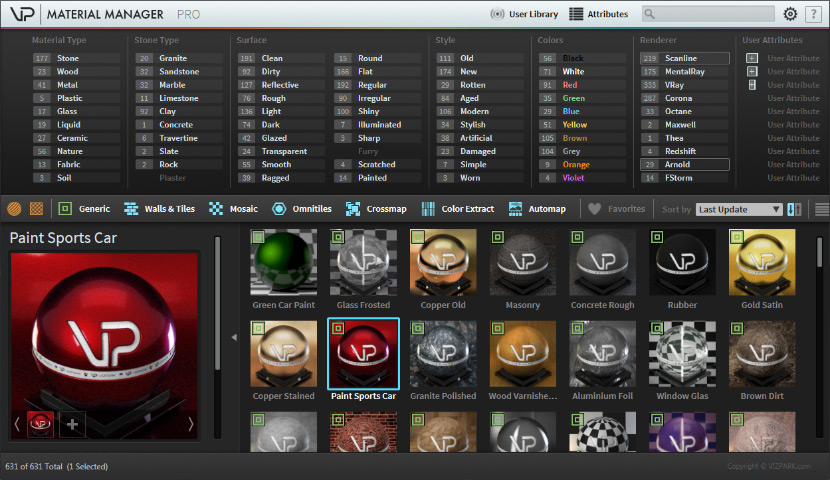
VP | Material Manager Pro

2 votes


VP Material Manager - Main

The VP MATERIAL MANAGER is the perfect tool to manage materials within 3ds max in ways never possible before. Material presets can now have ATTRIBUTES that can easily be filtered with the integrated attribute filters. The times are over where you needed to dig through folders to find the material you need. Just select the combination of attributes and the preset manager will just show you the materials that fit these attributes. Finding material was really never faster!

Revit to Max Importer

2 votes


The Revit To Max script will instantly clean and organise the model for you, convert materials, and display textures. It also paths bitmaps to the FBM folder, all in one click!

This will save you HOURS and streamline your workflow with ease.


Available to buy at https://vizguy.com/revit-to-max-pro/

All these features run with a single click:

  • Detaches objects by material/object ID

Convert any Camera to Vray Physical Camera

3 votes

This is a script to convert any existing camera in your scene to a Vray Physical Camera that matches its position, orientation and FOV. Works with Max Standard and Physical, and doesn't matter if they are Free or Target cameras. Just make sure the camera you want to convert is the active view when you run the script.

Reindeer

1 vote

Reindeer 2018 Released!

The friendly node based Render Manager and Scene Automator for 3dsMax just got an update.


Easily create multiple versions of your renders using the all new Selector workflow. Perfect for product configurators and much more. Reindeer 2018 introduces new nodes, more script templates, Redshift support, VRay VFB support, more callback options, and more. With Reindeer it's all just one push of a button. Keep it simple or build advanced setups, it's your choice. Reindeer let's you automate the boring stuff so you can focus on what matters, Animation, Shading and Lighting.

What's New?
Selectors



UDIM Maxscript help tool

2 votes

It’s a Maxscript tool for working with multi tile textures with 3ds Max 2016 and below.

ayyy

New version v.02!
Updated: 2017.11.16

Changes:
- Added set Bump option
- Fixed a bug when there are less than 10 material the self-illim and bump setter rised an error

Purpose of the script:
– When you work with multi tile texturing with older Max than 2017 there is no way to deal with the texturing fast.

What it does:

VRay Studio Tools

5 votes

Tools for studio setup and soft studio light.

ShellBake: Set Up Shells for Baking VRay Lightmaps

2 votes

To transfer maps from one type of material to another after a bake for game exporters that primarily look for Standard materials.

This is currently limited to just the diffuse map.

To use: Run the Macroscript and add ShellBake to a toolbar from the category: #_SP_BakeScripts

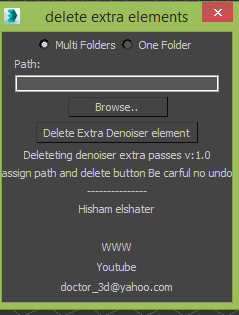
Delete Vray Denoiser extra elements

1 vote

Vray introduced Vray Denoiser lately which is post rendering process using extra passes which is mostly you won't need it on composting and for production its taking too much space

this simple script will delete it for you.


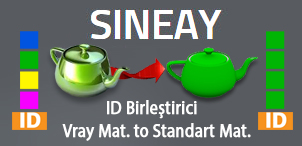
ID Birlestirici (ID Combiner)

0 votes

Create Vray Physical Camera From Viewport

2 votes

Create Vray Physical Camera From Viewport For Max 2016 And Later.

Setup:
- Run 3ds max as administrator
- Scripting -> Run script
- Customize -> Catalogy: thuandv