Tagged 'VRay'

Dirtizer 2

5 votes

A very helpful plugin which can make your materials dirty in one click!
- You can control the level of dirtiness.
- You can make it dry or wet.
- Dirtizer supports Multi-materials (you can set random dirt to all materials at once)
- You can add your own textures of dirt. (Organize your textures in "Dirtizer" folder as you want)

Most render systems are supported now! Tested with V-Ray, Mental Ray, Scanline, Corona, Redshift.

VRay Camera Manager

5 votes

VrayIES Presets

5 votes

This is my own script, it help lighting with vray ies more easy and faster.

Key features:

- Quick assigned 30 nice IES to vray light.
- IES folder browser and quickly assign to vray light.
- Change VrayIES and Vraylight settings as a group or individually.
- Fast create VrayIES light use geometry shape.
- Create VrayPhysical Camera from Perpective view.

Hope you guys enjoy, I'm still using it and it help me alot!

Install: Extract & copy all file to Script folder. Run script VrayIES_Presets.ms or just drag and drop it to max viewport.

V-Ray Elements Switcher

5 votes

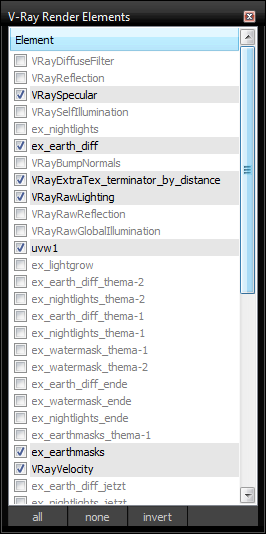
This script lists all created V-Ray render elements in a window for quickly switching their on/off status.
After running/installing you can find the script in the category "HoferKrol"

changelog:
v2: hopefully fixed bug "unable to access code block local or parameter: width"

Slate Connector

5 votes

SlateConnector

SlateConnector - Makes the everyday task of exposing nodes and adjusting material parameters easier and faster! New version (0.59a) with lots of impromevents!

VRay Studio Tools

5 votes

Tools for studio setup and soft studio light.

Autodesk Material Converter - obsolete

5 votes

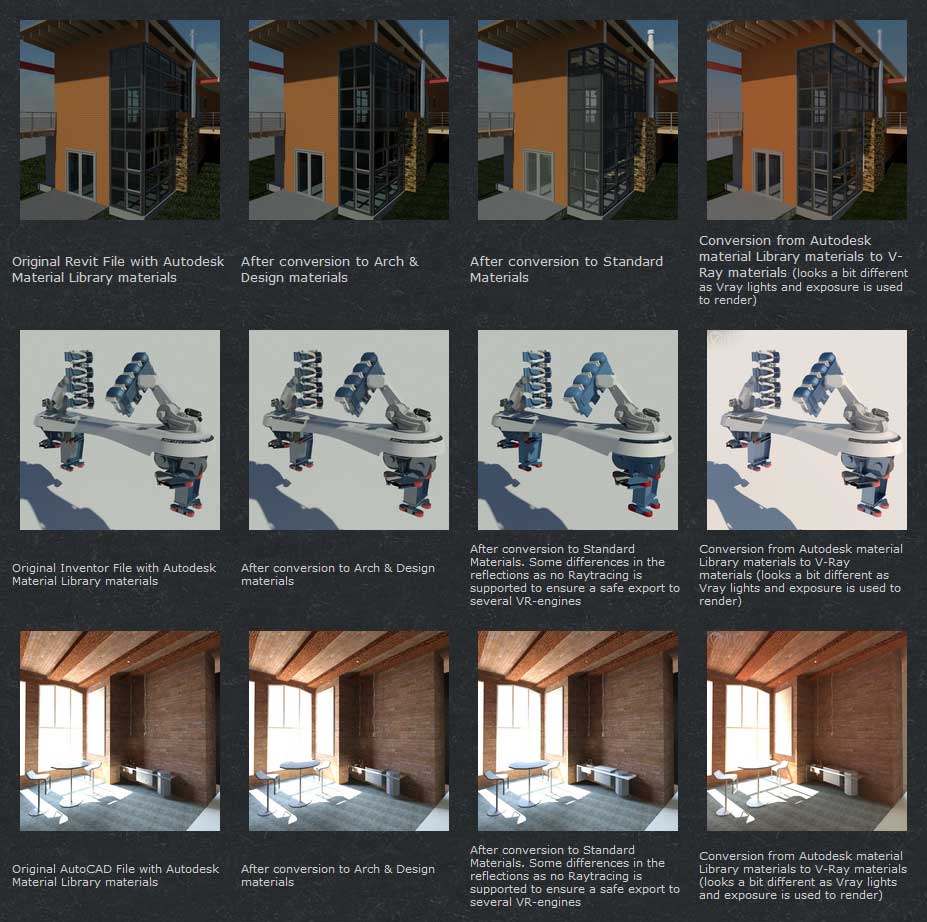
The Autodesk Material Converter is a commercial script for all 3ds Max and 3ds Max Design users starting from release 2011 and up who need optimized materials for mental ray, V-Ray or VR applications. With one click all Autodesk Material Library materials are converted into Arch & Design or V-Ray materials. Conversion to Standard materials takes only two clicks

The major adavantage will be an increase in rendering speed (on average 35%) plus it will give you the flexibility you need for your material fine tuning. and of course you don't want to manually convert materials which are coming in from AutoCAD, Revit and Inventor into 3ds Max (Design)

Most VR applications need Standard materials to work with. The conversion to Standard works from Arch & Design or Vray materials

In addition to material conversion the script checks if there are double materials inside the scene. If they are there, they will be changed into instances, keeping the number of materials as low as can be.

New features in v2.5!

  • conversion from Arch&Design to V-Ray and back...it's there!
  • conversion of all Autodesk maps
  • conversion of some V-Ray specific maps or MentalRay specific maps
CamLister

4 votes

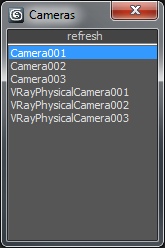
A very simple Camera Lister which allows to select and assign cameras by clicking it in the list.

Leftclick: Select the camera
Rightclick: Assign to current active Viewport

Very simple one but still my most used Script for daily work ;)

Vray Mat Lister

4 votes

Hi everyone,

I'd like to share a script I have made.
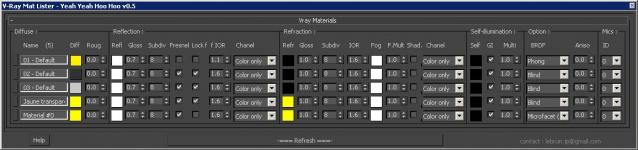
It's for Vray and it makes a list of all your VrayMtl (and of the main parameters) you have in your scene.

UPDATE Version 0.5 for vray 3.xx

This tool allow you to modify all your vray materials parameters quickly. Globally it works like the Vray Lightlister

Vray_Material_subdiv_lister

4 votes

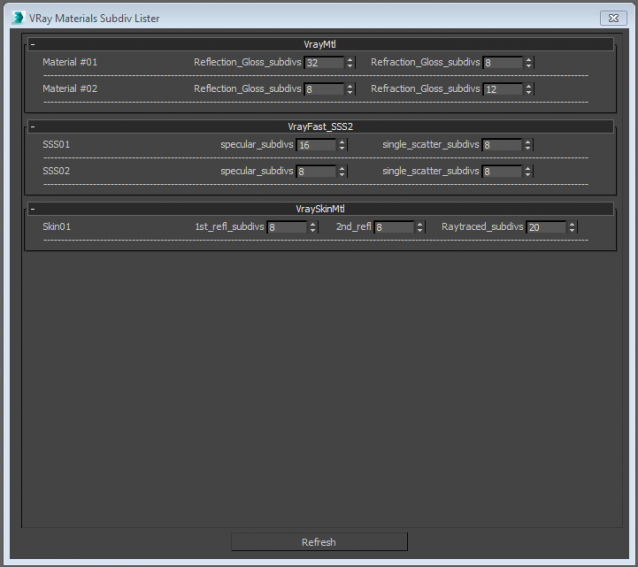
This script collects all the Vray materials of the scene and allows you to easily change theirs subdivisions parameters.
Only tested with max 2015
Any feedback is highly appreciated


Syndicate content