Tagged 'maxscript'

ScriptBuilder

0 votes

This script is made after the *nix's MAKE utility. It helps you quickly "save-and-compile" multi-file maxscripts and make additional steps in building process such as closing windows, running compiled scripts, copying files etc. All this by pressing toolbar button! Enjoy!

Batch Export/Import

30 votes

This is a free script, for non commercial use.

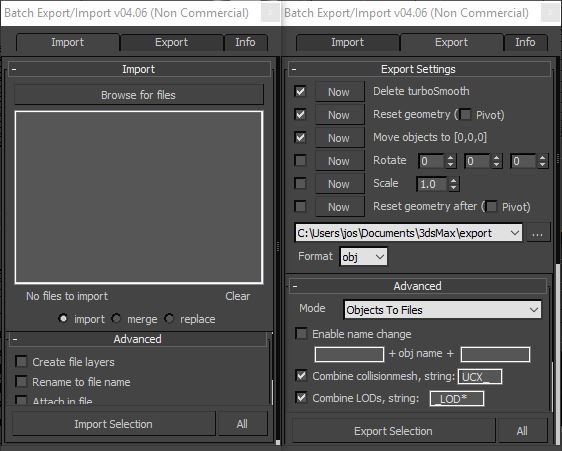
This is the perfect script to transfer your models from 3ds Max to ZBrush/Unity/UDK/...
Basically it batch exports objects to multiple files.
Supported formats : max, obj, fbx, 3ds, ase, dwf, dwg, dxf, dae, nif.


DarkScintilla: Maxscript Editor dark scheme

43 votes

A dark color scheme for the Maxscript Editor, inspired by dark schemes available for other IDEs

As i was doing more and more max scripting lately, the urge to do something with the eye hurting Maxscript Editor colors escalated. So i sat down today and had a walkthrough on the various options Scintilla (Maxscript Editors core) provides.


MaxScriptManager

46 votes

MaxScriptManager

Installing scripts for 3dsMax has never been easier!

MaxScriptManager is a tool that will help you keep track of installed scripts, help you install new ones in a number of different ways, get notified if updates are available and even apply updates automatically. Developers can create script repositores so that users can access their script without leaving 3dsMax.

copy/paste

19 votes

new in ver 1.1:
-copy
saves selected object in the file "copy_paste_buffer.max"
in default scenes directory and make
a backup of old file /"copy_paste_buffer_backup.max"/
-paste
merge "copy_paste_buffer.max" in the current scene

script goes in the category “Georgy Chakarov”

Slate - View Selected

21 votes

This free MaxScript instantly displays the material of the selected object (or objects) in a new view in the Slate Material Editor. Currently, Slate does not have a quick and easy way to do this. Slate View Selected allows you to create multiple views as well. You can close the script dialog box and the script will continue to run until you re-run the script where you can stop it. In the dialog box you can also set a "display max" so that if you select a large number of objects, Slate won't waste time collecting and displaying all the materials used by objects in the selection.

Send Gmail from maxscript...

73 votes

This is a small c# class I wrote to help me send gmail from maxscript. I am going to use this in a special project where I need an email as soon as the rendering is complete then it sends me an preview image of that image.

You might need another reason for being able to gmail from inside 3dsmax.

The reason it is hardcoded for gmail was due to the requierments of my project. If there is a need for opening up so that you can have any settings, then I might do that in the future.

See included maxscript for how you can add this to one of your scripts.

Ceiling Grid Generator

99 votes

Ceiling Grid Generator is a free MaxScript that will quickly create 'metal' ceiling grids commonly seen in commercial interior spaces where acoustical tile ceiling exists.

This script allows you to set custom sizing for the tile openings, the width of the grid, the height of the grid, and also creates the strips along the border for a nice finished look. You can also shift the grid side to side or up and down as well as rotate the grid. You can then preview the final grid, or go back and make more changes before committing to a grid that fits your space perfectly.

Displacement Roof Surfaces

119 votes

See "Additional Info" for the latest version history.

Displacement Roof Surfaces is a Free MaxScript that will take your existing roof geometry and properly apply UV Mapping coordinates to each roof plane and then apply convincing materials and displacement modifiers to the geometry.

Our goal is to eliminate the need for filling your 3d scenes with millions of polygons of roof tile geometry, thus keeping your viewports moving quickly and saving you hours of tedious work.

LOD Creator

64 votes

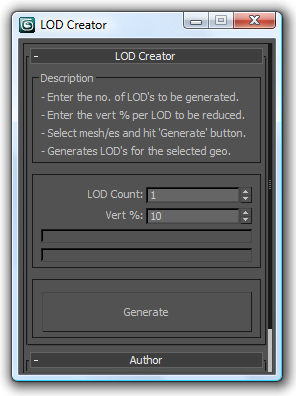
Here's my version of LOD creation script, it uses multiRes modifier. It works on multiple geometry and retains the geo type. It retains the skin modifier too, so you can run on a skinned character as well. Feel free to use this script and lemme know if you want me to add any feature to it or if it has any bugs.