Tagged 'modeling'

UniAttach-Detacher

21 votes

v3.07 Added fix for detached detach geometry if the source object had incorrect mesh issues.
Добавлено исправление отсоединённой detach-геометрии, если в исходном объекте были проблемы некорректной сетки.

Using single hotkey for Attach/Detach
Используя единственную горячую кнопку для Attach/Detach

DetachElements

23 votes

Seperates all the elements of a selected object into seperate objects themselves. Will work on editable polys - editable splines and editable meshes. Renames the newly created objects based on the originals name. Detaching function for splines is different from that of meshes and polys (does not center pivot/reset object)

UniRemover

24 votes

And all this works by single button

v.10.61 изменена для быстродействия функция удаления рёбер вместе с вершиной. the function of removing edges along with a vertex has been changed for speed.
v.10.6 Fixed bug of convert to poly (Previously, on highpoly objects, after the conversion, there was a terrible braking in vertex mode)

diaRhombus

51 votes

diarhombus_v1web600

Normal Thief

10 votes

"This will copy the normals from a master object and apply to various target objects - based on vertex distance between them.

RappaTools

60 votes

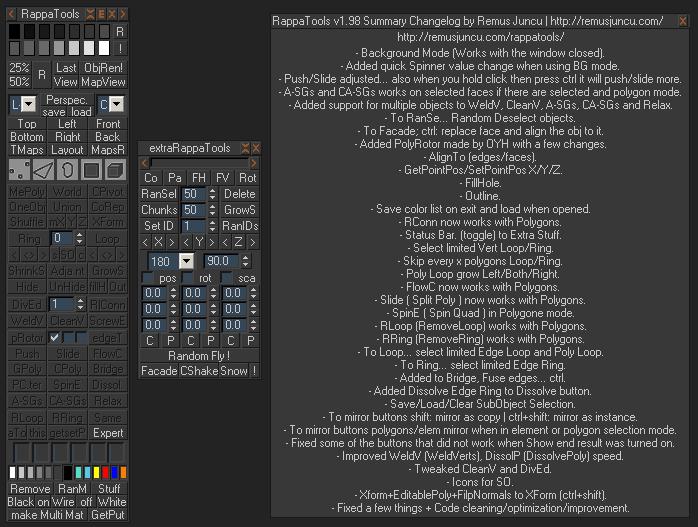
RappaTools is an modeling toolset for 3ds Max (9 Sp1 +), that offers a wide range of tools for creating various types of subobject selections as well as a set of modeling tools which will make any tasks in everyday modeling a lot easier and faster. It also has a lot of other options like 50%/25% Render, Quick Light/Cam select, Toggle maps display in viewport, Random Material/Wirecolor, Make multi material from textures in a folder, and many more...

Legolizer

13 votes

Converts an object into a lego like structure.

View an example lego teapot image created by Arne 'Arnage' Bezuijen or another example lego apple image created by Shane 'Percy' Purcell.

Affect Pivot and Center Pivot

28 votes

This script contains an Affect Pivot - and a Center Pivot. It works similar to Maya's Affect Pivot. You need to assign it to a hotkey - or put it in a Quad Menu.
Once you have executed Affect Pivot - click anywhere you want the pivot point to be located. TIP: Works great with snaps. Center Pivot does just that. It also works with multiple selections.

MaxMounts

21 votes

MaxMounts 1.3.0

MaxMounts is a MaxScript for creating realistic mountains in 3ds Max, in a single click. Several tweakable parameters have been provided to get an infinite variety.

Update : Newest version 1.3.2 is now available. Support for 3ds Max 2015.


TurboReduce

49 votes

I renamed the script once again, you can find it here http://www.scriptspot.com/3ds-max/scripts/subdivision-reversion

TurboReduce will recreate the subdividion levels of an already subdivided mesh.

Syndicate content