Tagged 'modeling'

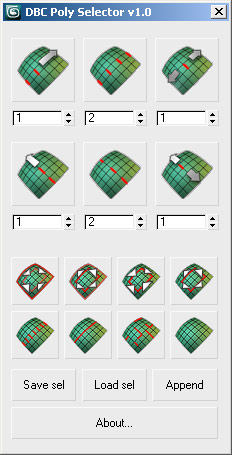
DBC PolySelector V1.0 (RC1)

14 votes

DBC PolySelector V1.0 (RC1)

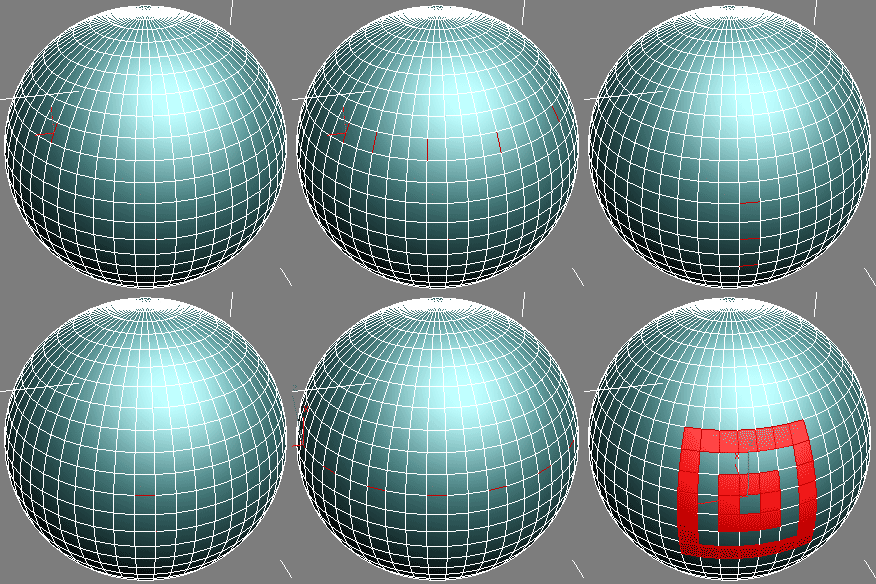
Screenshot Demo

miauu's Script Pack vol.1

14 votes

miauu's Script Pack is a set of scripts that will help you to make faster and easier some of the tedious task when you use 3ds Max.

miauu's Script Pack include:

Connect Always

14 votes

By default, Max has two separate commands for Connecting Edges and Connecting Vertices. You had to have two menus for both of them.With Connect Always, you just have to select the vertices/edges and hit "Connect Always"

Here is the code if you dont want to download:-

macroscript Connect_always
Category: "Butt tools" buttonText: "Connect Always"
(
$.EditablePoly.ConnectVertices ()
$.EditablePoly.ConnectEdges ()
)

The category and buttontext is needed if you want to put it in a menu or quad.

[CREDIT}

Legolizer

13 votes

Converts an object into a lego like structure.

View an example lego teapot image created by Arne 'Arnage' Bezuijen or another example lego apple image created by Shane 'Percy' Purcell.

WallBuilder

13 votes

A new tool quickly made on my spare time for walls creation.
special options : offset to put different walls together ; you can create a wall following a spline ; random fonctions to randomise bricks ; random colors in a multisubobject.
you can keep all the bricks separate (for exemple to simulate physics destructions) or collapse your wall in one mesh.
You also can use boolean to create holes or windows.

Pixel Wall

12 votes

This little script builds an array of instanced spheres - where each sphere position and colour relates to its corresponding pixel in the chosen bitmap.The sphere wall can then be manipulated in various ways (for eg. collapsing it using dynamics software) This can create an interesting effect if rendered and played backwards.

PolySelections

12 votes

Lets you select polys by the number of verts that compose them. So - in an editable poly object - it is easy to select all the polys that have 4 verts - or all the polys that have more than 3 verts - etc...

Scatter To Verts

12 votes

This will take the selected Source Object - and place a copy of that object at each vertex position of the Destination Object. The Destination object must be some form of an editable mesh type object. Orientation is left as it is. Useful for placing say a simple grass or other object with a modifier on it - at various locations onto another - such as for the Blow Grass script below.

QuickFrag

12 votes

Simply select the object you want to break apart and the amount of pieces to break into and hit the button!

Object Slicer

12 votes

This will slice a polygon object randomly. Good for creating fragments.

Syndicate content