Tagged 'import'

Rhino Importer

5 votes

A tool to import and dynamically update models from Rhino into 3dsmax.

NB: This script is now replaced by the Mirza Link manager

Transfer UV

34 votes

Helps you to transfer texture coordinates from one objects to another with identical topology. The feature of this script is that they can transfer UV`s from multiple objects and correct some errors arising with importing .obj files, like vertex reordering or removing mid-edge vertexes when you export objects to .obj.

Updated to version 1.2 - rewritten vertex order sync, must work much better!

Demo video: http://www.mikems.ru/files/videos/TransferUVsDemo_lq.avi

WkXmlLibrary

66 votes


The purpose of this script is to give an easy and full access to XML files: creation, reading and modifications
It is intented to be used with the same flexibility as a library: instanciate the structure where you need it
in your code and use the member functions to manipulate the XML files.

WkXmlLibrary - A WerwacK script at www.werwackfx.com

This script strongly relies on the DotNet interface.

NukeOps

39 votes

A set of functions wrapped into a minimalist single-click button to help 3ds Max and Nuke artists to bring the 3ds Max 3d scene assets into Nuke's powerful 3d compositing scene.

This tool allows:

1) Copy cameras and any other objects (as points) and their animation into clipboard for an easy Copy+Paste action inside Nuke.

2) Generate .chan files from selected cameras and any other objects (as points) and save them either many at once or one at a time to selected destination.

Blender Fluid Importer

10 votes

A Blender Fluids Importer. Imcluded is the file to export the fluids as an OBJ sequence (not written by me). And the other is the import script. It hasnt been tested on large scenes so use at your own risk.

View the sample movie here

miauu's Folder Bookmarks

1 vote

Proxy Edit

19 votes

This is a script that enables editing of VRayProxy objects instantly in the scene they are currently.

It is easy to use:

1. Drop the .ms file in the viewport to run the script. A dialog appears.

2. Click the Pick proxy button and select a proxy from the scene. It becomes a editable mesh with material applied.

3. You can change geometry, uvw mapping, apply modifiers etc.

Content Browser

2 votes

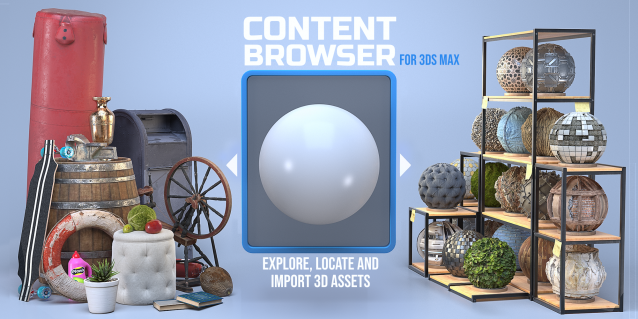
The Content Browser helps you quickly browse and import 3D assets on your computer.

Load any folder accessible on your machine and the Content Browser will find any materials, hdri’s, models, and max files. It will group, organize and display these files as assets, recognizing previews, LODs, mapping channels, resolutions and other important information automatically. 

It simplifies the importing and merging process for 3d models, max files, material creation and hdri environment maps by allowing you to directly browse, filter and drag all of your 3D assets from sources like MegaScans, PolyHaven, gameTextures, Poliigon, Arroway into 3ds max viewport or material editor. 

Main Features

  • Load any folder and find 3D models, max files, materials and hdri’s.
  • Show grouped files as assets, group matching assets and find preview images.
  • Drag and Drop asset into the 3ds max viewport or the Slate Material Editor
  • Import assets to Slate and Compact Material Editors
  • Default Merge and Import 3d files and max scenes, with automatic relinking filepaths
  • Choose LODs/resolution/variations and Import multiple assets at once
  • Folder hierarchy, File list and Preview Gallery

KMLparser

3 votes

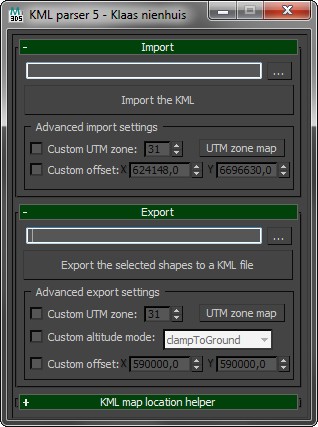
Import and export shapes from and to Google Earth. Use the KML file format to exchange geo-referenced shapes and keep the correct locations on the globe.

Check out the blog for more information. I've also written a tutorial.

Boujou2Max

1 vote

Boujou2max plug-in poster

Boujou2max imports raw markers from Boujou as an animated cubes or dummies. This is a good solution for raw motion tracking without camera solve.