3ds Max | MCG

MCG Shell Be Right

2 votes

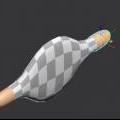
If you use Shell on a noisy surface, you'll get self penetrations. Even with Edit Normals, it will not correct it coz Shell uses face normals rather than vertex normals (I think).

This MCG will correct the Shell with a surface that is the same with the underlying geometry, you can do this manually with an Extrude using Group Normals rather than Local Normals. This MCG provides the convenience so you can change the Shell and not having to redo the Extrude.

MCG Clonewolf

6 votes

another cloner ??? This Clonewolf allows both local rotation AND offset rotation to work at the same time !!! It also 'fits' the clones together using bbox instead of you manually fiddling around, it also allows mesh alignment for rotation so you don't have to fiddle with your object's subobj level.

MCG Circle Tangents

2 votes

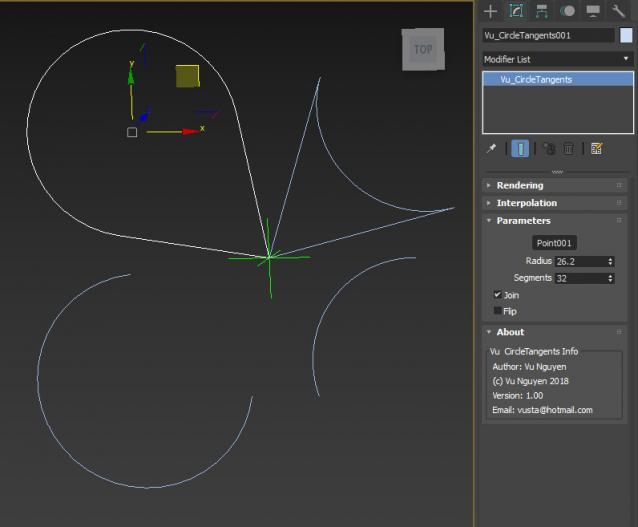
This MCG creates a circle that is cut off at the tangents to a point

Installation:
https://knowledge.autodesk.com/support/3ds-max/learn-explore/caas/CloudHelp/cloudhelp/2016/ENU/3DSMax/files/GUID-086875CC-4C32-4215-BFEC-2B356F9D2A53-htm.html

Then can be found under Create>Shapes>Vu

MCG Muscle Node

2 votes

This is a dynamic object that connects the open edges of two objects. You can choose which open edges to connect.

MCG PathConstraintAxis

3 votes

This MCG gets rid of the flipping problem as with the default Path Constraint. It also allows the constraint to be based on an axis of a controlling object.

Supports multi-spline path.

Installation:

https://knowledge.autodesk.com/support/3ds-max/learn-explore/caas/CloudH...

Then controller can be found in Motion Panel>Assign Controller

Ver 1.01: now includes Arc Length (Distance) mode

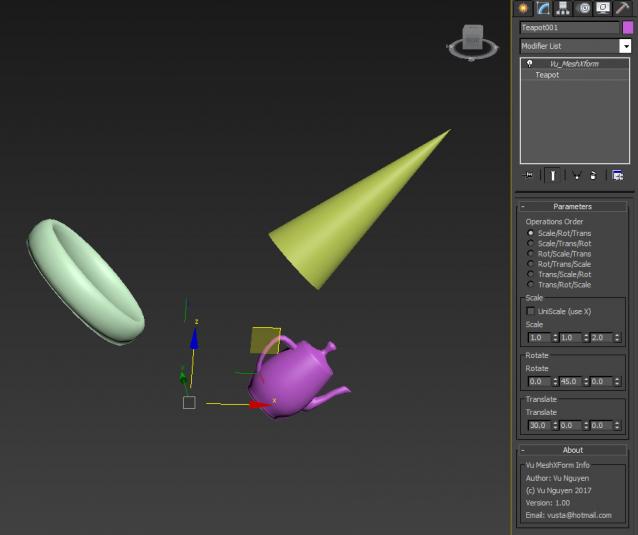
MCG MeshXForm

2 votes

Installation:

https://knowledge.autodesk.com/support/3ds-max/learn-explore/caas/CloudH...

Then can be found in modifier dropdown list.

Modifier can be instanced to control multi objects at once.

MCG GeoMeTry

3 votes

Installation:

https://knowledge.autodesk.com/support/3ds-max/learn-explore/caas/CloudH...

Then can be found in Create>Geometry>Vu

MCG Stripper

1 vote

Installation:

https://knowledge.autodesk.com/support/3ds-max/learn-explore/caas/CloudH...

Then can be found in modifier dropdown list.

You'll have to watch the stripper video. Feel free to 'tip' me while I work my abs...

Donations: paypal.me/vusta

ver 1.01: supports multi-curve spline

MCG Blower

0 votes

Orig thread here:

http://forums.cgsociety.org/showthread.php?f=6&t=1476428

Installation: (Max 2016 must have Extension 1/2 + SP3)

https://knowledge.autodesk.com/support/3ds-max/learn-explore/caas/CloudH...

Then can be found in Create>Shapes>Vu

Donations: paypal.me/vusta


MCG PMesh

1 vote

While this may not be quite so polished, it may get you out of a tight spot if you just MUST apply some modifier to Particles...hence they have to be turned to mesh.

Sorry, Max 2018 ONLY.

Installation:

https://knowledge.autodesk.com/support/3ds-max/learn-explore/caas/CloudH...

(or drag n drop...whatever)

Then can be found as PMesh in modifier dropdown list)

Syndicate content