Tagged 'max'

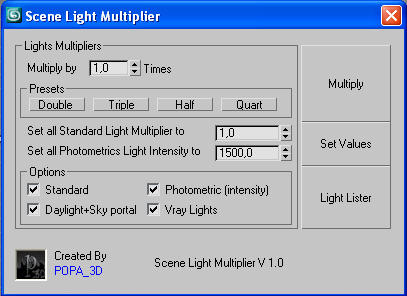
Scene Light Multiplier By POPA_3D

2 votes

Scene Light multiplier let you manage all your scene lights by multiplying their multiplier by a defined value or set all light multiplier to a defined value...

you can chose which lights will be taken in consideration

#Standard will affect:

 target Spot 

free Spot 

Target Directional ight 

free Directional light

Omni light 

Skylight 

mr area omni

UV Cage Rendrer

0 votes

#

This script is now a part of CheckMate tools by POPA_3D

 please checkout 

http://www.scriptspot.com/3ds-max/scripts/checkmate-tools-by-popa-3d-tur...

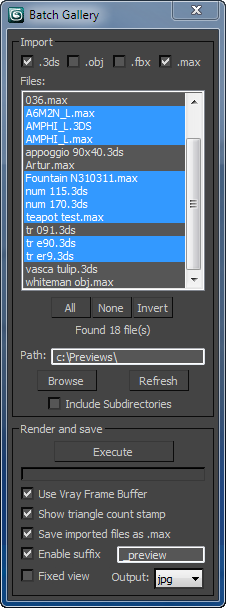
Batch Preview Renderer

4 votes

The script searches for files in a given directory and renders a preview from the files found.
Ideal if you have a lot of model library and you dont know the content of the files.

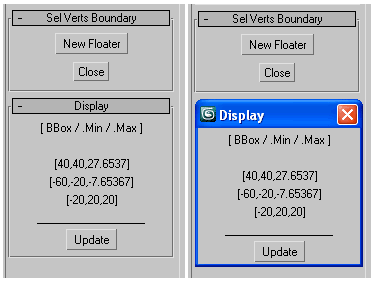
Selected Verts Boundary

3 votes

a mini utility show the boundingbox of selected vertices,
as well their Min/Max boundary in world space coordinates.

GUI

measure single selected node (selection[1])
works with any geometry node that has .mesh value
allows one floater rollout at a time

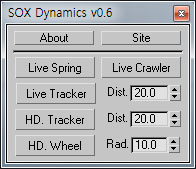
SOX Dynamics

3 votes

Sorry, The management of the tool will stop temporarily.


Subdivision Reversion

106 votes

Subdivision Reversion will recreate the subdivision levels of an already subdivided mesh with 100% precision maintaining the UVs.
It's wide variety of subdision algoritms help artist get the right look and feel on their models.

ST

77 votes


Additional info:


RTTassist

538 votes


About:

NukeOps

39 votes

A set of functions wrapped into a minimalist single-click button to help 3ds Max and Nuke artists to bring the 3ds Max 3d scene assets into Nuke's powerful 3d compositing scene.

This tool allows:

1) Copy cameras and any other objects (as points) and their animation into clipboard for an easy Copy+Paste action inside Nuke.

2) Generate .chan files from selected cameras and any other objects (as points) and save them either many at once or one at a time to selected destination.

Slate - View Selected

21 votes

This free MaxScript instantly displays the material of the selected object (or objects) in a new view in the Slate Material Editor. Currently, Slate does not have a quick and easy way to do this. Slate View Selected allows you to create multiple views as well. You can close the script dialog box and the script will continue to run until you re-run the script where you can stop it. In the dialog box you can also set a "display max" so that if you select a large number of objects, Slate won't waste time collecting and displaying all the materials used by objects in the selection.