Tagged 'modifier'

Inset by Smoothing Group

12 votes

As the mcg installation process was pretty convoluted, I decided to redo the InsetBySmoothingGroup modifier in maxscript - the speed is the same and you don't have to care about different versions of max behaving different, connecting disconnected nodes and all that stuff. Now it's just one .ms file, and there's no vertex weld needed either.

Mirror Animation Modifier

86 votes

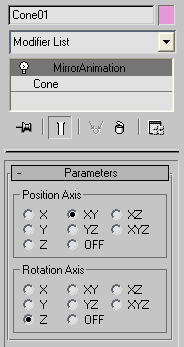
Mirror position/rotation animation tool written as modifier.

Mirror Animation

InsetFix Modifier

16 votes

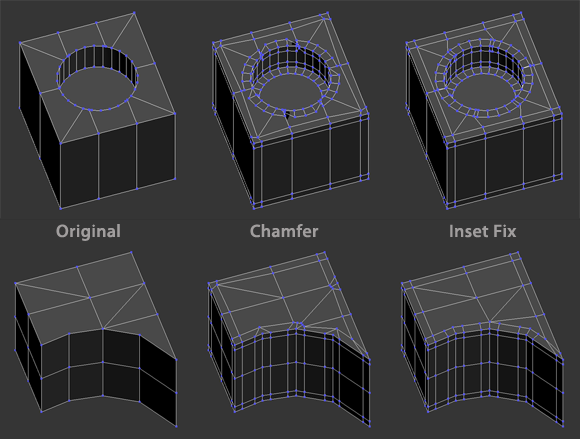
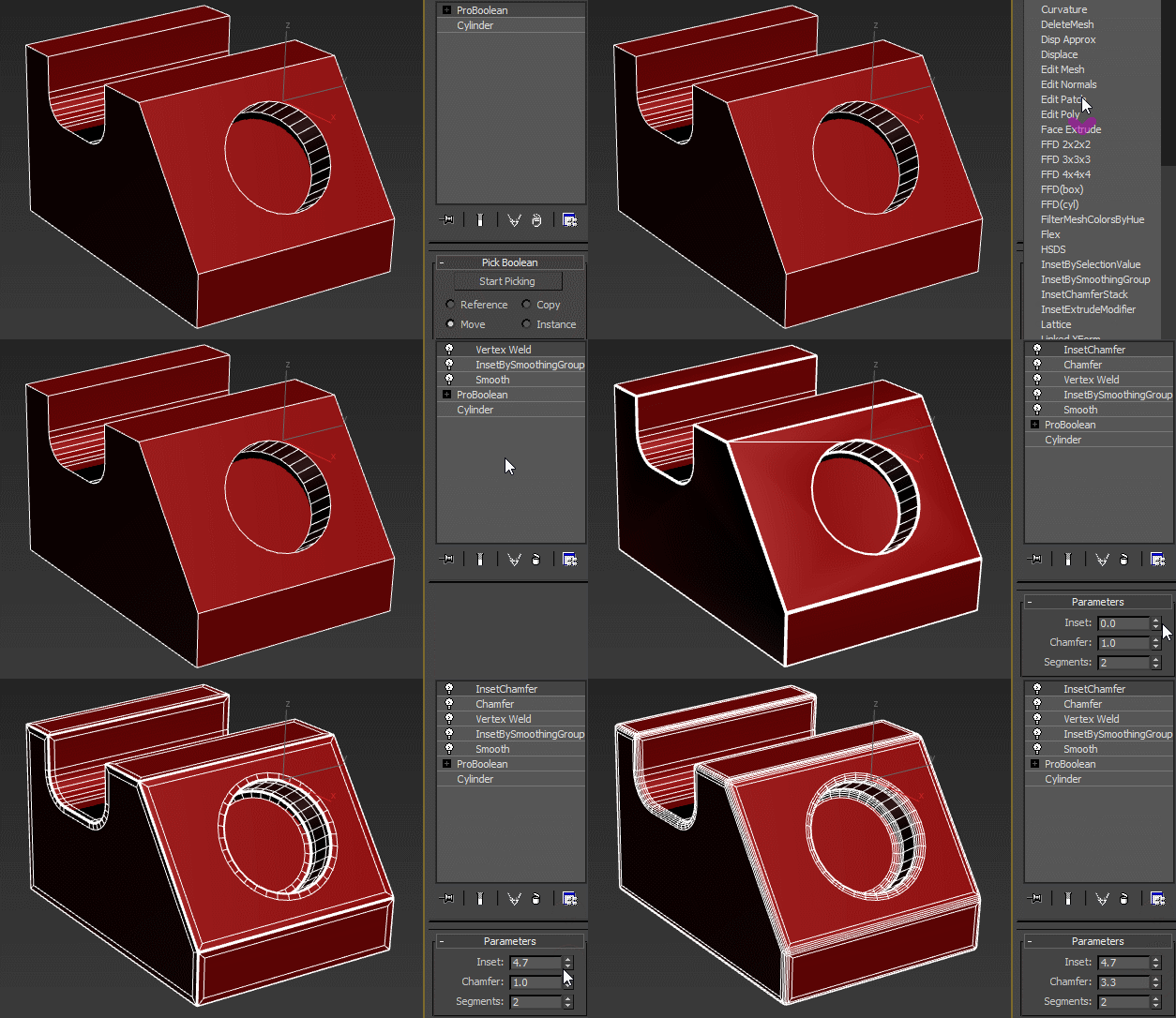
An inset-by-SG type modifier that works similar to Chamfer modifier when set to zero tension. However, the max chamfer modifier is highly topology dependent and doesn't work well with diagonal and unconnected edges. This modifier fixes that behavior:

The insetFixChamferStack scripted modifier automates the process of using the InsetSGFix modifier with a Chamfer modifier for a quick and clean rounded edges effect.

Bake vertex position from modifier stack

30 votes

I was wondering on how I could achieve a footstep-like effect on a mesh without some fancy softbody/physics/plugin-action, and I came up with this script. It basically bakes the vertex position from the modifierstack on each frame to a keyframed editable_poly object. It keyframes only the modified part of the mesh, and does not change it back, hence the "track-effect". See the example image:

example


Vertex Normals Stitcher

8 votes

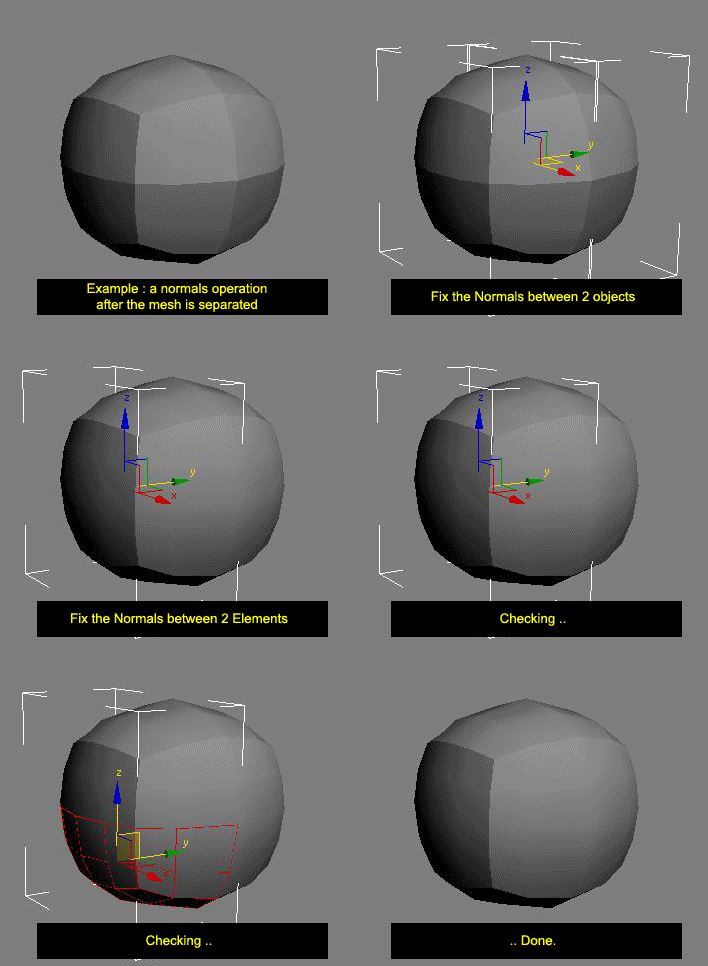
This script averages vertex normals at the borders (Open Edges).

It allows you to smooth a surfaces after separating vertexs / edges / faces.
(example: after detaching faces or splitting edges).
It still keeping a hard Edges if the object have multiple Smoothing Group ID

Images shown are not a welding operation

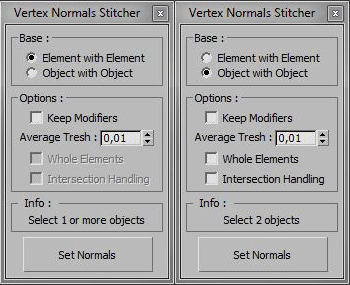
New UI :

AndyE Tools v1.0

36 votes

Modifier Auto-Select

51 votes

This is a tool I put together because sometimes you have to work with modifiers on multiple nodes and the modifiers aren't at the very top of the stack. You’re constantly having to select the node and then selecting the proper modifier. Prime example of this is when you have a turbosmooths on top of all of your geometry while you are either skinning or modelling. It would be much easier, and save quite a bit of time, if every time you selected a node you just automatically were on the skin modifier or edit poly modifier.

Delete Modifier Utility

6 votes

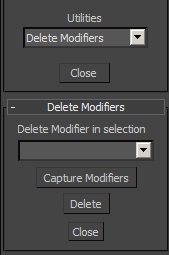
This small utility allows to delete any modifier in a selection. First, it captures the modifiers in the selection. The group of selected objects can be of different types (geometry, shape...). Then select which modifier you want to delete and click on "delete".

gizmoControl

42 votes

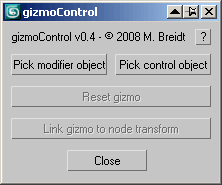
gizmoControl UI screenshot This macroscript (to be found in the "MB Tools" category after executing the .mcr) will allow you to link the transformation of a modifier gizmo to some other scene object. Afterwards, the gizmo will always be fully aligned to that other scene object, which can be freely animated by any kind of controller and linked to any other scene node. In some way this is very similar to World Space Modifiers but it works for any kind of modifier gizmo.

This tool can be very useful for creating complex modifier animations, for example animating a Slice modifier's plane along a path, attaching a UVW Map modfier to some animated helper object, transforming a Displace modifier with some other object, or having an extra node control the- symmety plane of a Symmetry modifier.

Advanced Sweep

15 votes

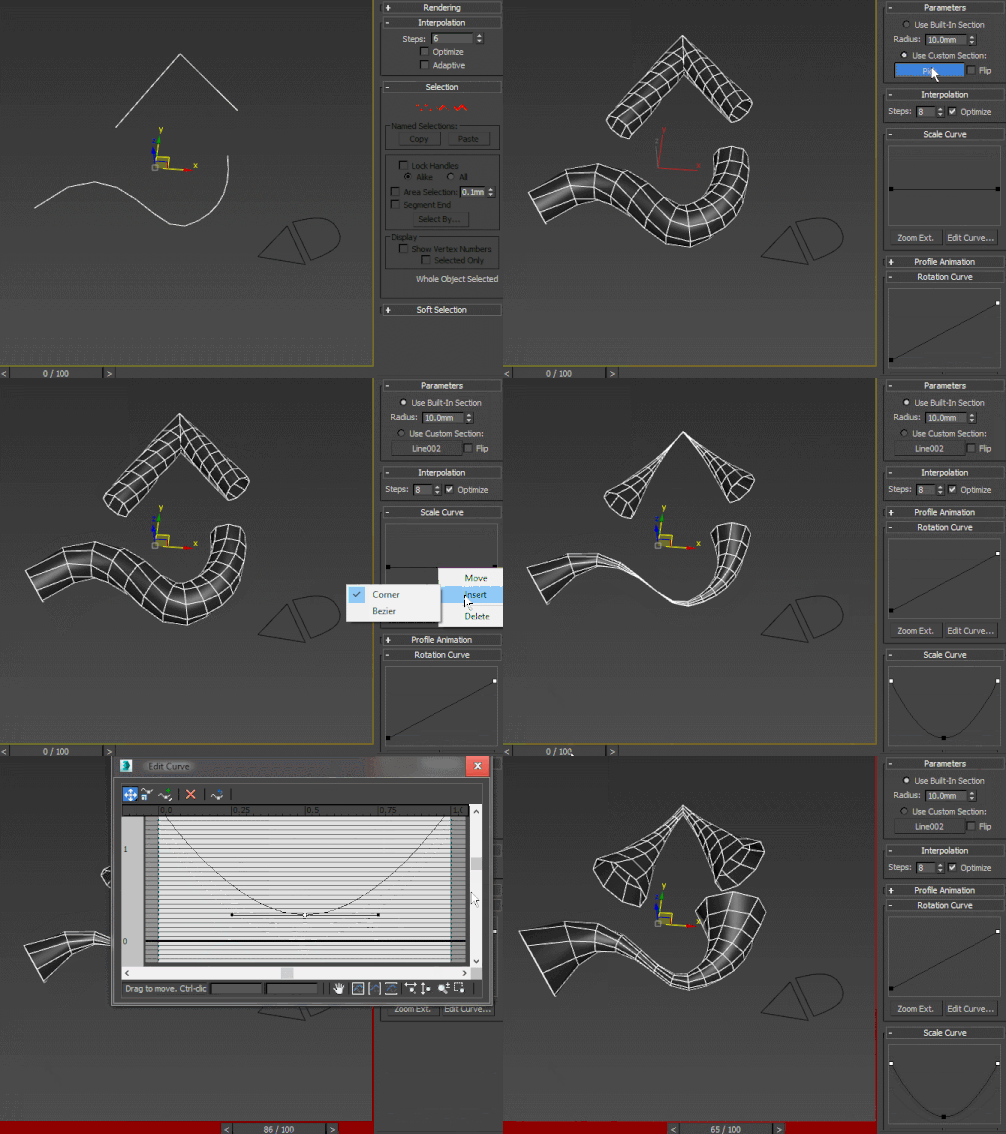
A curve-controlled scripted sweep modifier. As of now, both the Interpolation and Profile animation rollout UI items are just placeholders for non-implemented stuff. Using curve controls this way is pretty much experimental and as such, I wouldn't advise using this in production - better collapse it or make a pointcache and use that instead.

Syndicate content