Tagged 'Scripts'

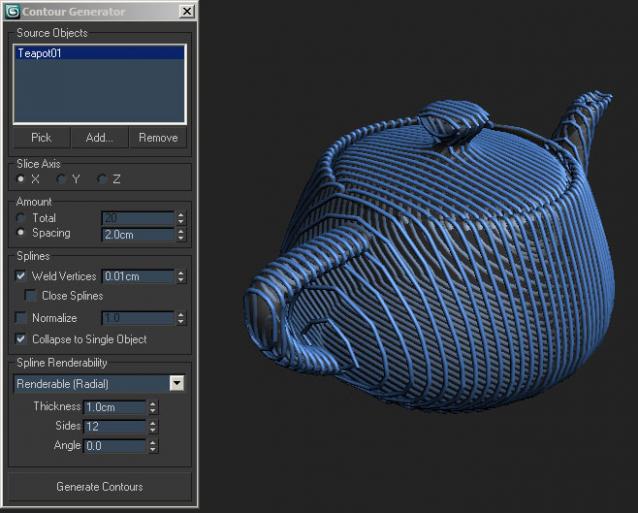
Contour Generator

55 votes

UIA small tool which creates cross-section splines of one or several objects in the scene.

Advanced UV Normalizer

8 votes

Advanced UV Normalizer (AUVN) is a tool for normalizing the Texel Density across different objects.

It has a comprehensive set of features to calculate, get, set and modify the Texel Density of your models based on different parameters such as Geometry Area, Texture Area, UV Area as well as the Geometry/Pixels and Geometry/UVs Ratios.

The Texel Density can be set using a fixed texture size, or you can assign different AUVN textures and normalize them all at once using their texture size.

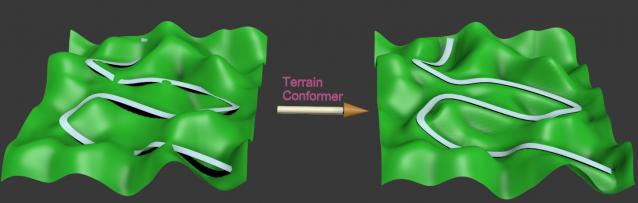
Terrain Conformer

12 votes

This script conforms a terrain surface to a road in just a few click. It's very easy to use.

FilePathFinder Pro & Light versions

410 votes

Using the FilePathFinder you can be sure that you have complete control over external links into your scenes.

Asset tracking features include support for XREF files and easy linking with external files.

Using the FilePathFinder (and Batch Render&Relink), you can search for missing assets and relink external files.

In addition, files that are linked to selected objects are displayed in Interactive Mode, and bitmap textures can be toggled and placed within the Material Editor.

Also with this tool, you can easily make an archive a 3ds Max scene.

Note that FilePathFinder supports the highest number of asset types of any plug-in.
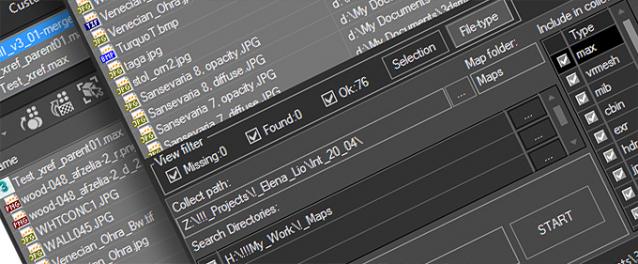
 

The Batch Render&Relink tool helps manage your asset files into the 3D model and material libraries in Batch Mode.

BR&R is capable of rendering thumbnails for 3D models, materials, and IES photometric files.

Batch Mode makes for an easy way to gather and compile many assets at once.


The new version of FilePathFinder is released with support to 3ds Max 2026

and many new features that improve managing scene assets

FilePathFinder Pro version 4.17.01

  • Adds support to 3Ds Max 2026
  • Play IFL, and animated GIFs directly in the list view
  • Play IFL and animated GIFs in the external Asset Viewer
  • Ability to change selected assets directly from the Asset Viewer using keyboard shortcuts
  • Adds an ability to include/exclude search directories by filename
  • More accurate material/texture placement in SME
  • Drops support to light theme
  • Fixes an issue with including/excluding search directories by filename
  • Fixes an issue with searching, relinking, collecting, and archiving the content of IFL files
  • Fixes an issue with relink assets in batch mode for Demo version [Batch Render&Relink]
  • Fixes an issue with renaming external scene links with status #Found
  • Fixes some issues with relink assets using exclude directories
  • Fixes a bug with relinking assets in huge scenes
  • Fixes a bug when using the tool together with Materials Manager and Models Manager
  • Some other optimizations, fixes and speed improvements

Random Select v1.0

41 votes

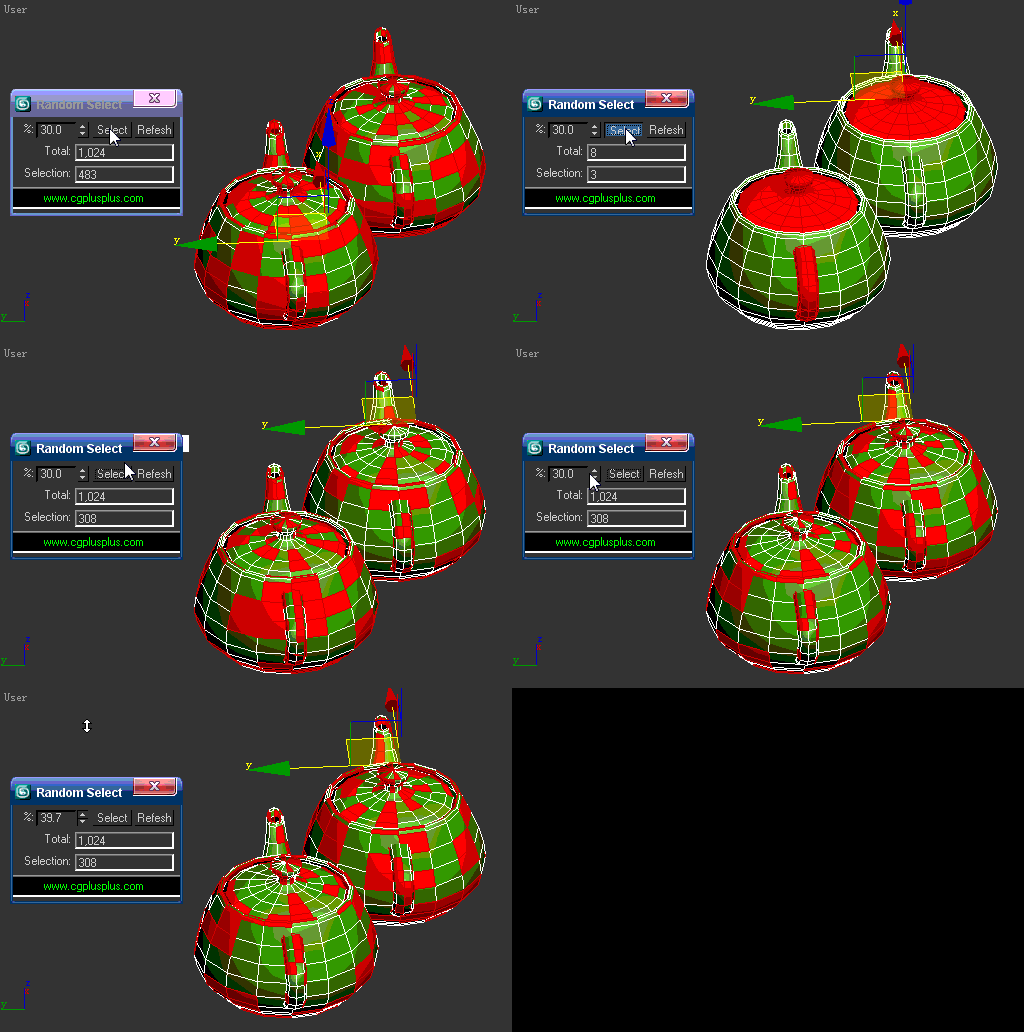
random select

1.If there are no objects selected,this will random select the objects can be seen in active viewport according to the percent.

2.If there are more than 1 objects selected,this will random select the objects in selection according to the percent.

3.If there is one EPoly selected and it's under EPoly modifier,this will random select the subobjects which is active according to the percent.

Obj Sequence Export

9 votes

This script allows to export obj sequences

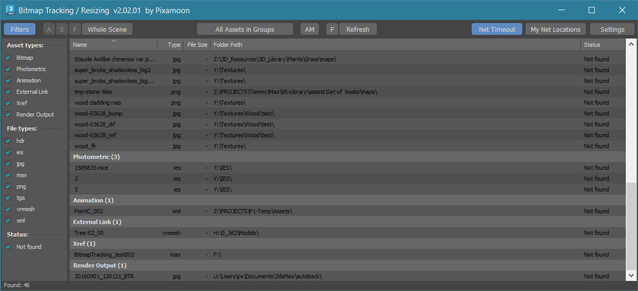
Bitmap Tracking / Resizing

70 votes

++ Works with All Assets ++

New: column and filter "In Scene" - to show if bitmap is used in scene or only in material editor
New: columns Channels and Memory - to show bitmap channels and estimated memory load for each bitmap

.


Bitmap Tracking / Resizing... is tool similar to Asset Tracking. But it gives more possibility to work with bitmaps:

- Support for All Assets
- Sort files by name, image width, height, file size, path, gamma, texture name, status (Found - network, Found -  local, Not found)
- Resize to JPG selected bitmaps to specified size or to Nearest Power of 2
    - can be used to resize and repath selected bitmaps (by size) before sending to external renderfarm,
    - resize bitmaps in large animation sceens to reduce memory ussage,
- Convert... see below
- Change / Rename paths (with paths history and rename path prefix eg. change only server/drive letter)
      * Choose path from history or scene paths
      * Pick new path
      * Rename paths beginng ( drive letter or paths C:\sample\abc\ and rename them to Z:\3d\sample\abc\ )
      * Find and Replace part of paths - supports Regular Extension
- Multi-threaded Auto-Relink with progress dialog
- And More...

Material Texture Loader

7 votes

Description
  The Material Texture Loader loads in textures and instantly creates advanced materials.
  Use pre-defined or customized map and material settings to build re-usable material setups.
  Fully supports Vray, Corona, Redshift, Arnold, FStorm, Physical, Octane, and Standard map and materials.
 
Main Features

  • Automatic texture channel recognition 
  • Parameter linking for all texture mappings
  • Predefined Color-spaces: ACEScg - sRGB - linear-sRGB - Raw - Gamma - Auto
  • Mapping: Tiling - Real-world - Tri-Planar -  Random Rotation - Spherical
  • Live edit settings and disable channels
  • 2-Sided materials
  • MaxScript commands
  • UDIM map loading
  • Drag and Drop
  • Presets

Get it on Gumroad
Latest version: 1.830

Texel Density Tool

5 votes

A small tool for working with your texel density and scaling your UV-shells.

Some features:
Has a minimalistic Interface (similar to Maya)
Can Get and Set texel density.
Saves all of your settings (including window position) every time you close it.
Shows the most understandable values (px/m).
Works with different system untis (including non-metric).
Can scale UV-Shells horizontally or/and verically using custom pivot.

Requires Unwrap UVW modifier applied and active.

Works bad when:
UV-Shell is not convex (has no seams).

Polygon Creator

63 votes


This script is very useful for car exterior modelling. It allows you to create really smooth polygonal surface using splines or NURBS curves to control the shape of the surface. Also allows you to control the edge loops of the surface. With this script you have to draw only the borders of the surface you want. Watch the video or the help page for more information!

Syndicate content