Tagged 'maxscript'

Object Properties 2.0

6 votes

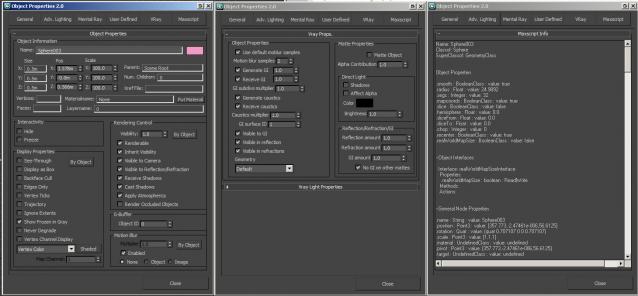
A non-modal Object Properties window, very simliar to the original one in 3dsmax but this allows you to change selection with the dialog open!  It also has the VRayProperties window included so you don't have to switch dialogs when setting up passes. (Needs updating for VRay 3.0+) There is also a MaxScript tab which shows you loads of information about the object you have select and this is really powerful for learning to script!

Holex

-9 votes

Holex is a scripted modifier plugin for 3ds Max which allows users to create various types of holes in polygon meshes. You can create multiple holes or rivets at the same time or individually across multiple objects.

holex_grate

3DS Max Multi/Sub-Object Material Browser Script

2 votes

When dealing with various bitmaps to be applied on multiple objects (i.e large video walls), this script comes really handy. The purpose is to scroll through the Multi/Sub-Object Material diffuse bitmaps and apply on one or several objects.

Change Log:
v0.9b :

  • Bug Fix.
  • Added icons and macroscript.
  • v0.9a :

  • SubObject Support.
  • Preview before applying.
  • Improved Code and functionality.
  • New features added.
  • Automat - Artist Workflow Tools

    4 votes

    Automat banner

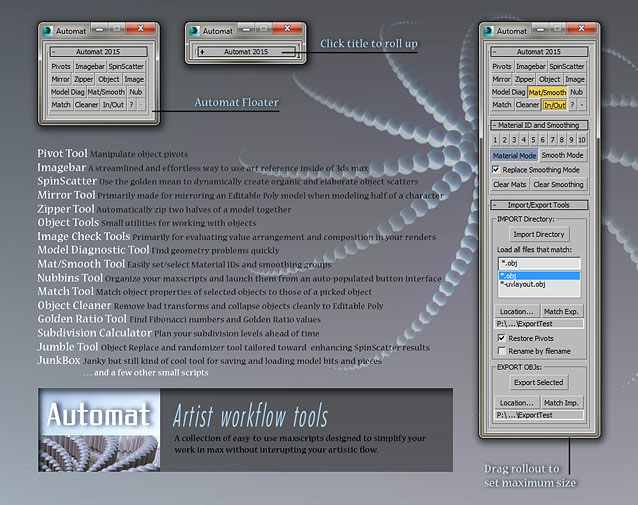
    A large collection of time-saving scripts all organized into a simple and clean interface.

    SCRIPTS included: Pivot Tool, Imagebar, SpinScatter, Miror Tool, Zipper Tool, Object Tools, Image Check Tools, Model Diagnostic Tool, Mat/Smooth Tool, Nubbins script launcher, Match Properties Tool, Object Cleaner, Golden Ratio Tool, Subdivision Calculator, Jumble Tool, JunkBox, and more.

    Light Table

    7 votes

    Tool for animators to display ghosts/onionskin of selected objects, like in 2d animation software

    (Inspired by TVPaint's light table)

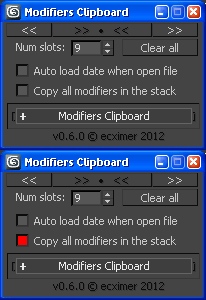
    Modifiers Clipboard

    5 votes

    Clipboard for modifiers.

    !!! UPDATE !!!

    MaxScript Navigator

    6 votes

    This tool simply helps organize, run, and edit your maxScripts more quickly. Quickly create a menu of your favorite scripts. Then place this menu anywhere you choose in the max. To change the currently selected name in the list. Just type in the top text box and press enter. Note that the .ms file name remains unchanged if you do this.

    See my site for installation details

    3DS Max - Plugin - [UPDATE] - CopyPaste V1.5

    1 vote

    This is an update for the CopyPaste plugin. This plugin allows you to copy and paste geometry between opened 3DS Max files, of course, in the same file too. This version includes a few additional features. The most important one is the ability to copy and paste using a base point. Also, there is a button that allows you to clear the cache file to save space on the hard drive. And, lastly, a Status section that gives you feedback whenever you perform an action. Please check the demo video for an in-depth explanation.

    Pipelicious

    -10 votes

    Oblong and Oblong Void Primitives

    2 votes

    Oblong and Oblong Void is a pack of two primitives for 3DS Max.
    Change parameters in real time. Map coordinates. Separated materials ID.

    Syndicate content