Tagged 'Material'

Reset Material Editor

2 votes

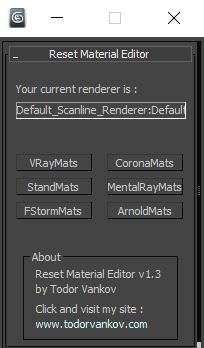
With this script you can reset all materials in your marerial editor to the Materials what you using in your workflow. For now you can reset to Standart marerials, Vray materials, Corona materials, Mental Ray, FStorm, or Arnold materials.
This script is tested at 3ds max 2016 and 3ds max 2021.

Version 1.0
- reset to Standart marerials
- reset to Vray materials
- reset to Corona materials
- reset to Mental Ray

Version 1.1
- reset to FStorm marerials

Version 1.2

Select spline segments by matID

0 votes

With this script you can select splines' segments by matID.
There are two methods of selection:
- "Use IDs of selected segments" - select some segments and press the [Select] button. The script will find the matIDs of the selected segments and will select all other segments with the same matIDs.
- "Use IDs typed below" - type as many matIDs as you want in the field(separate matIDs with comma) and press the [Select] button. The script will select all segments with the matIDs entered by you.

HDRI Material Override Toolbar

6 votes

Simple floating 'toolbar' example where you can quickly toggle reflection override for the current viewport (any custom picked hdri map will work) and set its rotation. Since it's just a viewport override, all the materials applied to the objects will be left untouched. Comes in handy for example when checking for shading errors.

Material Texture Loader

7 votes

Description
  The Material Texture Loader loads in textures and instantly creates advanced materials.
  Use pre-defined or customized map and material settings to build re-usable material setups.
  Fully supports Vray, Corona, Redshift, Arnold, FStorm, Physical, Octane, and Standard map and materials.
 
Main Features

  • Automatic texture channel recognition 
  • Parameter linking for all texture mappings
  • Predefined Color-spaces: ACEScg - sRGB - linear-sRGB - Raw - Gamma - Auto
  • Mapping: Tiling - Real-world - Tri-Planar -  Random Rotation - Spherical
  • Live edit settings and disable channels
  • 2-Sided materials
  • MaxScript commands
  • UDIM map loading
  • Drag and Drop
  • Presets

Get it on Gumroad
Latest version: 1.830

Randomize Spline Material IDs

0 votes

Randomize the material IDs for the segments in your spline shapes.

Set random material IDs for the selected splines, either using the existing IDs or specifying a range of IDs.

Compatible with 3dsMax 2012 and higher.

Transfer Materials

1 vote

Transfer materials, object properties (standard and Vray) and modifiers between objects based on names, vertex count or transfom. Can work between multiple Max instances. Handy for transfering materials from lookdev to lighting scenes with caches.

Installation:

just drag&drop to max and the you can find the script inside ProgressiveFX category

Changelog:

v1.2

- bugfixes

- possibility to remove string from object name before copy

WorldViz R4 Lightmap to R5

1 vote

This script is for users of WorldViz software to aid in the conversion of scenes using R4 materials to R5 materials. Specifically, this swaps baked maps from their old slot in Standard materials (self-illumination) to their new slot (ambient).

ShellBake: Set Up Shells for Baking VRay Lightmaps

2 votes

To transfer maps from one type of material to another after a bake for game exporters that primarily look for Standard materials.

This is currently limited to just the diffuse map.

To use: Run the Macroscript and add ShellBake to a toolbar from the category: #_SP_BakeScripts

ID Birlestirici (ID Combiner)

0 votes

Architecture to Standard Material Converter

4 votes

This macroscript converts Architectural materials to Standard materials for use with VR exporters that require this setup.