Tagged 'VRay'

VRay Batch Render

67 votes

VRay Batch Render is a fully automated batch rendering tool for V-Ray(3dsmax,architectural rendering).

Smart Vrmesh Converter

49 votes

Random Wire Color Tools

37 votes

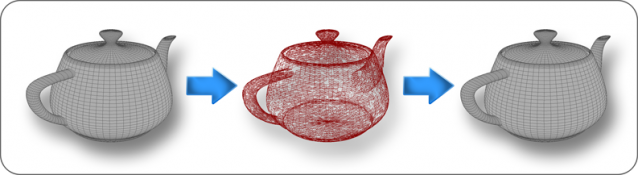
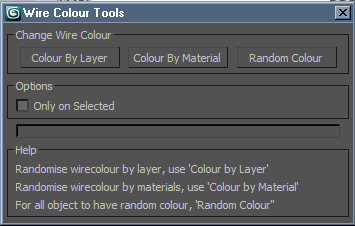
Wire Colour Tools is a simple script for setting random wire colours to all of the objects in the scene. Anyone who does allot of post work either in PS or a compositing package should find this script useful. Being able to adjust any element or of your project in post by the object enables you to get the most of your image, rendering Wire Colour passes is very simple and inexpensive from render time point of view.

Vray ToolBox

6 votes

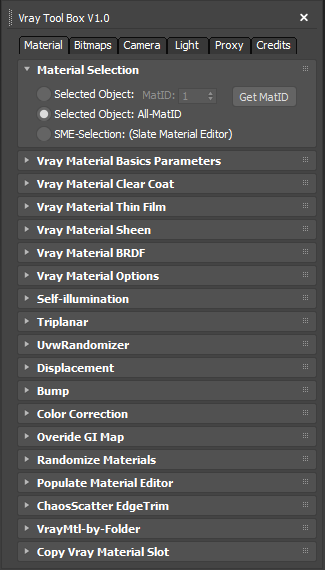
It is a Vray version of my script "Corona Automator" It has a lot of features for materials, bitmaps ,cameras, lights and proxies.

Its main goal is to automate property tweaking, and save time on repetitive tasks.

for now the material part is focused on Vray Materials , it won't work on other kind of materials like fastSSS or other materials.

VRayStudioSetup

48 votes

Simple Macro for quick VRay studio. Very conveniently for testing materials, etc.


Change Renderer

34 votes

This is the updated version of my First Script which u can use to change Render Engines. Am planning to add more render engines if i get their RenderClass.names. I would like to add other renderers too but i need their rendererclass names. You can see how to get that at the end of the video. Hope you enjoy this simple script.

UPDATE:

Version 4 Available HERE

OLD VERSIONS:

v3.00b screenshot:

VRay Light Lister

76 votes

This script replaces the built-in light lister with one that incorporates support for VRay Lights and VRay Suns.

vraymtlPresets

57 votes

Simple Macro for quick VRayMtl presets to selected Material Editor slot.

Interface

* 08 03 2009 - Fixed "Affect Alpha" error with the new V-Ray 1.5 SP3. 

* 07 01 2009 - Added rollout Ceramics. 

* Added rollout Organic with five new materials. Screenshot of Grass VRayFur parameters in DemoRender file. At this stage used only procedural textures.

Autodesk Material Converter - obsolete

5 votes

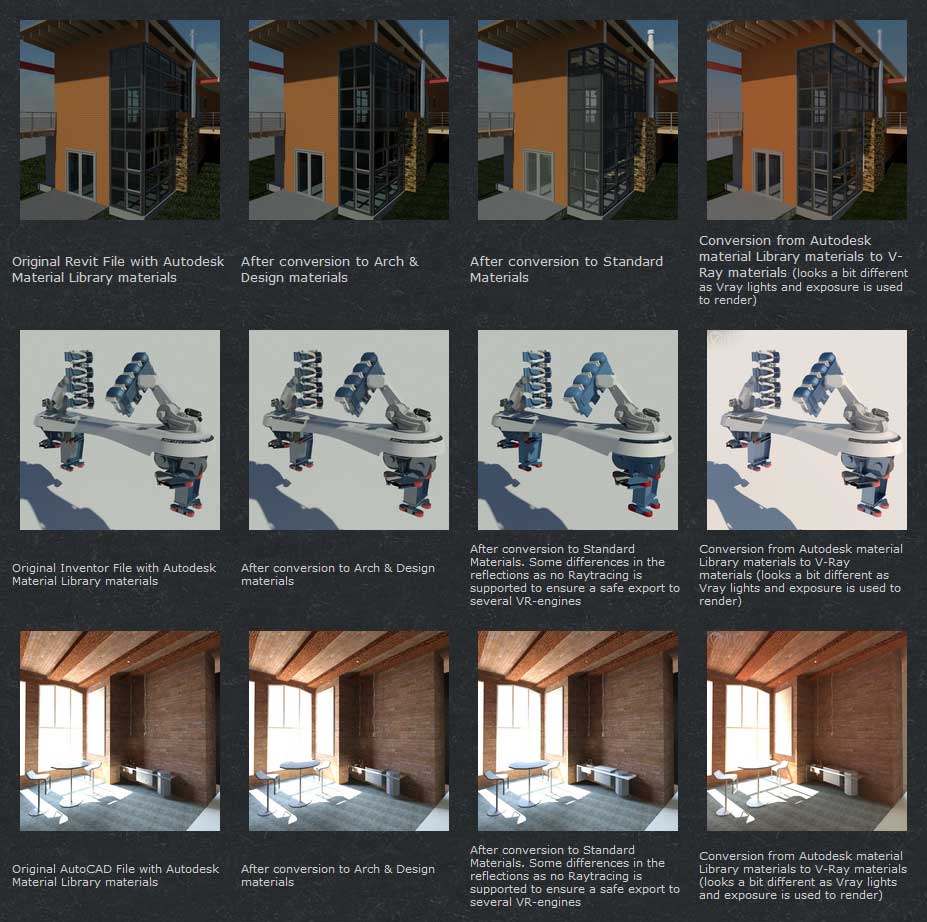
The Autodesk Material Converter is a commercial script for all 3ds Max and 3ds Max Design users starting from release 2011 and up who need optimized materials for mental ray, V-Ray or VR applications. With one click all Autodesk Material Library materials are converted into Arch & Design or V-Ray materials. Conversion to Standard materials takes only two clicks

The major adavantage will be an increase in rendering speed (on average 35%) plus it will give you the flexibility you need for your material fine tuning. and of course you don't want to manually convert materials which are coming in from AutoCAD, Revit and Inventor into 3ds Max (Design)

Most VR applications need Standard materials to work with. The conversion to Standard works from Arch & Design or Vray materials

In addition to material conversion the script checks if there are double materials inside the scene. If they are there, they will be changed into instances, keeping the number of materials as low as can be.

New features in v2.5!

  • conversion from Arch&Design to V-Ray and back...it's there!
  • conversion of all Autodesk maps
  • conversion of some V-Ray specific maps or MentalRay specific maps
RegionRender

4 votes

Simple script. Self explanatory really. See screen shot above. Script found under the category '3dwannab' (drag the .mzp file into the max window to see further instruction, if you added the icon please restart max to see it in the toolbar) also a script to allow toggling the Region with a keyboard shortcut.