ScriptSpot

Script

Smart Vrmesh Converter

By C00PER · Credited author: Cooper · 2010-02-12

Version
1.02
Other software required
Vray
Date updated
2010-03-19
Votes
49
Description

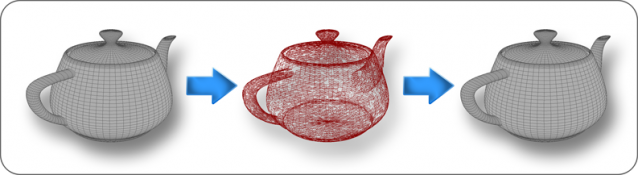
Here is a little script I wrote a while ago. Basically, it converts all selected objects into Vray Proxy format. The main difference between this script and standard quad menu that comes with Vray, is that script preserves instanced objects, so the resulting Vray Proxys will be instanced and this, in turn, will save memory during render. Besides, it lets you select and convert entire groups of objects, without opening them. And finally, the most useful part of it – it keeps original meshes in the same folder as Vray meshes, and can restore original geometry back in scene, all with one click. Of course, it won’t restore geometry, converted to Vray mesh using default tool, only converted with this script.

Additional Info

Here is a demonstration object. It consists of several groups, which, in turn, have instanced objects inside. Each color represents set of instanced objects. What I'm going to do is convert entire group with all subgroups into Vray Proxy format while keep instances instanced :) Then, I'm going to revert this operation simply by running this script again.

Videos
Attachments

Tags: VRay, converter, instance, VrayProxy, restore, vrmesh, vray proxy, instances, revert

Comments (19)

control del numero de proxies

jnls · 2018-08-22

el script es muy bueno solo necesita tener la opcion de controlar el numero de poligonos para los proxies, porque 10,000 es un numero que no funciona en muchos objetos...

vrayproxy-switcher by onodi.andras works 100%

tomastnt · 2011-08-09

Ok, If there is no support, I would recommend to other people who would like to convert their instances, objects to proxies and back quickly this script:
http://www.scriptspot.com/3ds-max/scripts/vrayproxy-switcher

I have tested this script on a few big projects and works without any problem compare Smart Vrmesh Converter
So you can get back your objects, modify them and again convert to proxies. vrayproxy-switcher is 100% right working!
Sorry cooper, but it is true :( Your script would be great, but it is not working properly...sorry for add to another product.
Best regards.
Tomas

It is not working properly :((

tomastnt · 2011-08-03

Hi. Unfortunately I have just lost a few hours of work. Never mind... :) The script works fine just in "first step". It means, I can select objects and convert them as proxies. That works fine. But when I will try to convert back to mesh and modify mesh and again convert to proxy, then proxy is NOT modified! Proxy is as same as in a first step. Same problem like crystal3d.

Pleas, could you repair it? This could be very useful script, but this bug is doing this script half working.

fajar · 2011-06-02

little fix for browse button add this line


if vrmesh_path != undefined then 
   ( 
    saveto.text = vrmesh_path					
   renderSceneDialog.update()
   )

Hey there

makco · 2011-06-01

I really liked your script. I was starting to write something similar and ran into yours; so i took it and add an interface to make it a bit more functional.

Anyway, im sharing the version i made so you can use it if you'd like

Attachments

(=

gokkurt · 2016-04-29

Good work. Thank you. 100% workşng , easy and usefull

My other question about it is,

crystal3d · 2010-12-13

is there a way to clear the identification or a converted model, i want your script the the mesh as a new mesh.

Updating proxies

crystal3d · 2010-12-13

hello and thanks for this effort,
I am using it for months now and untill now, i did not know that it had a problem when updating the original meshes.
here s the problem:

if you convert a box to a proxy (for example) and revert it back to initial mesh, everything is fine, but if you edit the "reverted mesh"( means the box that was converted to proxy and back to initial mesh) all modifications are lost.

the script creates a proxy but can not overwrite the proxy nor the max file.

what the script need doing IMO:

when a proxy is reverted back to normal mesh, the script should clear any data belonging to that mesh.

i can give explain more if you like.

akramserry · 2010-05-22

hi man great script , but there is something strange with it , when i group a large group of instanced objects it exports a vrmesh for every single one of them and use only one.
example : group of instanced 100 objects , it will export 100 identical vrmsh files and only use one of them , can this be fixed cuz it takes looooooot of time to export those unneeded vrmeshes.
thanks.

crystal3d · 2010-05-21

Can you add " convert group to mesh" feature to your marvelous script?

crystal3d · 2010-04-16

summary: lets say; you have a tree object with all leaves as separate meshes , when i explode and attach them into one big heavy mesh at once, max crashes.

but i can attach them one by one which takes quite alot of time...

how long does it take to make a script like this one below?is it beginner level?

get selected group's name

explode group

rename the meshes inside , sequentially according to group name like: "groupname_01-02-03"

count polygon of each mesh.

attach small(number of polygon) meshes to "groupname_01" until
mesh reaches 1000 polygons.

attach medium meshes untill mesh reaches 1000 polygons and name it:"groupname_M_01,02..."

rename large meshes that has more than 1000 polygons as "groupname_L_01,02,03.."

attach all created meshes in to one big mesh , named"groupname"

looking foward to any replies.

thanks.

C00PER · 2010-04-19

Such script would be very simple to create, however its not related in any way with Smart VrayMesh converter. And maybe a useful thing for you to know is that max 64 bit can attach enormous amounts of polygons without crashing. I've experienced same problems when I was on max 32, but in 64 everything was just fine. Also try to use different geometry format - i.e. if you're using Editable Mesh, try to convert to Editable Poly before attaching and vice versa.

crystal3d · 2010-04-16

CAN you ADd a feature to this amazing script?

des_illacom · 2010-02-20

WOW , I just gave this script a test drive and I must say it's very useful :) I'm working on a project right now that is very heavy on geo and vray proxies are used alot in my workflow. One limitation that really cripples the script's potential is the handling of animated proxies and of course the modifier linking. Do you think it's possible to work out those limitations soon? Or is it a max limitation?
Never the less I applaud your effort, great job so far.

C00PER · 2010-03-19

Sorry for late reply, I completely forgot about this thread :D. Will keep an eye from now on.

Ok, first of all, I've made a couple of fixes, that make process of reverting from Vray Mesh more correct. I'll upload update in next reply later today. The fixes are following:

In older version, when you were about to revert FROM VrayMesh it was necessary to select exactly same object that was selected when objects were being converted TO VrayMesh (my bad). It is fixed now and any object can be selected regardless of order.

Also, now when you convert, script stores paths to both original geometry and to proxy file inside object properties. This gives you excellent opportunity to transfer your converted VrayProxy into another project, restore its geometry if needed (for precise placing purposes) and then turn back into proxy WITHOUT creating new vrmesh file. It just reuses already stored path.

Now about keeping modifiers instanced upon restoring. It seems to me that the only way to do this is to store original mesh INSIDE max file and simply hiding it. But the downside of this – the max file will grow, savetimes will grow, memory consumption will grow. Have to figure out another way.

About animations – I didn’t have enought time to work on this, I think this should not be a problem.

C00PER · 2010-03-19

Script updated to 1.02 as I promised in previous comment.

mare96 · 2010-04-14

with max 2010 doesnt work!

C00PER · 2010-04-19

Can you give more detailed information? I don't have max 2010, but I don't see any reason why script shouldn't work there. It doesn't depend on max version.

C00PER · 2010-02-12

Known bugs and limitations.

  • Since script stores Vrmesh files inside a new subfolder which is created in the same folder as the current opened scene resides, the scene must be saved and have a name. If you try this script on unsaved scene - it won't work.
  • Upon restoring, instanced modifier links will be broken. This means, that if you had NON instanced objects with INSTANCED modifiers between them, they no longer will be instanced.
  • For some reason, script may randomly throw an error on the same scene where just a second ago everything worked perfectly. I'll try to catch it later.
  • Animated Vray Proxys not supported yet.
  • Script uses object names for object identification, so if you have objects with same names, you may run into problems.