3ds Max | All

Align Multiple Objects

2 votes

Align Multiple Objects - 3dsmax script

Description

Align Objects To Direction (vector)

4 votes

Align Objects To Direction allows you to align the X, Y or Z axis of each of the selected objects to the direction(vector), defined by two picked in the scene points. SNAP will be turned ON automatically.

Align Over Range

17 votes

Aligns one object to another over a period of time.

Align Pivot - set of scripts to managing pivots

2 votes

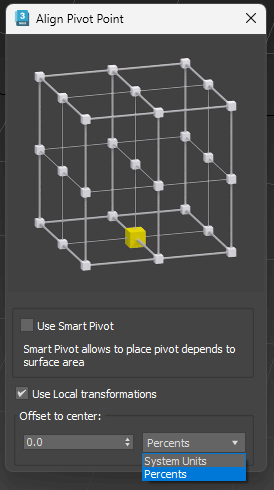
 Align Pivot (Smart/Standart) with Interface
Set Pivot by specifying the location point
Has multiple modes
Standard mode (Smart Mode is off ):
Pivot is set depending on the bounding box of the object. 
Smart Mode:
Pivot is set based on the surface of the object, not just its dimensions 
Use Local Transformations:
Pivot is set to the object’s local coordinates
If disabled – in world coordinates 
Offset to Center:
Offset Pivot to the center. Can be specified in percentage or system units. Supports positive and negative values.

Align Pivot to Direction

8 votes

 Align Pivot to DIrection(vector) allows you to align the X, Y,Z or XYZ axis of the local pivot of each of the selected objects to the direction(vector), defined by two picked in the scene points. SNAP will be turned ON automatically.  If the Shift key is down when the axis is choosen the pivot will be moved to the first picked point.

Version 1.1 should works properly with Pen(tablets).

Align Pivot To Knot | Vertex

12 votes


With this simple script you can easily place selected object pivot (Spline or Geometry) on selected knot (segment) or selected vertex (edge, poly).

Upadate v1.5: Pivot On SubSelection

Align PivotPoint to WorkingPivot

4 votes

Hello! This script aligns PivotPoint to the WorkingPivot.

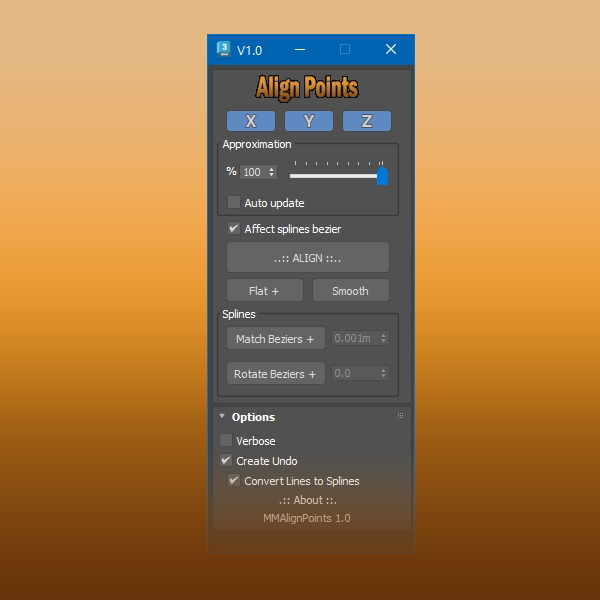
Align Points

1 vote


Free Tool

This tool aligns selected mesh vertices and spline points.

With splines you can align bezier vectors too.

available here


Align side by side

0 votes

tool helperpoints --mouse click definition
(
local p
on mousePoint clickp do (p = point name:("point_" + (random 0 100 as string)) pos:worldPoint size: 1 wirecolor:[130,225,40])

on mouseMove clickno do p.pos = worldPoint
)

rollout rlhelperPoints "Helper Points Creation" -- create rollout to fill with buttons
(
button btstart "Start Helping Points" width:125 --this will activate the tool
button snapobjects " Snap objects on Points" width:125
button deletepoints "DELETE all points" width:125 -- this will DELETE the points

-- this STARTS the tool

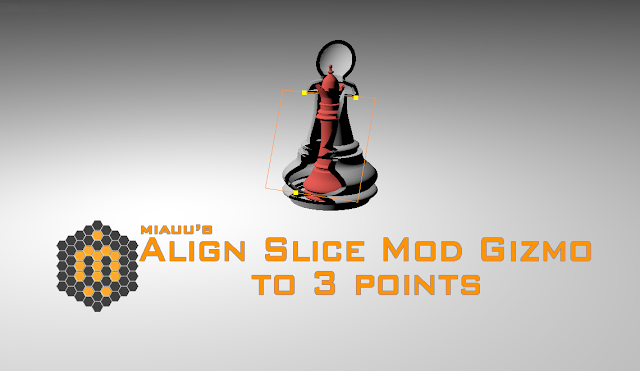
Align Slice Modifier Gizmo(Plane) to 3 points

8 votes

The script allows you to pick 3 points in the scene. The slice gizmo of the slice modifier of the selected object will be aligned to the picked points. When you run the script the SNAP will be automatically turned ON.

Syndicate content