ScriptSpot is a diverse online community of artists and developers who come together to find and share scripts that empower their creativity with 3ds Max. Our users come from all parts of the world and work in everything from visual effects to gaming, architecture, students or hobbyists.
Submitted by Ofer Zelichover on Fri, 2006-10-20 20:45
10
votes
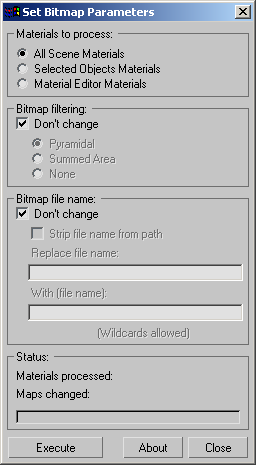
"Batch change the bitmap parameters of all materials - selected objects' materials or material editor materials. Includes options for stripping out bitmap paths - batch path replacement - and filtering options.
"It allows you to associate a coordinate system type (screen. local. world. view. grid. parent) with a given object. Whenever the object is selected. the active coordinate system is switched to the associated coordinate system. This information is saved with the MAX file. So it will be there the next time the MAX file is opened."
Submitted by Evgeniy Poyan on Tue, 2026-05-12 17:02
0
votes
Description: Set selected edge length, total chain length, round edge lengths, increment/decrement selected edge groups, space selected chains equally, and align selected chains without spacing.
Submitted by andrewjohn81 on Mon, 2007-10-08 13:24
13
votes
Need to key only the X position, or the Z rotation? This is a very basic script that pops up a little window having position X, Y and Z buttons individually, and the same for rotation. I left scale out of this since you'd have to assign a new controller for that to happen individually.
There was a new addition to Max 5 that allows controller tracks to be set as Keyable or not. This script makes the task of setting the tracks keyable or not much faster as it will set it based on track type. I hope to have an update to this so that list controllers can be delt with better.
Submitted by Ofer Zelichover on Fri, 2006-10-20 20:45
10
votes
"Changes the animation range of all wired controllers in the scene to the active time range. Update in v1.2: Added option to change expression controller ranges."