3ds Max | All

superLag

5 votes

Super Lag is a MAX Script to help automate rigging and animation of secondary action and follow through. It provides easy to use animation controls - that are stable - and won't go flying off like typical dynamics or spring systems.

Set Active Grid

12 votes

a small floater to quickly switch the active grid.

The list is automatically filled with all available gridhelpers in the scene including the homegrid 

Preview

Render to Texture Selected

0 votes

poster

Batch render to texture script ready for game engines. Bakes all selected objects or groups with one click, saves baked UV textures into a directory, and replaces materials on the objects! If you select a group, it attaches all group members together and bakes it as a single object. Each selected object will have its own texture as well as a group. Output standard material will have a white diffuse color (necessary for some game engines such as Unity3D).

==== CHANGELOG ====
v2.0
-Fixed an issue with V-Ray

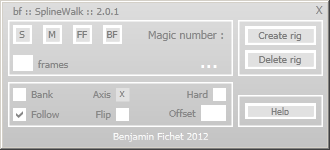
bf :: SplineWalk

1 vote

Hello !

Here is the successor of bf::SplineWalkator : SplineWalk.

Until I add more options, this is the same script as bf :: SplineWalkator, with a better UI.

MCG FaceOff

1 vote

Filter Faces (Tris) based on various categories:

- Normals, World or Local..any combo of the six axes

- Mat IDs...one or more

- Face Area

- Smooth Group (does anyone see the point of doing multiple?)

- Death Star....what more can I say ??? All are topology independent.
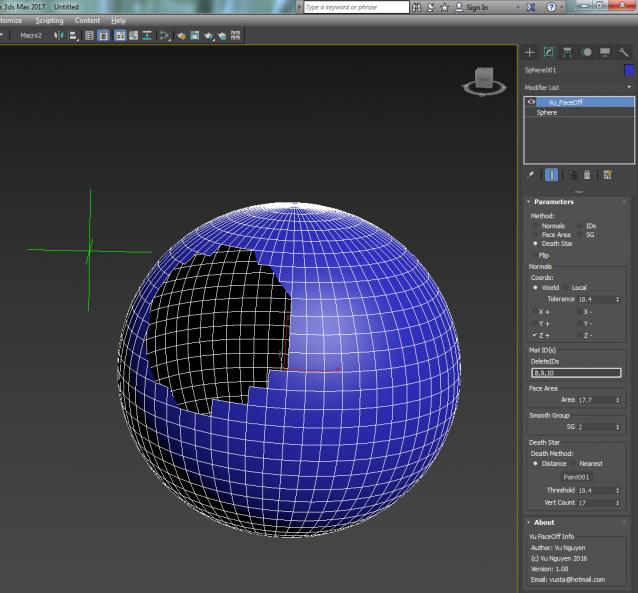
ver 1.01: fixed iso verts bug

Donations: paypal.me/vusta

Please help to fix

Hi all ,

http://www.scriptspot.com/3ds-max/realtime-spring

This is link to a very useful maxscript - realtime spring.

Unfortunately it is not working in 3ds max 9.

Anybody have any idea????

Package Script

0 votes

This utility takes a script filename as input, and compiles all of the included scripts into a single script file. You can exclude individual scripts by name when you add them to an array of excluded filenames. You can encrypt the script by passing "true" for the argument "encrypt".

Example Usage:
-- exclude these scripts form compiling into the output script
packageScriptExcludeFiles = #("Custom.ms", "XMLExample.ms", "AnimationViewer.ms")
packageScript "YourInputScriptName.ms" "OutputName.ms" encrypt:true

Math Object

12 votes

Creates a 3D Object based on a math formula Z = F(xy)

ModifierControl

8 votes

Using this script, you can turn on, turn off, or delete certain modifier simultaneously within all objects that contain such modifier (or only within the selected objects). The list of modifiers attend only those used in the scene. You can find the script in "IllusionBoxStudio" category (Customize/Customize User Interface/IllusionBoxStudio)

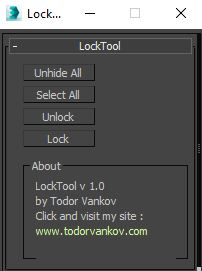
Lock Unlock Tool

0 votes

This script lock and unlock the selected Objects in your scene. I made it how I use it in a new scene. First I unhide all objects in the new scene, second select all objects and then unlock them. If you have some problem with your max version please text me.

Script category: “#todorScripts”

You can see an example here, how to install my script per Drag and Drop:

Syndicate content