3ds Max | All

ERCO Lightcontrol

4 votes

ERCO Lightcontrol is aimed on streamlining the setup - overview and animation for higher numbers of lights. Lights are grouped in 'curcuits' - mixing ls-lights - omnis and spot in one curcuit-group is possible. Groups can be dimmed intuitively and stored/recalled as 'scenes'.

waRp PrepareExp

0 votes

This script helps with preparing for export to Maya or UV Layout. It works on all selected objects. (Note: It is meant to be used in combination with my other scripts)

Actions that takes for both preparing export to Maya and UV Layout:
- Runs the waRp RemoveTurbo script (this script can work without it)
- Weld option welds each selected objects' vertices by the threshold amount
- Show Ngons runs the waRp Ngons script (you have to have this script in order to use this functionality)

Actions it takes for preparing export to Maya:
- Collapses the modifier stack to Editable Poly

Facial Animation Widget

1 vote

When animating characters you will most likely want your skinned mesh to be frozen for that the animator does not unwillingly move it or select it all the time. But then you won't have access to the morpher modifier to do your facial animation. If you don't have time to build a Face UI this tiny script might come in handy. It creates a button on your head controller (for example) to get access to your morpher modifier.

ClaverTech-LightCluder

10 votes

This is just a simple Tool i used for my last project, its just a quick way to setup some lights to only include/exclude a group of geometry.

Filter Array by another Boolean array:

1 vote

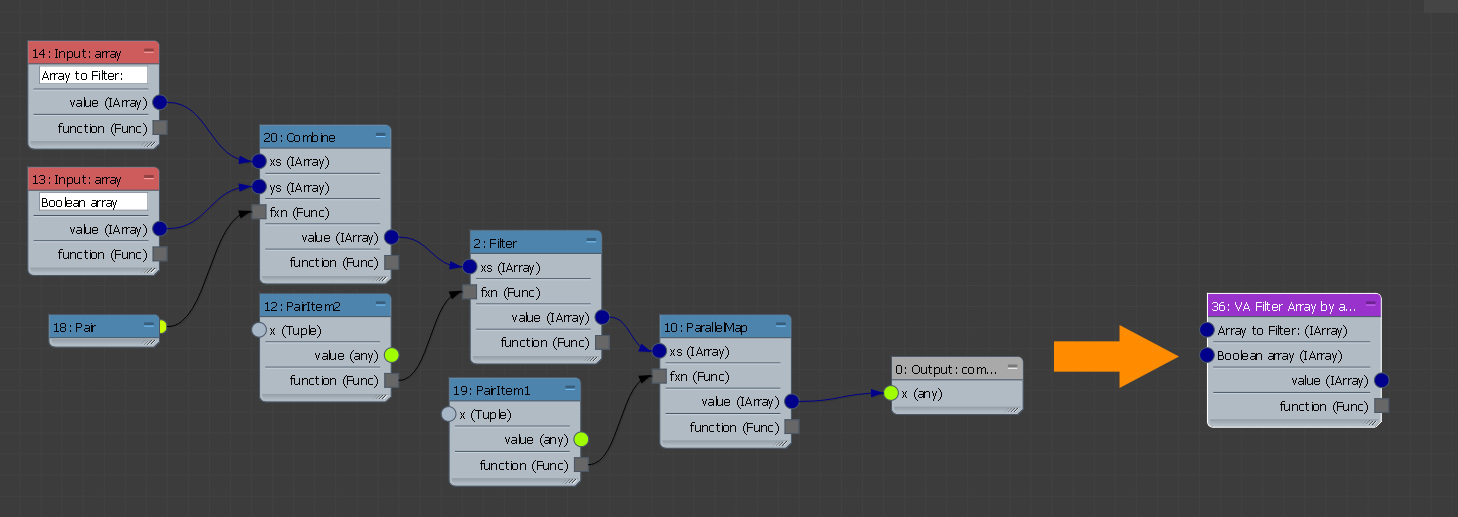
If you have two arrays with the same amount of items and one of them contains boolean values, you can filter the second array using those boolean values by using this compound.

Regards

Alaa Al Nahlawi

Autoweight 0.030

0 votes

I hope this is the right place to post this.

In 2008 I've developed a script called "Autoweight" with the goal to skin-weight specific user-defined regions for bones and Biped automatically.

During the last week I've rewritten the script and would like to show you the preview of the newly designed "Autoweight"-Script.

Thank you for any interest.

CameraClipper

8 votes

Changes Camera Clipping settings for all selected cameras

Camera Location

5 votes

A simple script that facilitates the modification of XYZ values of cameras but instead of picking from the selection floater (or the Select by name screen) - you can select form a cameras-only list and change the values on the fly. Press the Switch to camera button to view the changes from the camera view. View screenshot

MCG RPMSpin

1 vote

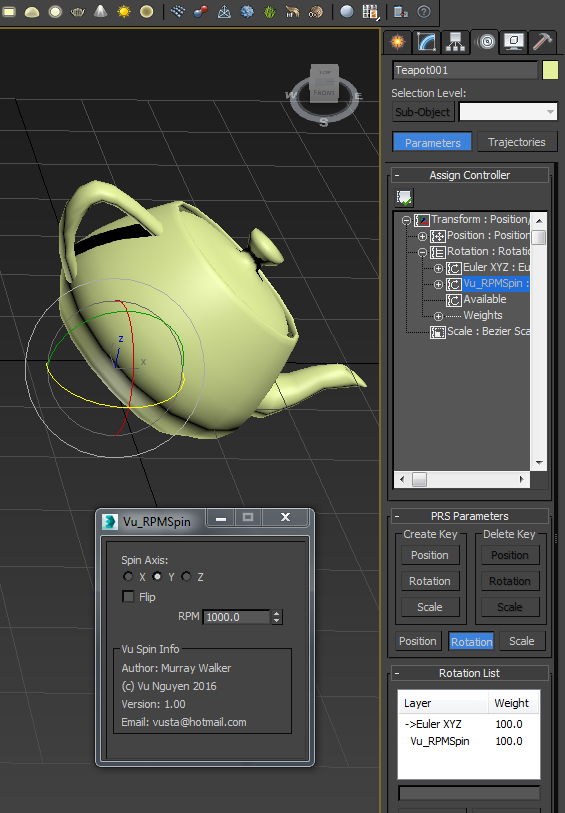
A user requested this...so here it is...simple RPM controller.

Note: it works in Rev Per Minute, so it does not matter if you work in NTSC, PAL or whatever...


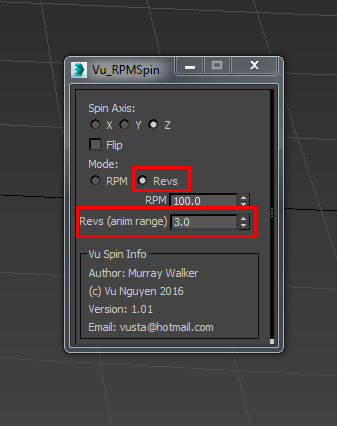
Ver 1.01: added Revs mode for the Revheads. This will spin your object N times for whatever the animation range is...Start time does not have to be at 0...

MCG Display Point Cloud

1 vote

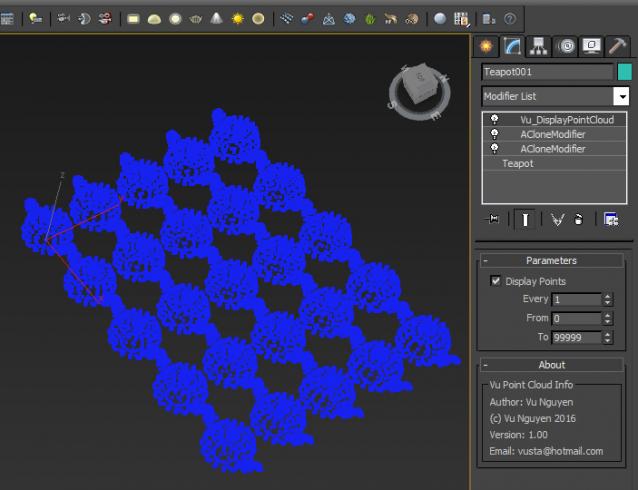
I doubt if this actually improves anything...but a user on FB asked for it maybe because of some display restriction that caps at some maximum number of faces that it can display...so he wanted point cloud representation instead.

Naturally, you'd probably want to turn this modifier off in Render and do NOT collapse this as you'll lose your geo and retain only the points !!!

Syndicate content