3ds Max | All

LAYISO, LAYOFF , LAYON

2 votes

a simple maxscript work with layer

v0.4
layiso: displays only the selected layer
layon: turn on all layers
layoff: turn off the selected layer
empty layer: delete the empty layer

v0.5 : update match layer function

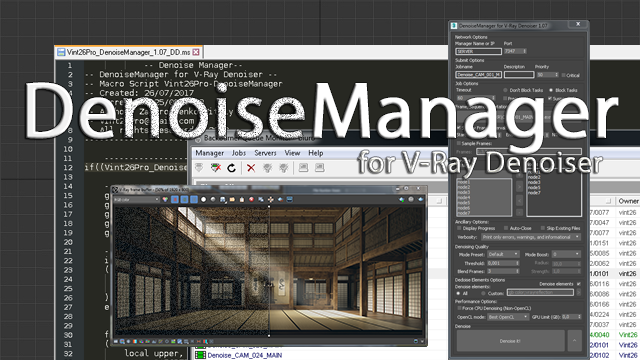
DenoiseManager

0 votes

Description:

This script is designed to quickly and easily accelerate and distribute denoising jobs on your renderfarm.

DenoiseManager

BSRun

4 votes

Allows you to quickly choose a blurscript from a dropdown list and run it.

framer

9 votes

framer is a mousetool used to very quickly change renderheight and -width. This is great for rendering regions or single objects of your scene, similar to a blowup render, but with variable aspect ratio. When dragging the frame, the aspect ratio changes interactively in the viewport. For further explanation please visit my website. Feedback welcome!

Universal Customizer

1 vote

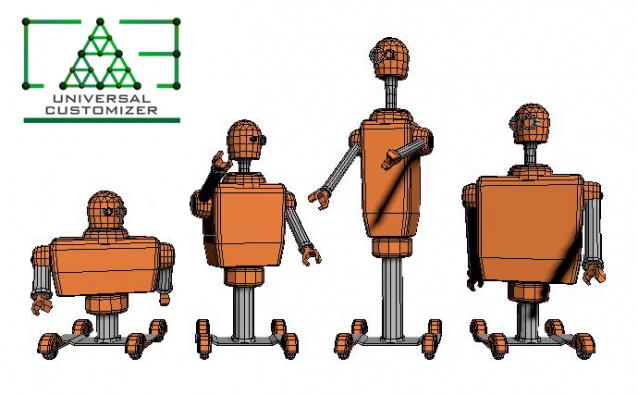
Universal Customizer allows you to deform any mesh by using parameters, useful to cutomize easily
repeated objects in your scene. You can configure any mesh your own way, in some way it converts your mesh
into a primitive object, however this script doesn’t change the mesh number of vertices, it only changes
the existing vertices position.

Auto instances

0 votes


Script Description

 This script automatically finds objects with the same geometry and turns them into instances. This can reduce RAM consumption, scene file size, and save and open times for a scene. This script will be especially useful when optimizing other people's scenes and 3D models.


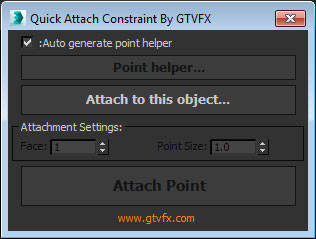
GTVFX-ANM_quickAttachConstraint

0 votes


Creates an attachment constraint from one object to another. By default this tool generates a point helper to attach to another object. 

This is useful if you need a locator to follow a deforming mesh such as a point-cached character.

Procedural Facade Windows

1 vote

Description:
Discover an amazing tool that will change the way you create building facades. Create facade windows with just a few clicks.

ProceduralFacadeWindows

Features:
- Create facade windows with just a few clicks.
- Set the number of window segments (1-4).
- Autosize – automatically adjusts the window size to fit the opening.
- Adjust the setback position.

Insert Bezier Key

0 votes

INSTALL

1. Drag and Drop into 3dsMax.

2. Go to Customize->Detachmode->InsertBezierKey and drag&drop it to the menubar.

USAGE:
1. Open Trackview and select one or more bezier controllers and go to the frame where you want to add a to the curve.
2. Press the button.

SmokeThis

7 votes

Makes a superspray - or pcloud with a material that simulates smoke. This is a quick way to create some smoke for your scene - go into the material afterwards to tweak its color - density - etc manually.

Syndicate content