3ds Max | All

Automated randomly generated number decals. Script + procedural material.

0 votes

This post details how I set up an automated decal numbering system. A random number is assigned to a dummy object that matches a name convention and any decal objects attached to that dummy assume the same ID. The ID can be used for material assignment purposes, in this case it is to drive a sprite sheet that renders that number to a material.

At a minimum the script should be a good jump point for automating parts of procedural artwork.

As used in this image:

Notes

6 votes

"This script allows you to add notes to your animation max file. Select the frame and type in your note. You can also edit and delete the notes. The notes are saved in a file with the same name as your max file."

Dummy resizer

7 votes

I'm getting pretty fastidious about how I'm working and I think this script kind of proves it. I didn't want to scale dummies with 'affect object' (did I say I was getting fastidious?) and I got tired of typing '$.boxsize' so I wrote this script (my first ever written from scratch!). Very simple. Does what it says on the tin.

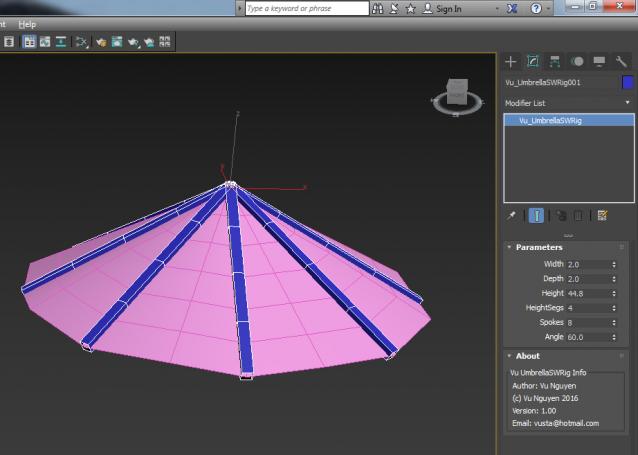
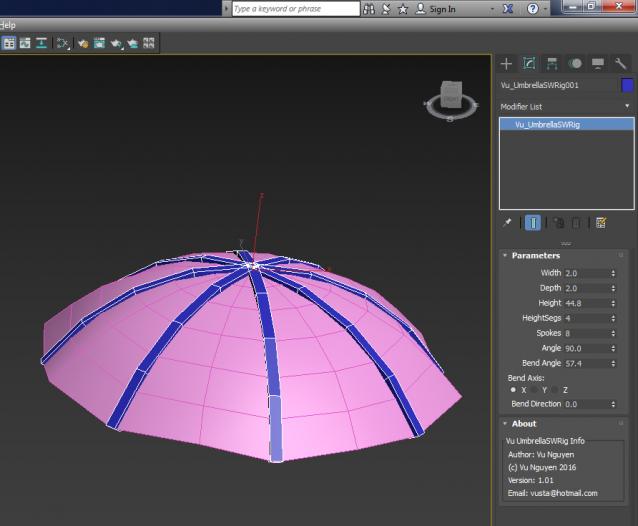
MCG UmbrellaSWRig

1 vote

Apologies: because I create the spokes all pointing straight down as Angle = 0, so it makes more sense to open up the Umbrella as you increase the Angle....it means 99% of the time the Bend Axis would be Z, this has been set as default in ver 1.02

AntiAliasedAlpha

6 votes

Render a viewport with Aliased RGB channels and Anti-Aliased Alpha or the other way round...

rdg::tools:quickHideReveal

2 votes

This script lets you select a object to be hidden or unhidden.
It supports single objects - a group of objects and hierachies.

This is usefull if your objects are distributed over several layers - for example development plans.

Inheritance_All_Enable.ms

8 votes

Enables Inheritance of Move - Rotation and Scale for the selected object(s)

ReloadBitmaps

7 votes

Reload ALL bitmaps in ALL materials in the scene. Shortest script ever to come from Boboland...

Icons.zip

8 votes

Icons to be used by these scripts.

Apply skin weights to Skin modifier based on .xml file from maya

1 vote

This script is a function definition. You can use this function in order to import skin data from maya, e.g. in the case that you want to send your model and bones to maya for skin binding but you do not want to import back to 3ds max the maya joints. You can just import the skin weights using a .xml file generated from maya (Deform/Export Weights...) and the declared function. Current version does not remap the bones-joints in the case they have different names, it just prompts a message to the user.

Enjoy,
har1sf0x

Syndicate content