3ds Max | All

getMatFromSelectedObject

3 votes

Gets the material from the currently selected object and places it in the material editor. If multiple objects are selected - chooses the material from the first selected object.

Borrow Material

3 votes

With this little macroscript you can “borrow” material from any object in the scene and transfer to the current selection. It's an easy way to speed up your workflow.

the journey

well today has been a very constructive day. i stumbled upon this resource for max and it has been amazing. i was working on a number of projects at once and one in particular is stumping me, but with the plugins for max that i took the time to browse through and download, im sure i can find a solution.

Biped Key Convert

0 votes

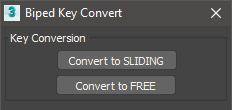
This script will convert all keys for the selected biped limb along the timeline to either sliding keys or free keys. Can be useful when making adjustments to mocap animations which typically have keys on every frame.

Batch Retopo

2 votes

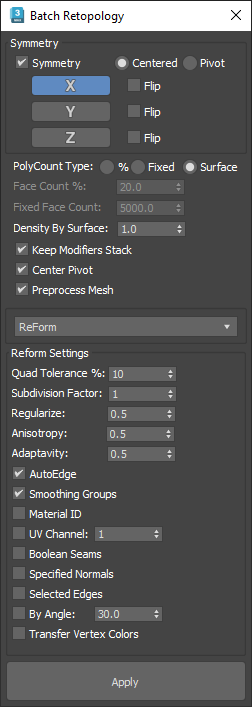
This Script is intended to retopo multiple objects at once, it has a symmetry option and a density based on surface area option to get the same mesh density across multiple objects.

If you check "Keep Modifiers Stack" and you have symmetry on, you will see that there is a subdivide and a vertex weld modifier added to the modifiers stack, it was needed to avoid gaps between symmetry seams, the built-in"Preprocess Mesh" wasn't working well on open surfaces.

Rename PF

1 vote

Script to rename multiple operators Pflow at once.

- Put the name of the FX in the "prefix", select the operators to be renamed and click "Rename"
The script renames operators this way: prefix + operator name + number

- Function "Clear name":
If no text is present in the "Prefix" button clear name removes the entire name of the operator.
If a text is present in the "Prefix" button clear name removes the prefix if it is present in the name of the operator.

Example:

"Prefix" FX_dust
Operator name: FX_dust_rotation_02
Operator name after clear name: rotation_02

TextureMapViewer

10 votes

Takes a Map that's in your mat editor and applies to it to selection of objects - renders the scene - then reassigns the old material back to your objects.
version 1.11 Fixed the bug where turning off atmospherics in a maxscript render turns off atmospherics for the current renderer as well.

Single Click Render Menu

0 votes

renderMenu rollout gives you an ability to start different types rendering (single frame, active segment, specified frames, or single frame at current time) with one click, toggle some render options and adjust animation range. Useful for animations that are being rendered and edited often in different places and segments.

"C" button clears GI cache
"H" button triggers "render hidden geometry" option

Duplicurver

2 votes

Duplicurver is a game-changing Maxscript tool that brings the power and versatility of ZBrush's IMM (Insert Multi Mesh) Curve brush directly to Autodesk 3ds Max. This tool serves as a highly beneficial asset for artists and 3D professionals, allowing them to replicate and deform meshes along a path with unprecedented ease and efficiency.

FileIO_Save_Version_Increment_Move_Current_To_WIP.ms

3 votes

This Script will save the current max scene as a new version increment then copy the previous file to the WIP sub-directory.If there is no WIP sub-directory then one will be created.

Syndicate content