3ds Max | All

Magmalicious

5 votes

"Scripted material plugin called 'Magmalicious' - inspired by Frank Delise's lava shader. For best results add a displacement approximation modifier to your object and adjust from there...
1.4 Update: Added coordinate selection - XYZ or UVW."

SelectedVert_Decrease_Effect_by_point01.ms

5 votes

Bind this script to a hotkey and use it to additively Decrease the weight for each vert for the selected bone.

Camera Array

1 vote

DESCRIPTION

Quickly create an array of cameras from the vertex normals of a mesh or spline.

FEATURES

LockUnlock_Position_Lock_All_Toggle.ms

0 votes

Toggle All Position Locks for the selected objects

Select Similar Edges

0 votes

Select similar edges of an editable poly object.

You can define similar edges to select by up to percentage larger and smaller.

Installation:

  • Place in scripts folder
  • Go to "Customize User Interface"
  • Go to tab "Toolbars"
  • Go to category "Westmark"
  • Drag "SelectSimilarEdges" to a toolbar of your choosing

Showcaser

0 votes

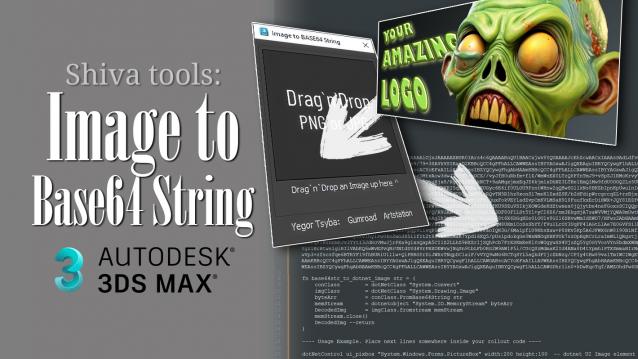
ShivaTools: Image to Base64 String

1 vote

If you're a 3ds Max scripter, you've probably wondered how to avoid dragging logos and icons as separate files and embed them directly into your script. So, I made a convenient Base64 encoder for Dotnet for myself and decided to share it with everyone.

videoViewport

2 votes

Script that lets you place Windows Media Player window inside of a 3ds max 4 viewport using an activex control! There are separate versions depending on whether you use media player 6.4 or 7.1.

TGRestoreAxisToggle

6 votes

Small script that toggles the Transform Gizmos restore parameter. Needs a restart after running (indicated in the dialog indicating what the TG has been toggled to). The restore parameter determines whether the TG reverts to the set axis constraints after use - or keeps the constraint just used as the new default.

3DS Max - Compound Objects - Loft - Part 2

0 votes

In this part 2 of the Loft tutorial, we will check more possibilities with this powerful tool, and we will learn about the Scale graph that you can find in the Deformations rollout.

Syndicate content