3ds Max | All

Object Randomizer (2011-05-06)

44 votes

This script allows users to randomly rotate, scale, and move the selected objects with the choice of relative or absolute.

The icons are also in the rar folder.

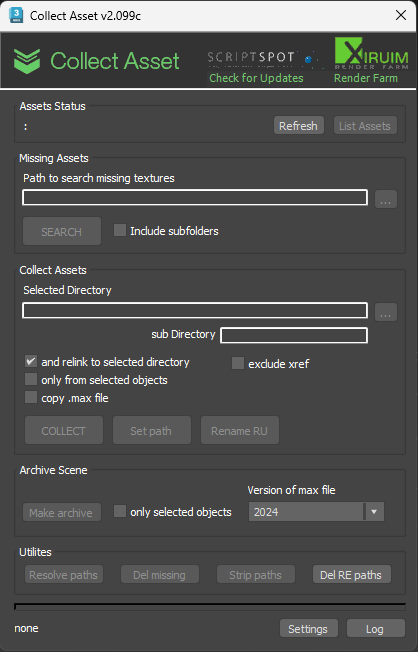
Collect Asset

44 votes

This script collects textures and other files used in the scene in one folder. Check for the same file names.
It is free script.

MB Resource Collector

44 votes

Interface of MB Resource Collector 0.2 This script is something like a replacement for the File > Archive... function found in 3ds Max. It will collect ALL assets currently used in the scene file into one common directory, optionally changing/removing path names. This includes final gather maps, photometric files, environment maps, bitmaps used in a displacement modifier etc., basically everyhting that is listed in the Asset Tracking System will be collected, too.

This is useful if you want to send your entire scene with all required files to someone else in one flat folder.

Optionally, the script can change the asset path names to match the new location, either as absolute or relative path names. It can also include the currently open .max file and create a .zip archive from all collected files in one go.


MEM's Max2Maya - maya viewport navigation in 3ds Max

44 votes

Hello everybody. I want to share with you something I whipped up these past couple of days.

IMPORTANT! In order for all the controls to work, the pan and zoom hotkeys inside 3ds max must NOT be altered.

Also, make sure you close max before installing this, or it won't install.

It's basically an alternate viewport navigation inside 3ds Max that tries to mimic maya's Alt + Click viewport navigation to some extent. I am aware that there is at least one commercial solution out there that does this, but this one is free and I thought you might like that little detail.

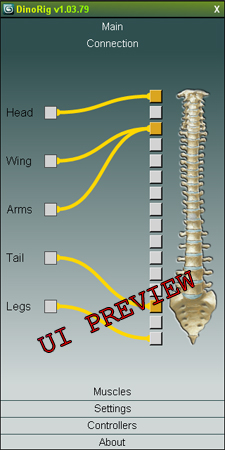
DinoRigCreator

43 votes

HexLattice

43 votes

A simple script to create either hexagonal tiles or a mesh with hexagonal holes in it.

Simply run/drag into max to start the interface.

All tiles are instanced by default for your convenience :)

Settings Preview

DarkScintilla: Maxscript Editor dark scheme

43 votes

A dark color scheme for the Maxscript Editor, inspired by dark schemes available for other IDEs

As i was doing more and more max scripting lately, the urge to do something with the eye hurting Maxscript Editor colors escalated. So i sat down today and had a walkthrough on the various options Scintilla (Maxscript Editors core) provides.


Bubble Modifier

43 votes

Works like sculpt deform in Maya.

A SimpleMod scripted plug-in modifier which inflates or pinches
an object according to the transformation of the modifier's gizmo, the radius and falloff parameters.

The Radius is the length of the offset a vertex would get if it's distance
from the gizmo evaluates as zero. This parameter can be set to a negative value as well to create a pinch effect.

Camera Z_Depth

43 votes

This script creates a new render element using a falloff shader to emulate a zdepth render element. The min and max values are added to the cameras attributes. This gives you the ability to animate the min and max values of the zdepth and to be able visualize those values in the viewport.

It installs as a macro script in the mikes scripts category.

Update 05/26/2011:
I changed the default values from 100 min and 200 max to 0 min and 0 max.

Update 02/10/2012:
I turned off filtering.

LightRigger

43 votes

LightRigger is a free Maxscript-based, draft-quality Global Illumination lighting system for the 3ds max Default Scanline Renderer.  It is based on the well known "old-school" principle of a light dome, but LightRigger takes the concept much further.

Syndicate content