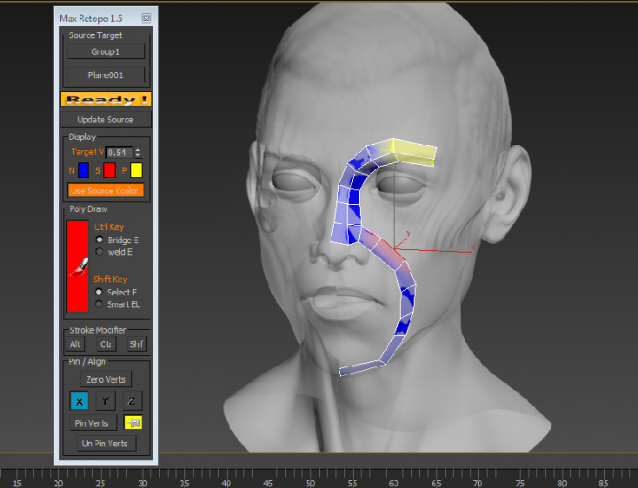
3ds Max | Scripts

error

0 votes

Accidentally created 2 entries. Is there any way to delete this?

3inCamPack: SPIROFLY•CAM

6 votes

"SPIROFLY•CAM" script is the unique 'turn table' tool which uses the simple trigonometric formulas to create an interesting path around the targeted object in the scene.
Image Hosted by ImageShack.us
By barigazy at 2011-12-02

Mouse Select

31 votes

This script throws up a menu of the objects under the cursor for selection - similar to right-clicking Photoshop's move tool to select a layer.

-Select a single object by picking from the menu.
-Select multiple objects by holding down the control key while picking.
-Use 'All -' with or without the control key - to add/remove all listed objects from the selection.

Teapot Invaders!

12 votes

It's Space Invaders... with teapots! Defend the world of Max and avoid being overwhelmed by the teapot attack. Enjoy!

Screen Capture:
http://www.jasonlabbe3d.com/animationFiles/screenCaps/teapotInvaders_scr...

Download:
http://www.jasonlabbe3d.com/files/scripts/JDL_teapotInvaders.zip

To install:
- Drag and drop the .mzp file into MAX
- Close MAX, then open it back up
- Look for JDLtools in the 'category' section
- Add the tool in your quad menu, toolbar, or menu

Quake III MD3 Importer Public Beta

6 votes

Loads animations. tags. skin files and more. (Max 4.2 compatible)

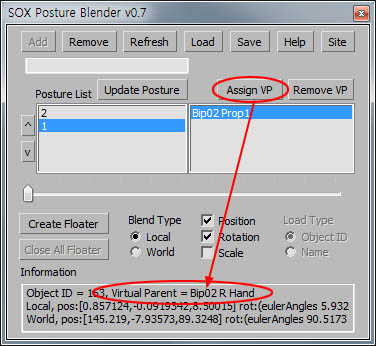
SOX Posture Blender

20 votes

http://cafe.naver.com/pinksox/2894

v0.7 update : 'Virtual Parent' added

v0.71 update : 'Load Type' activated

v0.72 update : Floater bug fixed

v0.721 update : Impreved compatibility with lower version (Max 9 tested)

v0.723 update : "Undo" management has improved.

v0.724 update : Bug fixed

v0.725 update : update for 3ds Max 8.0

v0.726 update : update for 3ds Max 2013


Pretty Link

2 votes

This tool links selected object to another object using position/rotation target (not scale).

This method allow to link without dependencies (you can link, then unlink and use reversed link, that Link Constraint can't do).

Animation will not be spoiled if something changes at frame of linkage. There will be jerk but it can be easily fixed with Align.

You should animate link target, because currently object is not animateable during linkage.

And you can manually animate weights of links to achieve smooth transition between links.

Patanouk 2

1 vote


Hello everybody,

I don't know if it is exactly the correct way of doing this, but I felt it was the best.

I am in the process of completely rewriting my assets management plugin/script, Patanouk, and I would like to ask you, users, the kind of features you would love to see in this assets manager.

Attach_Selection_to_Surface_by_Local_Z.ms

57 votes

Use this script to attach object(s) to a surface based on the object(s) z axis.

Syndicate content