ScriptSpot is a diverse online community of artists and developers who come together to find and share scripts that empower their creativity with 3ds Max. Our users come from all parts of the world and work in everything from visual effects to gaming, architecture, students or hobbyists.
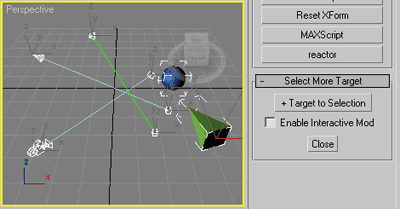
Commonly useful when select target lights, cameras or tape helpers,
or any objects with (older) Look_At transform controller applied
and you wish to select their targets as well.
This little and funny Script, allows to change Wirecolor and Standard Material to a selected object without open and change the diffuse color in Material Editor. Very useful for quick application of basic colors on the object.
Submitted by dstruevision on Fri, 2010-01-29 08:36
27
votes
This scripts enable you to change selected objects(with animation) to mr_Proxy objects.
And you can change some parameters of selected objects all at once.
Caution: If you wanna use property "AnimOffset", you have to apply Skin modifier or
other deformation modifier to an object, whose animation is just drived by linked hierarchy.
How to use: Just put this script to \3ds max root\ui\macroscripts\. Then, start up 3ds max,
and go to "Customize"->"Customize User Interface". You can find this script in a category "DSTRUEVISION".
Submitted by Alexandre OLIVEIRA on Fri, 2006-10-20 20:45
15
votes
Script originally based on the code from E-light 1.02 by Ronnie Olsthoorn - new features detailed below.
'This script generates a geosphere with lights on its vertices. The lights can be coloured using a bitmap. The settings let you create a lightdome that simulates complex environment light.'
This script will setup a script controller on the scale controller of the bone. The script controller will monitor whether the bone is being stretch below or beyond a set value, and color the bone to a user defined color.