3ds Max | Scripts

Fuse and Weld

1 vote

Fuse and Weld

Fuse case and wild - 3ds Max script for stitching spline points with one hotkey, 

if several points are selected, the fuse and welding are triggered,

if one point is selected, a break is triggered and splits into 2 points


Spline Fuse and Weld - 3dsmax скрипт для сшивания точек сплайна одним хоткеем,

если выделено несколько точек срабатывает Fuse и Weld,

Clay Switch

2 votes

A small macro I often use to switch between Clay and Default Shading modes. I use the Tab button as the hot key for it.

Customize User Interface > D95 DESIGN > Clay Switch.

Hotkey Editor > Clay Switch.

Push Pro

3 votes

Push Pro is a modifier for 3ds Max that pushes vertices outwards or inwards while preventing self-intersections from occurring unlike the standard Push which produces a lot of self-intersections. Surface details are also preserved very well. Get it from https://mariussilaghi.com/products/push-pro

Reference Manager

2 votes

no more headaches unfreezing and unhiding refplanes manually
the RefManager does it for you and lets you focus on the modelling

A reference manager that automatic hides and shows reference planes based on the current viewport

by default it uses the following names, but you can click on >> to get acces to the pick buttons and pick your own reference planes

ref_top
ref_front
ref_back
ref_left
ref_right
ref_top
ref_bot

------
plans for next version : add refsetup: auto creates planes in correct size based o nthe resolution of the images

Explode Baker

2 votes

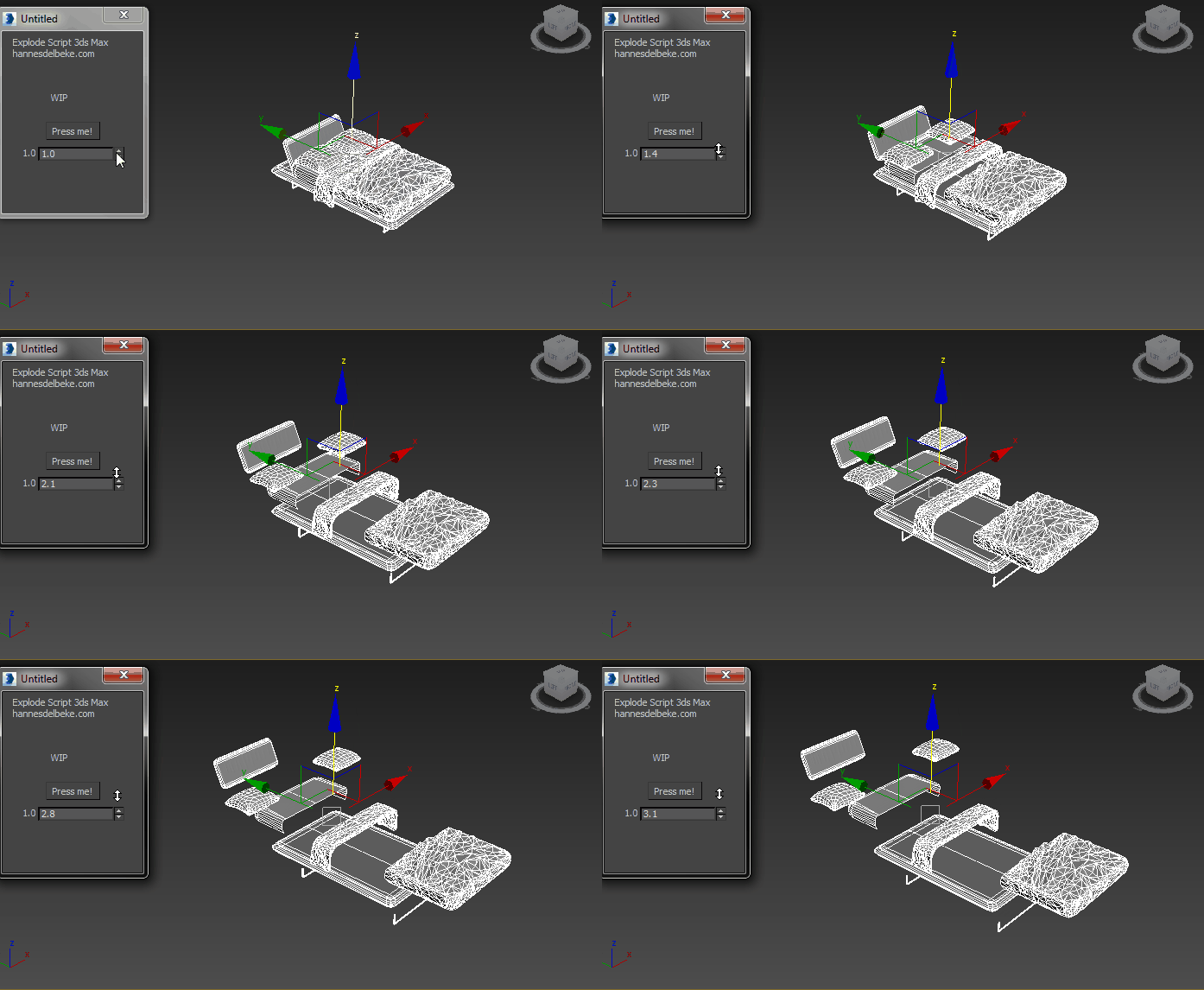
will explode your meshes based on their names


step 1) set up the suffixes and name your meshes

supports custom tags such as _LP or _lowpoly
_HP and _highpoly

please make sure all objects are named correctly
floaters can be attached as a child to their highpoly parent and they will auto move along with the parent during the explode

step 2) click create projection

Align Multiple Objects

2 votes

Align Multiple Objects - 3dsmax script

Description

VertexColor Blend Material

0 votes

Shows DX material with textures blended by vertex color in viewport. Has interface that allows user to switch between Standard and DX versions and also toggle display of ARGB channels.

VertexColor Blend Material

1 vote

Shows DX material with textures blended by vertex color in viewport. Has interface that allows user to switch between Standard and DX versions and also toggle display of ARGB channels.

Graph Transform

5 votes

a 3dsMax Script for Applying Transform to Objects By Controlling Graph Curve.

DarkScintilla: Maxscript Editor dark scheme

43 votes

A dark color scheme for the Maxscript Editor, inspired by dark schemes available for other IDEs

As i was doing more and more max scripting lately, the urge to do something with the eye hurting Maxscript Editor colors escalated. So i sat down today and had a walkthrough on the various options Scintilla (Maxscript Editors core) provides.


Syndicate content