3ds Max | Scripts

dwHideUnderSkin

0 votes

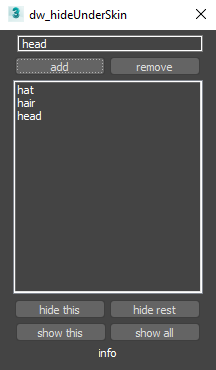
UI screenshot

Allows you to hide/show elements while working with skin for example.

First you need to create poly groups by selecting them and pressing Add (switch to Editable_Poly in stack).
Then you will be able to hide/show those groups.

You can also use fast way to control visibility:
Double-Click : hide group
Double-Click + Alt : hide everything else
Right-Click : show all
Only downside is that you can't work with multi-selection like that.

miauu's Manage Links

8 votes


theOnion

41 votes

The Onion is Layer System that sits on top of the max layering system.

Features

  • Layer Groups
  • Merging
  • Alternate Material
  • Alternate Property
  • Import of REZN8 LayerManager Information

IMPORTANT Notes

Unwrap Pro

13 votes

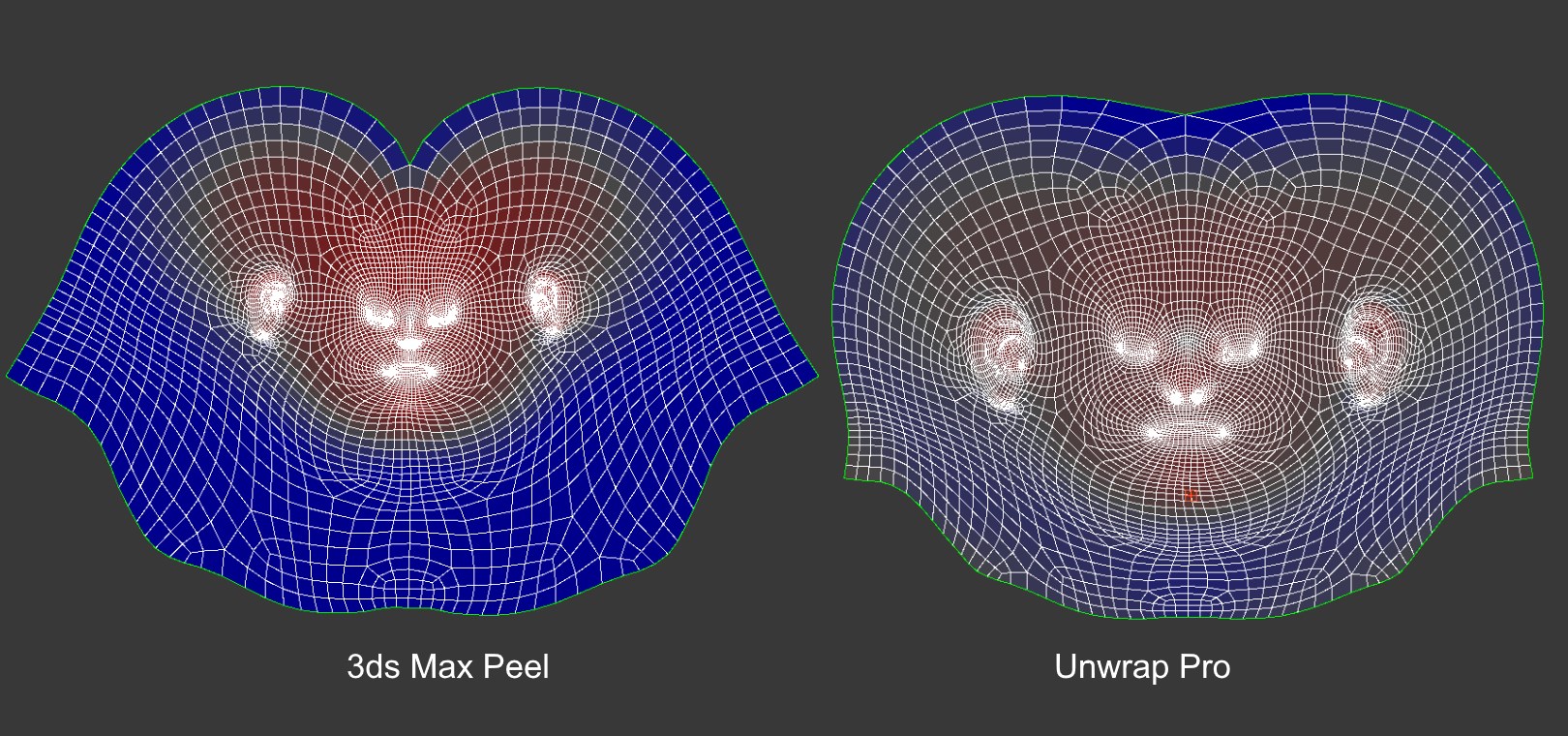
Unwrap Pro is a 3ds Max plugin which unwraps meshes while producing low distortion, overlap free, weighted density UVs unlike the 3ds Max Peel command which produces overlapping uvs with high area distortion. Get it from https://mariussilaghi.com/products/unwrap-pro

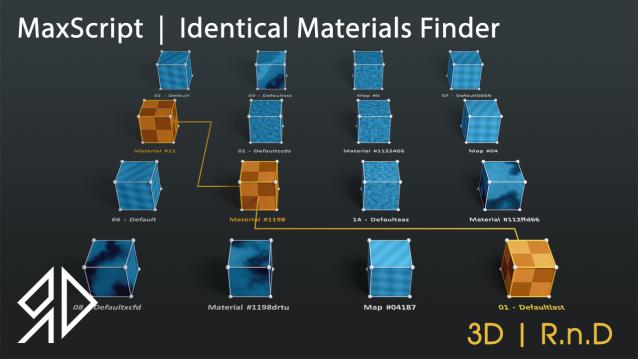
3D R.n.D | MaxScript | Identical Materials Finder

5 votes

Update Notes Version 3.18:

included slate material compatibility

automatically opens material editor when pressing "Put similar to the material editor" button


Update Notes Version 3.21:

included option to instance all scene material

included option to search within selected objects

 Update Notes Version 3.31:

Bug Fixes For Newer Versions of 3dsmax


Update Notes Version 3.36:

Improved code and much faster resaults

fixed unmatched materials issue

Bug Fixes For Newer Versions of 3dsmax

Update Notes Version 3.37:

added abilty to cancel search

clear the ram of arrays after closing the script dialog


Installation : Run script or drag and drop to 3ds max, then go to customize user interface and assign "Identical Material Finder" as keyboard short-cut or quad menu under  "3D_RnD"  Category

miauu's Tab Panel

1 vote


miauu's Tab Panel allows you to organize all of your toolbars into tabs.

What you can do:

Altimeter and Speedometer

4 votes

There are two tools in the max scene - Altimeter and Speedometer. Altimeter shows Z coordinate of the selected object. Speedometer shows speed of the selected object. Both tools are 3dsmax text objects with custom attributes. Custom attributes let you select display units or pick the new object to measure. There are also two slider objects to display altitude and speed in viewport. These sliders might be deleted if there is no need in them.
Script is written in 3ds Max 2016. It will work in all later versions and probably some of the early versions of 3ds Max.

Sweep Profile

563 votes

The new version of Sweep Profile PRO has been released

version 1.01.36

  • Adds support to 3Ds Max 2026
  • New Demo Molding profiles
  • Drops support to 3Ds Max 2014/2015

version 1.01.30

  • Adds support to 3Ds Max 2025

version 1.01.27

  • Adds the "Assign" button
  • Adds German and Japanese localizations
  • Better zooming to profile on rendering preview
  • Adds an ability to add multiple directories with profiles using the checkbox "Include Subfolders"
  • Fixes an issue with changing profile dimensions in 3ds Max 2023-2024

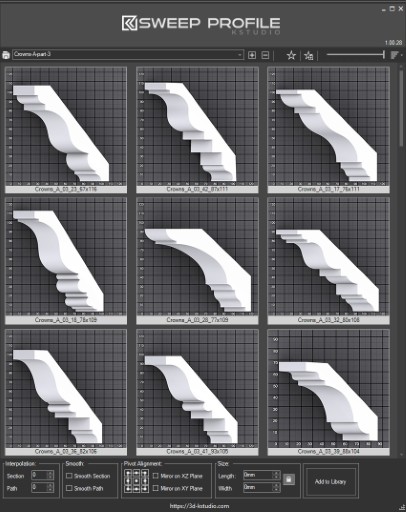
The main functionality of the Sweep Pro lies in its ability to offer a quick and convenient way to build architectural profiles using the Sweep modifier.

The pack includes pre-made architectural profiles (10 for the free version and 37 for PRO version), providing users with a solid base to start from.

However, the functionality doesn’t stop there; users also have the option to add new profiles from the scene or add profiles from a specific folder.

Also, the tool has a very convenient option for changing the profile size on the fly.


Batch Save 3ds Max Files to Previous Version

4 votes

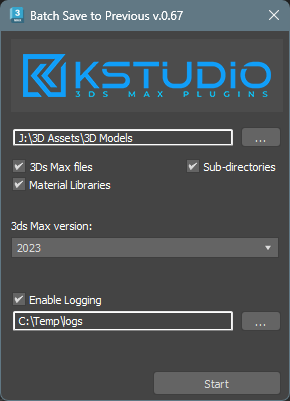
Script for saving 3ds Max files and Material Libraries* to the previous version in batch mode

*Batch saving Material Libraries to the previous version requires 3ds Max 2023 Update 1 or newest


Copitor

120 votes

Copitor allow you to quick copy/paste selected objects to another Max scene or in another Max if you have 2 3dsMax open. I also like to use it like as a "quick backup" for try something, and to be sure to loose nothing :)

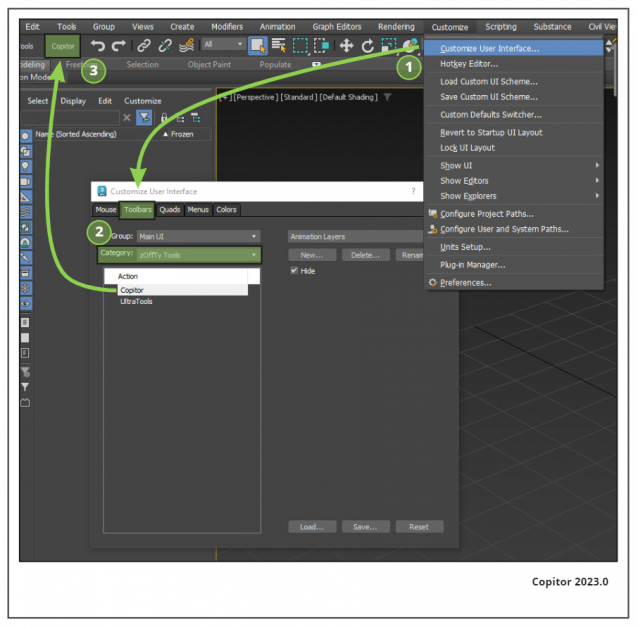
Installation: Drop The file in max viewport and go to Customize ==> Customize User Interface ==> Category: zOffTy Tools ==> Copitor

Copitor installation

Syndicate content