3ds Max | Scripts

Move Populate Files To Network Path

0 votes

If you have ever tried a network render using Populate characters, you've probably noticed that the textures are generated by Max and saved to a local folder on your computer. This isn't very helpful if you are trying to render over network.

This simple script copies the diffuse textures from all Populate people to a new folder you choose, then assigns the new path back to the material.

PolyQuad

-1 vote

This script converts the selection to Editable Poly and then quadrifies all polygons.

It`s simple but I personally find it useful when merging downloaded archives with triangled meshes.

Include/Exclude Selected Objects From Lights

1 vote

Description:
Include/Exclude Selected Objects From Light

Directions:
1. Select objects
2. Run Script
3. Select lights you wish the objects to be exclude/included from
4. Right click when finished

Script Features:
-Applies selected objects to chosen light's exclude/include list
-Automatically deselects invalid objects
-Prints list of chosen lights

Let me know if anything can be improved or cleaned up!

Condense by Material

2 votes

This script condense objects with the same material, convert them into Editable Meshes, optimize the geometry and rename it as its material. If you select a large number of objects (+5k) it can take some time but it is crash-proof (so far). Specially useful in case you import architectural files from .3ds or other format and the file contains Material information. At the end you will have the same number of objects as the materials you had (e.g. Brick, Glass, Frames, Wood, etc.) Enjoy :)

v1.25 -Objects without material now receive a "Default_Material".

building generator

3 votes

with this script, you'll be able to generate many diferent buildings shapes with interriors floors.

works on max 9 to 2012.

SelectByNoMaterial

4 votes

Checks every object in your scene - if no material is applied the object is selected.

Align Pivot To Knot | Vertex

12 votes


With this simple script you can easily place selected object pivot (Spline or Geometry) on selected knot (segment) or selected vertex (edge, poly).

Upadate v1.5: Pivot On SubSelection

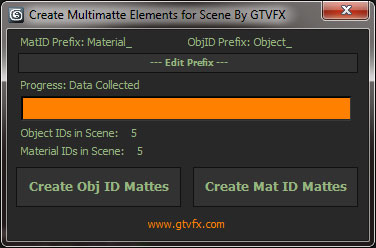
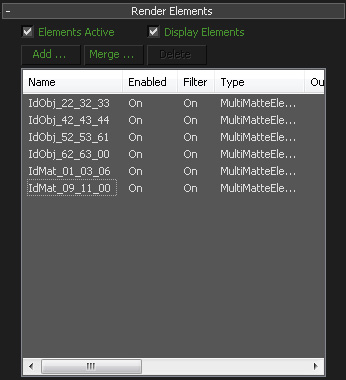
GTVFX-SCA_createMultiMatteElementsForScene

1 vote


Analyzes your scene and collects all unique Object IDs and Material IDs.

Will create Multmatte Elements from the IDs with a logical naming convention.


 Updates:

2014-11-14:

Fixed a bug that would crash the tool when a VRaySky was being used in the scene.

2014-05-03:

Position to VertexColor

2 votes

This script can convert vertex position XYZ to vertexcolor RGB.
useful with 3d texture map UV or some.

idea from

http://youtu.be/HKA1kjewMvA

CPAnimation (Copy/Paste Animation)

0 votes

This script copies the animation of the move, rotate and scale from one object to another.
Script Installed in category: "GregoryMaxScript"

Syndicate content