3ds Max | Scripts

santex Sandbox

0 votes

This is my tool for rapid script development.

Follow 'install.txt' to install scripts and then read 'readme' files.
There is also basic tutorial for 'santexToolbox' script.

'santex_fnlib.ms' is included in the archive.

Updated santexToolbox (0.2b)
Still buggy though. (Including tools is working under specific circumstances only)

FragNoiser

7 votes

This tool is for adding details for your fractured model's internal faces , cracks and so on. It offers a built in solution for doing so without the need of external plugins by using 3ds max default modifiers in a clever and systematic way.

111_ImagesAsPlanes

0 votes

The script creates a plane for an image file specified and assigns a standard material to it, visible in viewport. Nitrous driver is pushed to 2048 texture size.

EditVertexDirect

5 votes

This is the replacement script of the standard script triggered from the "1" key. Yes, is goes to the vertex level for editing vertices. But makes this in more smart way. If you have a lot of modifiers above your base object typically after pressing the 1 key you get into editing the first sub-object level of the modifier. But we need editing vertices. Along with base objects it also picks the upper edit_poly or similar modifier. Version 0.4 seems to be polished enough.

smart menu

42 votes

another script for today :)
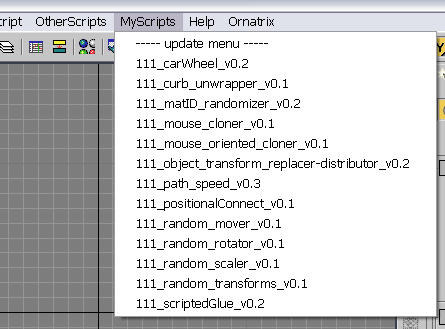
this script scans a folder on your PC and creates a menu in 3dsmax's interface with all scripts it finds there (you must specify the path to scan in the script by yourself). all you need to do with your new script is to place it in that folder, and you will be able to access it in 3dsmax interface. no macroscripts support.

paint cloner

16 votes

the purpose of this script is to place objects by painting with mouse. like advanced painter, but advanced painter uses max's paint interface which is somewhat slow on complex models. my script paints objects over the active grid. after you place objects, you can put them down to ground, apply random transforms, apply random materials (all these things with other scripts). so you can quickly make landscapes.

turbo hide

12 votes

this script hides-unhides objects (it remembers hidden objects, so you do not need to unhide them by name)

copyUVWchannels

8 votes

this script copyes uv data from one uv channel to another. and this script was written to aid exporting objects to cinema4d for painting (as cinema4d does not support multiple uv channels in the way 3dsmax does). so you need to copy your uvs to the first channel and then export.


gridScatter

14 votes

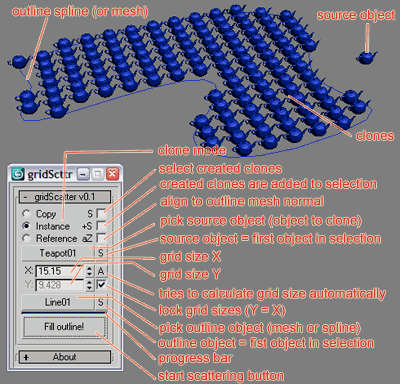
this script fills a closed curve or poly object with clones which are placed on the grid. additionally you can orient clones to be parallel to the ground and looking upwards (the main goal for this featute was - making tiles on roofs)

unwrapUImode

5 votes

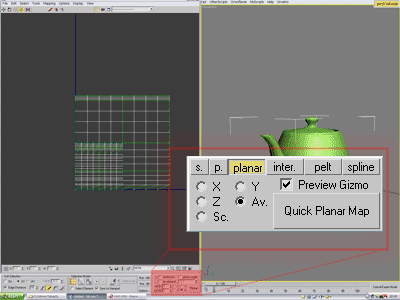
this script customizes 3dsmax user interface for working with uv's - it splits screen into 2 parts as it is used to be in majority of uv editing layouts. this version is adopted for screen resolution of 1600x1200. for other resolutions you will need to change absolute screen coordinates for custom toolbars 


Syndicate content