3ds Max | Scripts

CT Penrose Tiling

3 votes

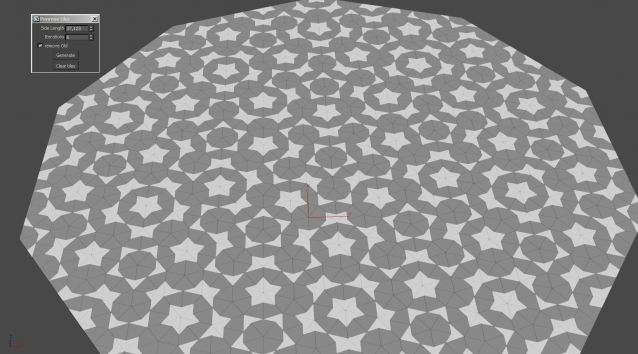
A tool for generating P2 Penrose Tile Patterns.

For up-to-date usage instructions see the download link.

Norman3D's MaxScript Pack #1

0 votes

Norman3D's MaxScript Pack #1 is a set of tools that will allow you to do some cool effects with verts and vectormaps. The pack also contains help files and tutorials for all the tools.

All of these tools should be compatible with current-gen and mobile platforms.

The pack contains the following scripts:

 3D Vector Displacement

This tool will allow you to bake vert positions to different channels in your mesh. These positions can then be retrieved by a vertex shader and used to morph between the shapes.

 

MXS Dictionary

1 vote

A very simple pure mxs implementation of a dictionary to store key-value pairs.

It is somewhat "fake" in that it is not using any hashing but an internal array of tuples. Which means the bigger it gets the slower it will be to work with. So its usage is probably quite limited. If you however desperately need a dictionary data type and can't use any fancy dotNet, this should work down to Max version 9.

Example usage:

-- Either copy/paste into your script or bundle the file with your main script file and use
fileIn "dict.ms"
-- or
include "dict.ms"

Math_Circle

5 votes

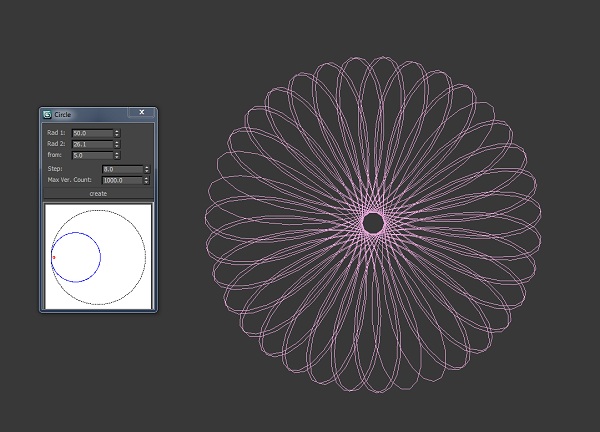
Simple script for create art circle.

Quick mapping

1 vote

Quickly assign a box mapping of 1m³, 0.5 or whatever you want.

quick mapping

Lock/Unlock link info

4 votes

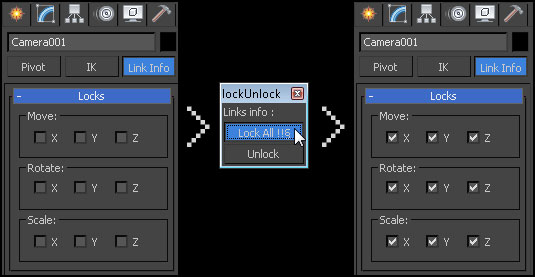
When you want lock an object like a camera, you must check each box on the hierarchy > link info
Same thing when you want to unlock.

This script automatically do it for all entries.

lock/unlock link info

maxCalculator

2 votes

maxCalculator within the dropdown window allows you to edit numerical values,
same as standard Windows Calculator.
Using the dropdown calculator, you can perform basic calculations such as addition, subtraction, multiplication, getting the inverse number and working with a memory register etc.

Circle From 3 Points

14 votes

Creates a circle using three points.

Usage:
You will find this under the create panel / shapes / Circle 3 point
click mouse button for each point. will create a circle on a plane defined
by the three points in 3D space

Hunter

13 votes

Search the scene for items (objects - modifiers - etc] with specified properties (instance of - same type as - etc.) - and do something to them (select - delete - disable - etc.)

Chain creation Tool

5 votes

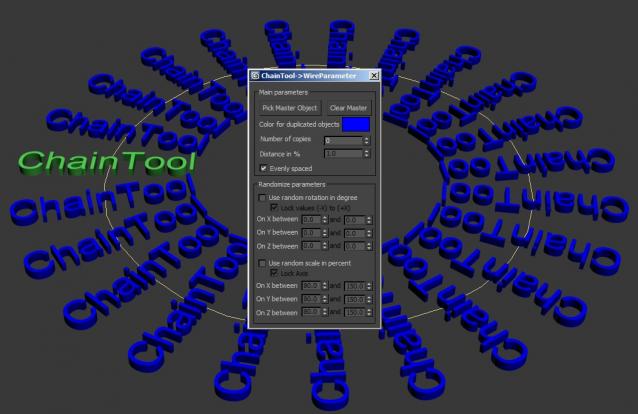
This script allows an easy distribution of an object along a path and adds a Wire-Parameter between the objects. it allows you to controll the whole animation on the path with the master object.  

You can also change the wire-color and randomize the parameters of rotation and scale.

Syndicate content