3ds Max | Scripts

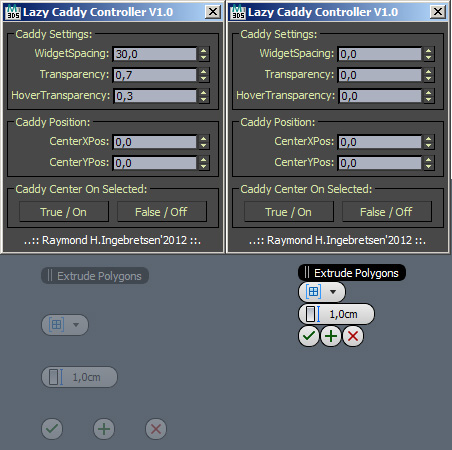
Lazy Caddy Controller

3 votes

VRayMat Resampler

3 votes

.............................................................................................................................................................. version 1.2

Whit this tool you can easely control subdivision value according to Relection or Reflaction glossiness values.
Idea by John O’Connell

max2afx_TrackData_Exp

21 votes

max2afx UI

Export the motion data of any object from 3D Studio to After Effects without rendering, postproduction tracking etc.

The workflow can be seen here (~30MB Quick Time):

vSaver - project management tool for 3ds max

1 vote

vSaver is a simple project management tool for 3ds max. 

It allows the user to save versions of a project and then  access all of those versions later and review changes, load/merge versions, watch previews of the saved scenes etc.

Features:

- Saving files with autoformatting of versions of the project like: project_v00001_00005 to the project file path

Batch Render Wizard

31 votes

Batch Render Wizard is a Scripted Floating Modeless Dialog that allows the quick setup of Batch Render combinations of Cameras, Scene States and Render Presets. It leverages 3ds Max built-in Batch Render system which allows saving Command Line Batch files, Net Render, and also saves everything in the scene so that other users don't even need this script.
NOW AVAILABLE !

Batch Render Wizard Example

Pixel Wall

12 votes

This little script builds an array of instanced spheres - where each sphere position and colour relates to its corresponding pixel in the chosen bitmap.The sphere wall can then be manipulated in various ways (for eg. collapsing it using dynamics software) This can create an interesting effect if rendered and played backwards.

Set Out of Range Types

6 votes

Sets out of range types to relative repeat

Animation Effectors

6 votes

Animation Effectors - is a group of scripts create controls to manage the settings for scale, rotation, position and thickness("Shell" modifier) of multiple objects simultaneously. The impact of controls depends on the distance to the object(except control position). Since everything is run by the expressions.

P.S. Thanks Yandex Translator :)

Keens Batch Exporter

22 votes

Batch export all objects in your scene as separate files to any file type 3ds max supports.
-Exported files use the object names in the scene.
-option to export files using their indivdual pivots as the scene origen(center objects to 0 -0 -0).
-export all objects - only selected/deselected objects.
-Asign prefixes to file names at export.

Move Populate Files To Network Path

0 votes

If you have ever tried a network render using Populate characters, you've probably noticed that the textures are generated by Max and saved to a local folder on your computer. This isn't very helpful if you are trying to render over network.

This simple script copies the diffuse textures from all Populate people to a new folder you choose, then assigns the new path back to the material.

Syndicate content