3ds Max | Scripts

Display By Category

2 votes

This script was requested by titane357 here: click

It will display objects based on their class. For example if the spline object is selected the script will hide all other objects and only the spline objects will remain visible in the viewports. If the light object is selected only the light objects will remain visible.

DisplayInstances

5 votes

Displays a list of all other objects in your scene that are an instance of your currently selected object.

DisplayMat

4 votes

Pick an object - run the script - this will show you the material assigned to the object.

DisplayMatID

2 votes

Displays all material IDs used by the faces in a particular object.

DisplayUsedMapChannels

5 votes

Displays all map channels that the selected material slot requires.

DisplayVelocity

3 votes

Displays the velocities of a particle system with color coded streaks.

Dist

4 votes

Gets the distance between 2 vertex - get the length of one or more edges.
Watch the example movie

Distance Linker

22 votes

Compares two sets of objects, linking objects in "child" set to the nearest object in the "parent" set... pretty simple!

1. Select set to be children and run script or press refresh children.
2. Select set to be parents and press refresh parents
3. Press "Parent"

*4. You can also press "select objs w/o children" to select any objects left in the parent list with no children (can happen if it's far enough away that it's not the closest to any object in the child set.)
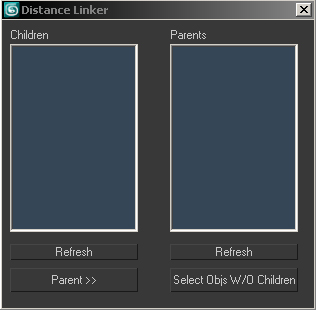

DistanceLinker

Distance Shift

1 vote

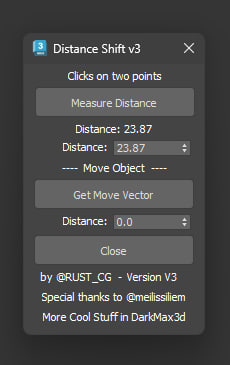
Distance Shift

Скрипт для точного изменения расстояния выделенных точек или объекта по вектору двух выбранных точек

Установки, перетащить в 3dsmax, после установки вытащить кнопку или назначить хоткей на Distance Shift в категории RUST Script


основные функции:

- замеряем длину между точками

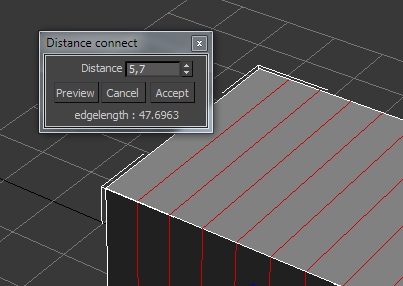
DistanceConnect

3 votes

Connect edges every given distance.

Syndicate content