3ds Max | Scripts

Doom Spline Resizer - draw line with precise lenght

3 votes

This simple script will let you draw precise lines quickly almost as a CAD software!
It will Set the pivot to the first vertex of a shape object and align it to the first segment. A window will show up allowing to set the Lengh of a spline scaling from the first vertex.

You can find the mcr script in the Category:"_Scripts"
The .ms script will just load on RUN

USAGE:
For best use associate the script to a Key button (es. D that is free by default)
You can add a toolbar button found in "# Scripts" category
Use the key or press the toolbar button to start drawing a line

Doom Vraylight Portal Enabler/Disabler

2 votes

DoomLightPortal
By Vin Carbone (doomgrave)

This script will allow to Enable/Disable the Portal/Portal Simple option for Vraylights.
The option has been hidden in Vray 5.2 but it's still working.

USAGE
1. Open the rollout,
2. Make a selection of all the Vraylight you want to set
3. Press selected function:
Disable - to disable Vraylight portal option
EnableLP - to enable Vraylight portal option
Enable LP Simple - to enable Vraylight Simple Portal option

It works with any selection and any Vraylight shape

.ms file just run once and it will open

Dotnet Property Inspector

16 votes

.Net Property Inspector

dotnet Quicktime Movie Player

2 votes

A simple maxscript quicktime movie player. I only have 1 monitor, so switching between max and quicktime was annoying. Just click the button and pick your movie. It's based on the 3DS max dotnet tutorials. Install into the 3dsmax\UI\Macroscripts folder.

DQ skinning Copier

3 votes

In previous max versions like max 2016,
when you save the envelopes, it doesn't save the Dual quaternions weights.
Which is a pain when you need to transfer skinning from a model to another for whatever reasons.
The thing is I do quite a lot of rigging and I faced this problem more than once with no out of the box solution.
And I needed to transfer only the DQ weights, not the other envelopes.

So here is a super simple script to do that.

How it works :
1 : select the model which has the DQ weights set. (the skin has to be the first modifier)

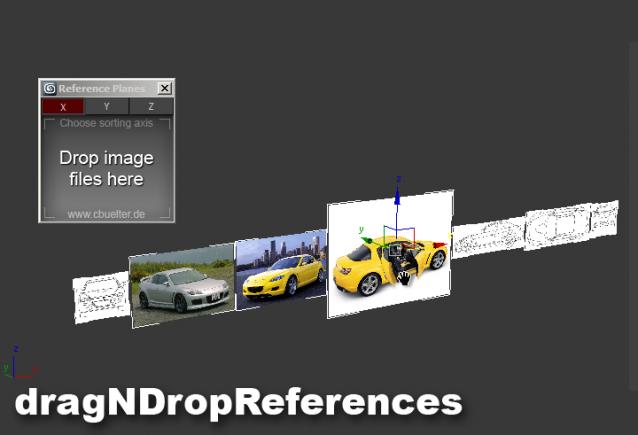
Drag & Drop Reference Images

17 votes

Draw Ex

5 votes

I'll have to admit I sort of pinched this idea from a lightwave plug-in thing that I saw on the net. I can't remember what it was called or who wrote it - but this is sort of like that - so credit to this bloke for that thing wot e wrote. This ones called 'Draw EX' standing for draw extrude - and thta's just what you do.

Draw Order Toolkit

0 votes

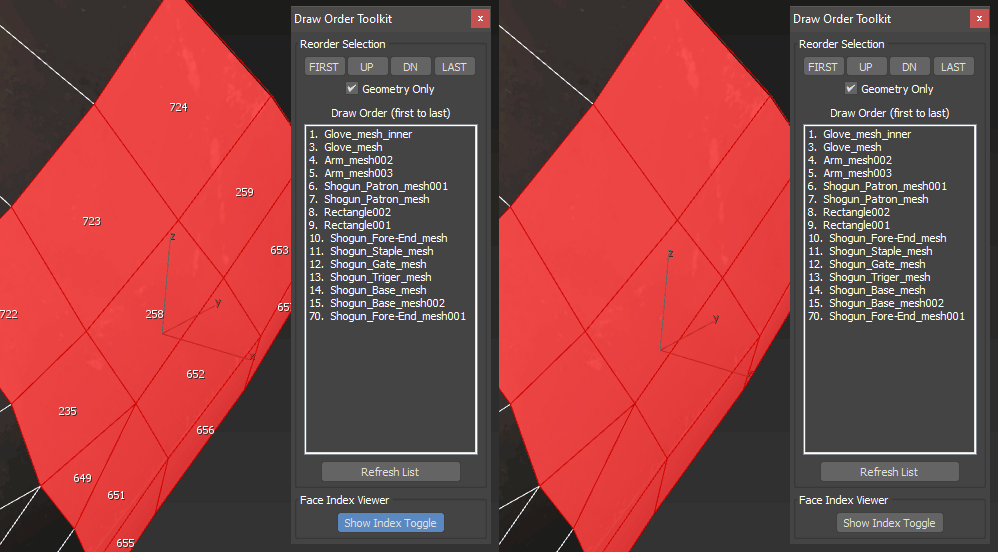
A set of tools for troubleshooting draw call or render order of items in your scene.  Particularly useful for game exports where transparency is involved and objects must render in a particular order.  Also includes a face index viewer.

Draw Poly

6 votes

Draw Poly lets you place vertices on grid or surface - and automatically turn it to polygon as soon as the right mouse button is clicked. Place your vertex in anti-clockwise direction or the created polygon normal will face the other side.

Draw Spline

13 votes

Draw a spline on a surface that optionally tracks the animated surface.

Syndicate content