3ds Max | Scripts

mmMaxControls

5 votes

mmMaxControls is a .NET control library which contains several common controls which look and feel like native 3dsmax UI elements.

See this blog post for more details.

Updated to version 1.02. See blog post for details.


Animated Digits

7 votes

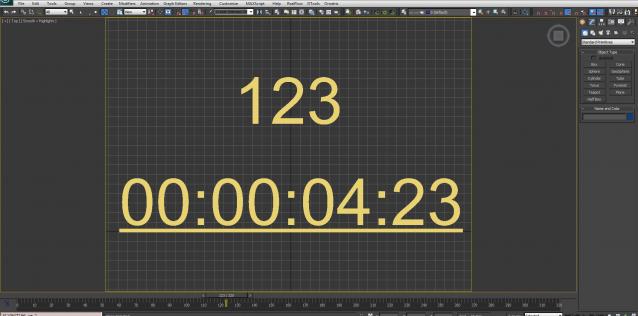
Digits changing by slider time.

changes in V02.0.0
1: the Digit can be convert to Number or Clock
2: Start and Stop frame is optional
3: Step size is optional
4: Start value is optional

MXS Dictionary

1 vote

A very simple pure mxs implementation of a dictionary to store key-value pairs.

It is somewhat "fake" in that it is not using any hashing but an internal array of tuples. Which means the bigger it gets the slower it will be to work with. So its usage is probably quite limited. If you however desperately need a dictionary data type and can't use any fancy dotNet, this should work down to Max version 9.

Example usage:

-- Either copy/paste into your script or bundle the file with your main script file and use
fileIn "dict.ms"
-- or
include "dict.ms"

MaxscriptDoc

4 votes

MaxscriptDoc automatically generates the documentation of a maxscript file, according to the comments found in the source code.

It's kind of a mix between javadoc and python documentation.

The "docStrings" are all the multiline comments that start with /*** and finish with ***/

The only elements it's trying to comment are struct, function, plugin and rollouts.

UCX Collision Creator

5 votes

This script allows you to make an Unreal UCX collision hull from your selection in one click.

Align Pivot To Knot | Vertex

12 votes


With this simple script you can easily place selected object pivot (Spline or Geometry) on selected knot (segment) or selected vertex (edge, poly).

Upadate v1.5: Pivot On SubSelection

VRayMtl Utilities

6 votes

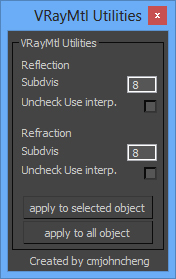
A simple script, useful when using some purchase/download model(some purchase/download model material always got very high subdivs value), this script let you easy to adjust vray material subdivs value and off the Use interpolation, wheter for selected object or apply for whole scene


 v0.2 - Fix reflection "Uncheck Use interp." not working.


install: Extract zip file and copy to 3DSMax root Dir.

Math_Circle

5 votes

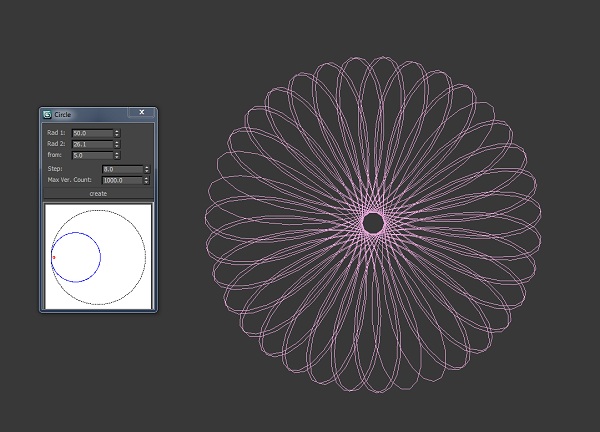
Simple script for create art circle.

CT L-System

2 votes

Generate complex shapes using simple L-System rules.

For up-to-date usage instructions see the download link.

Delete Spurious Keys

1 vote

When you have unwanted keys on Meshsmooth/Turbosmooth modifiers, it can be a pain even if the iteration value does NOT actually change. If you have hair and use Vray moblur/displacement, it may crash if you have these keys in your scene.

These keys are created when you hit the big Set Keys button and your Key Filters has Modifiers checked. Use this script to get rid of these keys (and optionally material keys as well).

As usual, back up your file before running the script. Just drag and drop the script into your Max viewport to run.

Syndicate content