3ds Max | Scripts

BodyObject Render Quality

0 votes

Hi All When you work with Solidworks files in 3D studio max might you are looking for something which can change for selected objects the render settings. This script change render setting by predefined values in buttons. Everybody is free to rewrite own values in script. This script is just rewritten script by Barigazy, who is done an awesome script BodyObject Quality that knows to change viewport quality of body object. So I have taken the body of script an use it for my purpose. That way I would like to thank to Barigazy for his great job.

Nuke'Em (Max to Nuke Exporter)

3 votes

Just paste the output straight into the DAG and have your 3D scene ready to render.

Exports Cameras (Standard, Physical, Brazil 2 and VRay), Objects, Animated Objects and Helper Objects.
Automatically brings in diffuse and opacity colors/map.
Creates a Nuke Script automatically.
Outputs Chan files.
Chan object and camera animation import into Max from Nuke.
Outputs Custom Frame Ranges for Transform or OBJ Sequences.
Single Object Utility buttons (export a single OBJ/3D-Transform in one click).
Nuke and After Effects 2D corner pin export.
Correct VRay Physical Camera FOV export.

Save & Restore Views

7 votes

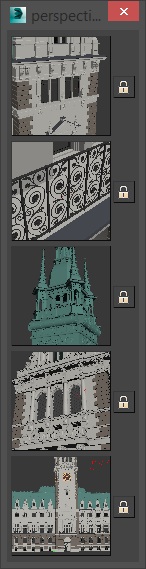
A simple script that is pretty similar to max's own "Save active perspective view" and "Restore active perspective view" functionality just that there are 5 slots with preview images. Un-comment the first 2 lines to install it as a macroscript. Click the little lock symbol to save a view, click the image button to restore it. 

Qbify

0 votes

Qbify is a simple tool that can transform an object with closed mesh into aproximation of its shape in a form of cubes, behaving analogicaly to pixels.

Script supports animation.

LH | Auto-skin

4 votes

Complete assistance to skin any 3ds Max rig !

LH | Auto-Skin will automate all the heavy skinning, leaving only finition to make manuelly, or even, in somes cases, skinning will not need editing! To make this operation, the tool will generate a "sliced" character/object, animators will be able to use this low character/object to animate more faster!

Get Materials (one click!)

4 votes

A very simple but EXTREMLY USEFUL script you will use all the time!

With just one click it opens the Slate Material Editor and displays all the materials for the selected objects well organized in a clean view.

Forget about the annoying material picker tool. Add this simple button to your toolbar and every time you want to see the material/s for your current selected object/s just click the button and... Voila!

It will save you a lot of time!

fumefx system scale

0 votes

hi all!

i'm learning 3ds max and i ended with my first script.

this script will allow you to change the system scale of one or more of fumefx

just simply run the script and select them and change the value with what you want or randomly

hope you'll enjoy it and thanks in advance :)

Transformer

2 votes

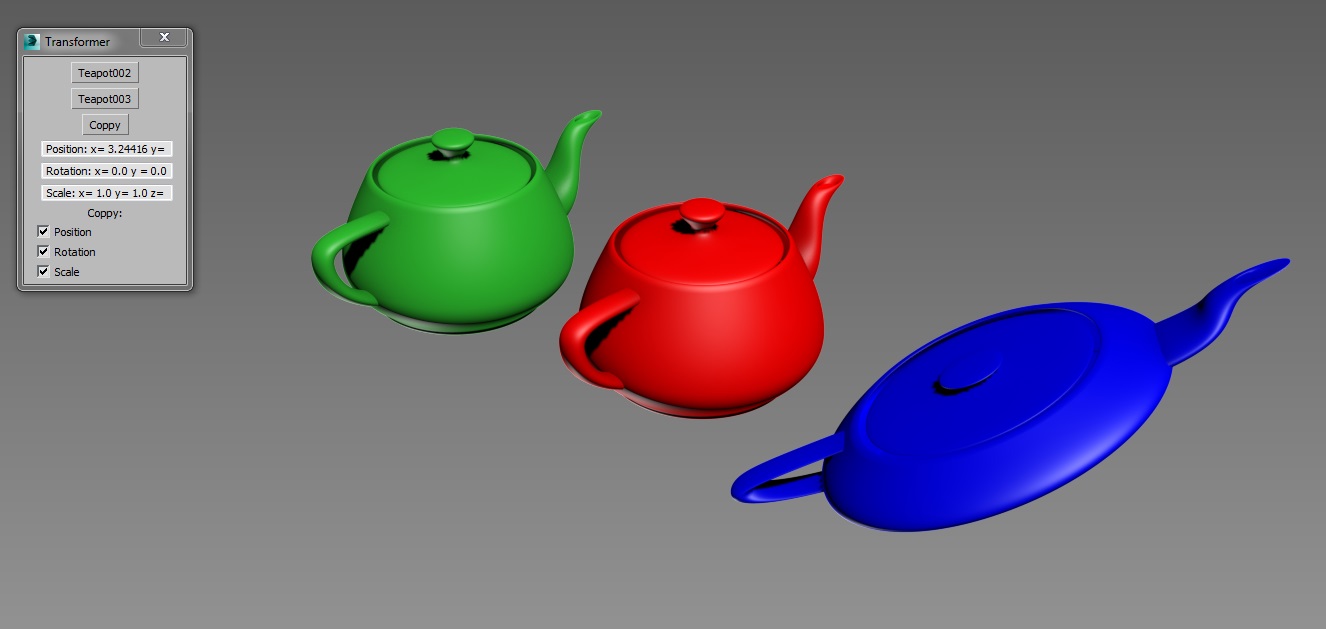
Simple tool created for copying position, rotation and scale transformations between objects.

Copy position, rotation or scale from one object and paste it to any other.

Text Tools

0 votes

This tool helps you to control texts easily in 3ds max, and you will have nice text animation when integrated with the tool Simple Key Shifter

Watch the video for more info

Idea By: Sameh Bijo
Developed By: Walid Abou Ali

Scale To

5 votes

This is tool helps you to scale objects to their actual size in real world easily, by just knowing one dimension length.

Idea and Developed By: Walid Abou Ali

Syndicate content